Welcome to GrooveOmni
GrooveOmni is for sellers on Meesho (and soon Flipkart) who run one or many seller accounts. It gives all of them one catalog, one stock and one order list, so you change a number once and every account gets it. No technical knowledge is needed.
This site covers every task, in the order you will meet them. Each page has the steps, what you see on screen, what to do when something goes wrong, and the questions sellers ask most.
The examples and screenshots on this site use a made-up business, Shree Laxmi Fashions, with made-up Meesho accounts ("Laxmi Kurtis" and "Shree Ethnic Wear"), products, orders and buyers.
What GrooveOmni does
- All your Meesho accounts in one place: connect each one once with your phone and Meesho's OTP. GrooveOmni never stores your password.
- One catalog and one stock for every account: change a number once and every account gets it within seconds.
- Every order in one list: accept or cancel Meesho orders, print Meesho's labels and manifest, see what to pack today.
- Problems found for you: logged-out accounts, blocked listings, rejected catalogs and stock Meesho has not taken, each with what to do.
- Simple prepaid billing: ₹500 + GST a month per marketplace account, a ₹500 welcome credit to start, and a GST invoice for every charge.
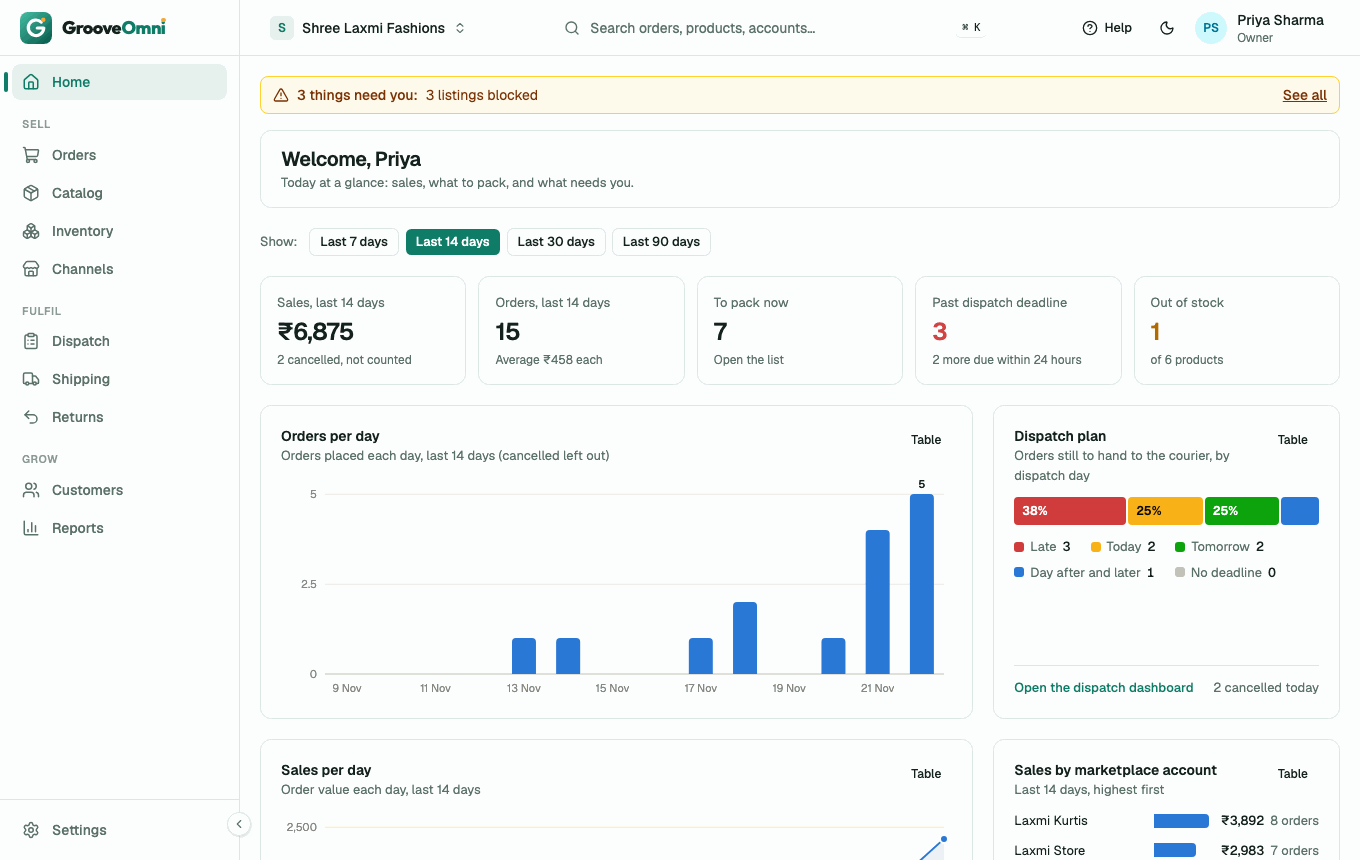 GrooveOmni: one catalog, one stock and every order from all your marketplace accounts, in one screen.
Modules
| Module | What it does |
|---|---|
| Getting started | Sign up, set up your business, connect your first Meesho account and find your way around. |
| Marketplace accounts | Add more accounts, log in again when Meesho logs you out, pause or remove an account, and see what GrooveOmni did on each one. |
| Billing and payments | Your plan, the prepaid wallet, GST invoices, auto-debit, upgrades and how each account changes the bill. |
| Catalog | One product for each real product, duplicates and merging, publishing and copying catalogs, Meesho's quality check. |
| Inventory and warehouses | One stock for every account, several warehouses, stock changes and their history, buffer and cap, and whether Meesho is up to date. |
| Orders, dispatch and returns | Every order in one list, accepting and cancelling, labels and manifest, shipping, returns and what to pack today. |
| Team and access | Staff logins, what each role can do, and more than one business or GSTIN. |
| The owner's view | Your business in 2 minutes, and everything that needs you in one place. |
| Help and support | How to reach us, keeping your accounts safe, and known issues. |
Quick start
A new seller is set up in about 30 minutes. Do these in order:
- Sign up and set up your business.
- Connect your first Meesho account.
- Find your way around.
- Look at your catalog and review possible duplicates.
- Accept your first order from GrooveOmni.
- Know where to get help.
Who is this for?
Accepting Meesho orders and downloading Meesho labels need a Manager, Admin or Owner for now (see What each role can do).
Coming soon
A few things are not in GrooveOmni yet: Meesho payouts, label printing options, buyer details and returns for Meesho orders, and an accountant role. The pages say so wherever they come up; the full list is in Known issues and coming soon.
Support
- Email: support@grooveinnovations.ai
- We reply within 1 working day, Monday to Friday, 9 AM to 5 PM. Weekends off.
- In the app: Help (top bar) → Report a problem gives you a reference to send with your message.
What's next
- Sign up and set up your business Create your account; the first month with one account costs nothing.
- Connect your first Meesho account Log in once with Meesho's OTP; your catalog and orders come in by themselves.
- Frequently asked questions Short answers to what sellers ask most.