Getting help
This page shows how to reach us when something is wrong, and what to send us.
Who can do this: everyone, on every page.
- Email: support@grooveinnovations.ai
- We reply within 1 working day.
- Working hours: 9 AM to 5 PM, Monday to Friday. Weekends off. Messages sent outside these hours are answered on the next working day.
Step 1 — Open Help
Click Help in the top bar (the circle with a question mark), on any page. Help and support opens: "We're here to help. Send us an email."
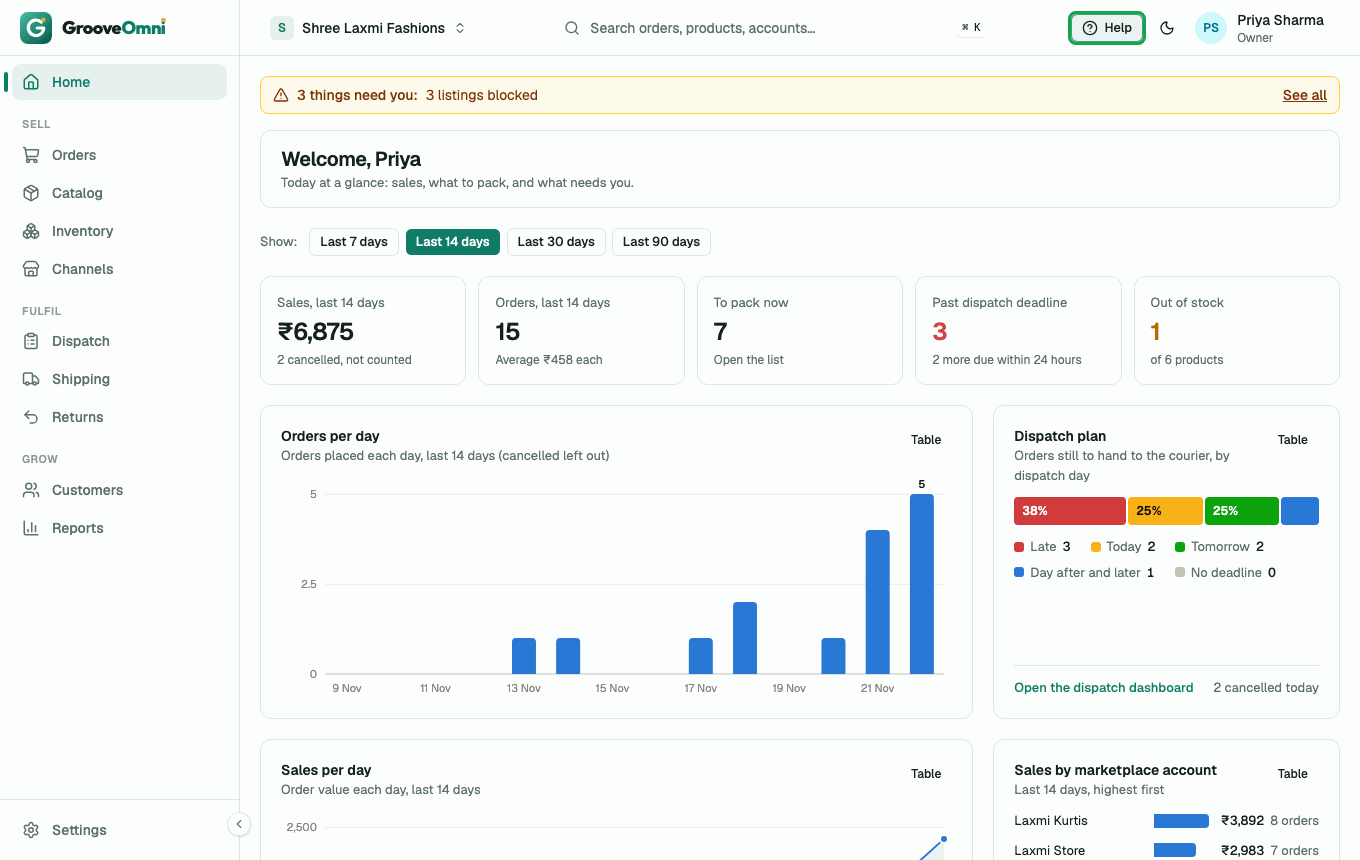 Click Help in the top bar, on any page.
Step 2 — Email us
Click Send an email. Your email app opens with "Hi GrooveOmni, I need help." typed for you, to support@grooveinnovations.ai.
A dot shows whether we are working now: "We are working now." or "We are away right now. We will reply on the next working day."
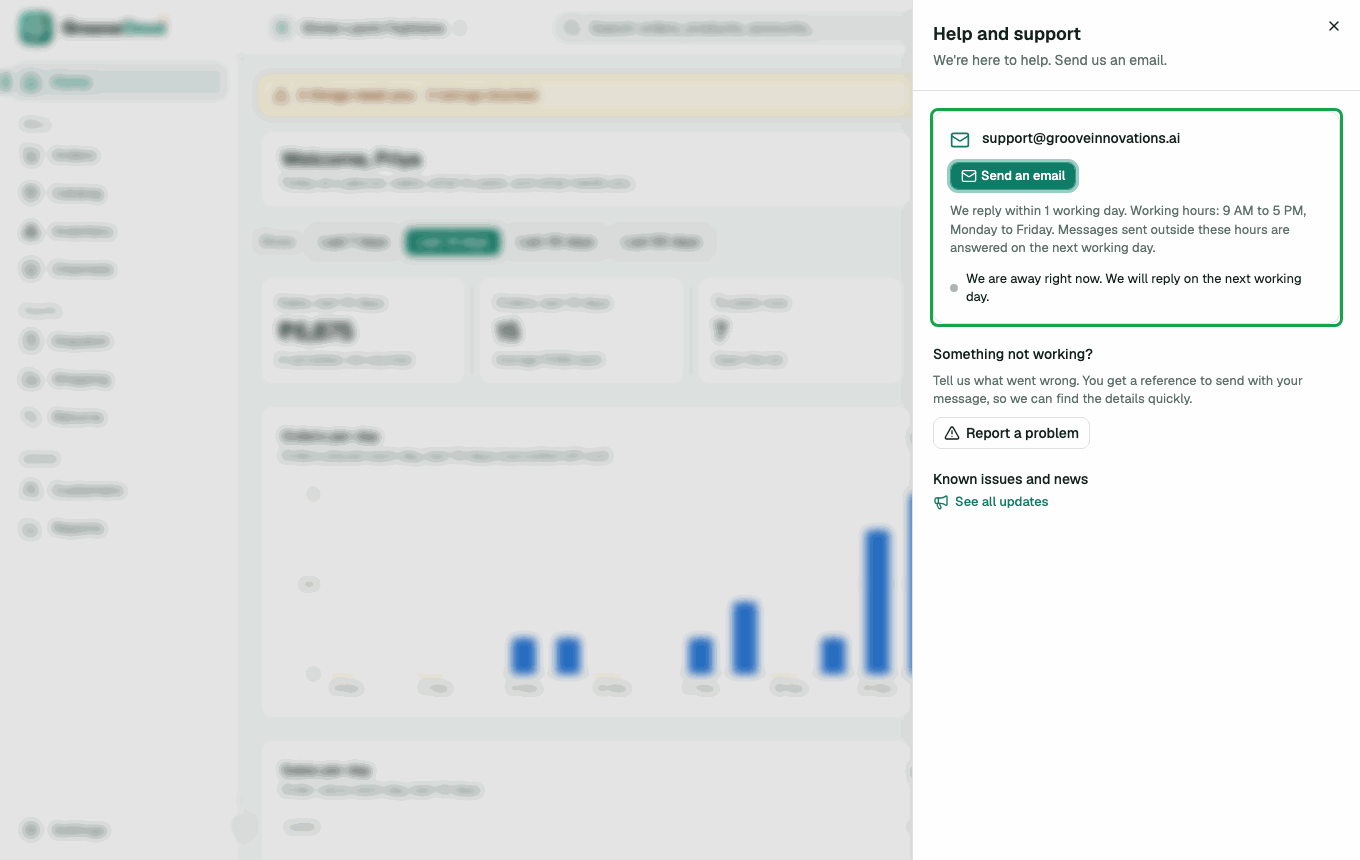 Help and support: email us at support@grooveinnovations.ai, 9 AM to 5 PM, Monday to Friday. We reply within 1 working day.
Step 3 — Or report a problem (best for anything not working)
A report gives you a reference (like GO-7K3M9Q) and tells us the page, the account and the last error, so we
find the details at once.
-
Click Help → Report a problem.
-
Fill in:
Field What to choose or enter What is it about? Marketplace account, Catalog, Stock, Orders and dispatch, Billing, or Something else. Which marketplace account? (optional) Pick the account, or "Not about one account". What happened? In your own words, for example "I pressed Accept on an order and nothing happened." Add the last error you saw Tick it if GrooveOmni showed you a red error (it is shown in quotes). GrooveOmni also adds the page you are on and your account name.
-
Click Continue.
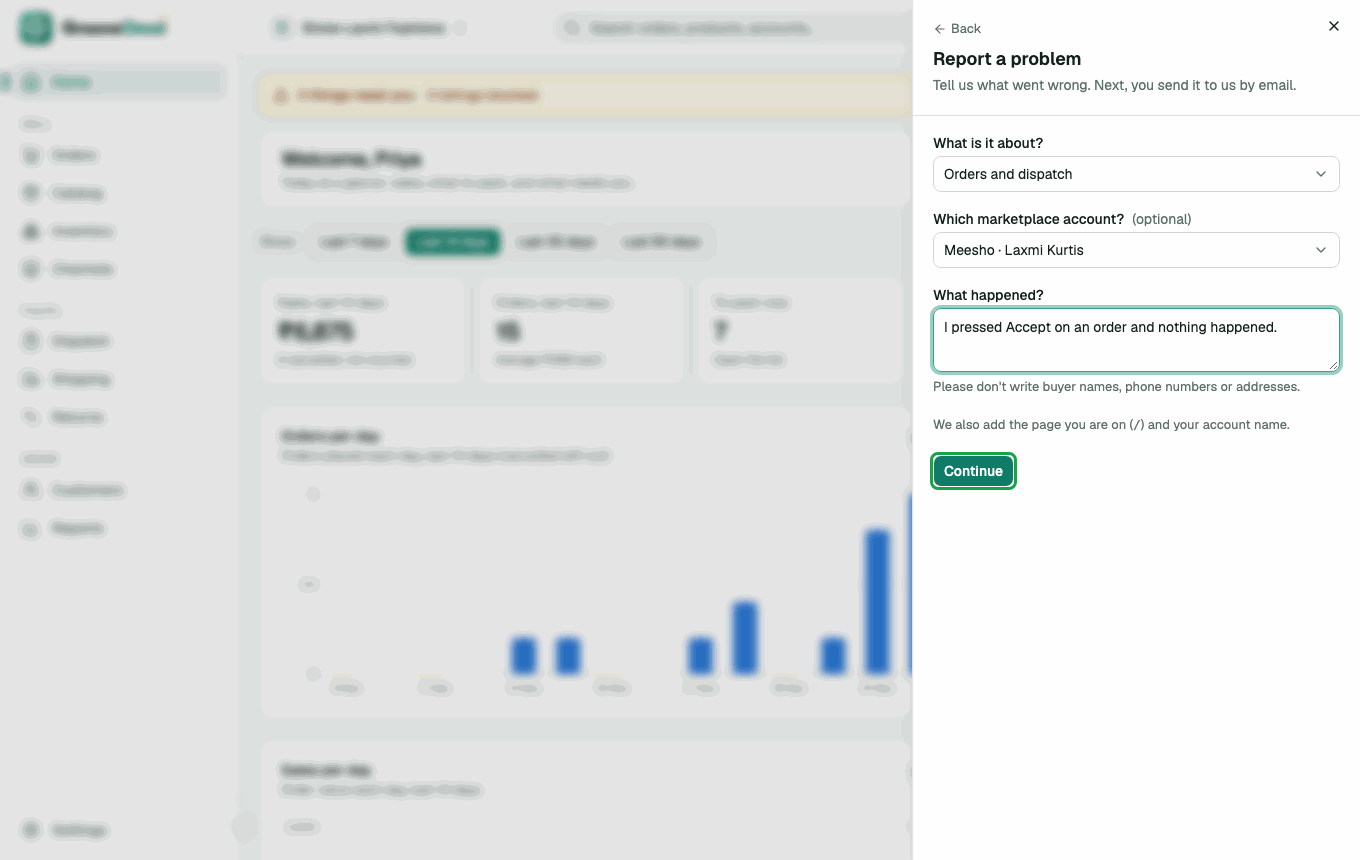 Report a problem: choose what it is about and the account, and say what happened in your own words. Click Continue.
GrooveOmni masks them for you anyway.
Step 4 — Send the report
Now send it to us: your reference is shown (click Copy to copy it). Click Send by email. The email is ready with the reference: just press send in your email app. What we will receive shows the exact text.
Click Done.
Your last five reports are under Your recent requests in Help. Click one to send it again.
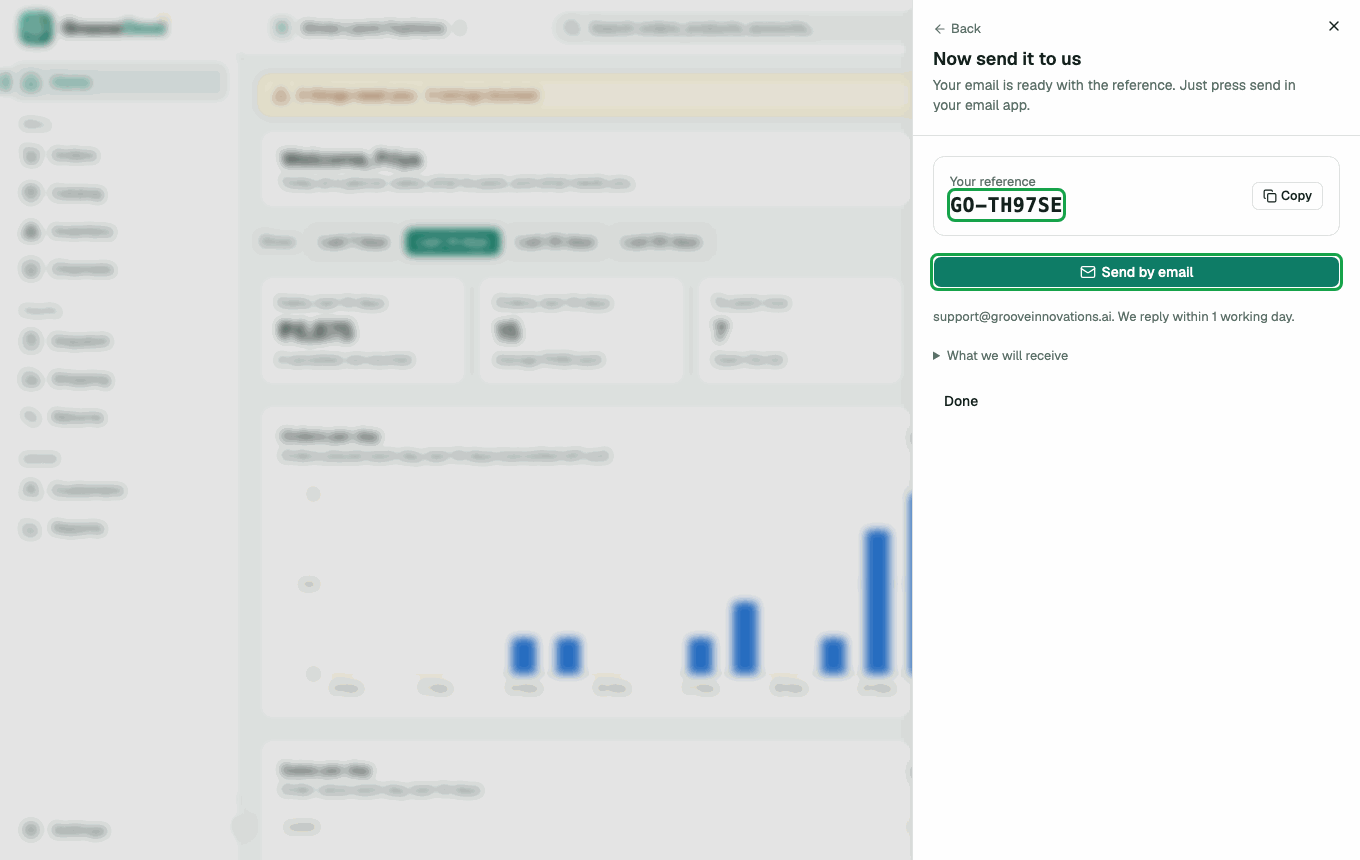 Your reference is shown. Click Send by email: the email to support@grooveinnovations.ai is ready, with the reference.
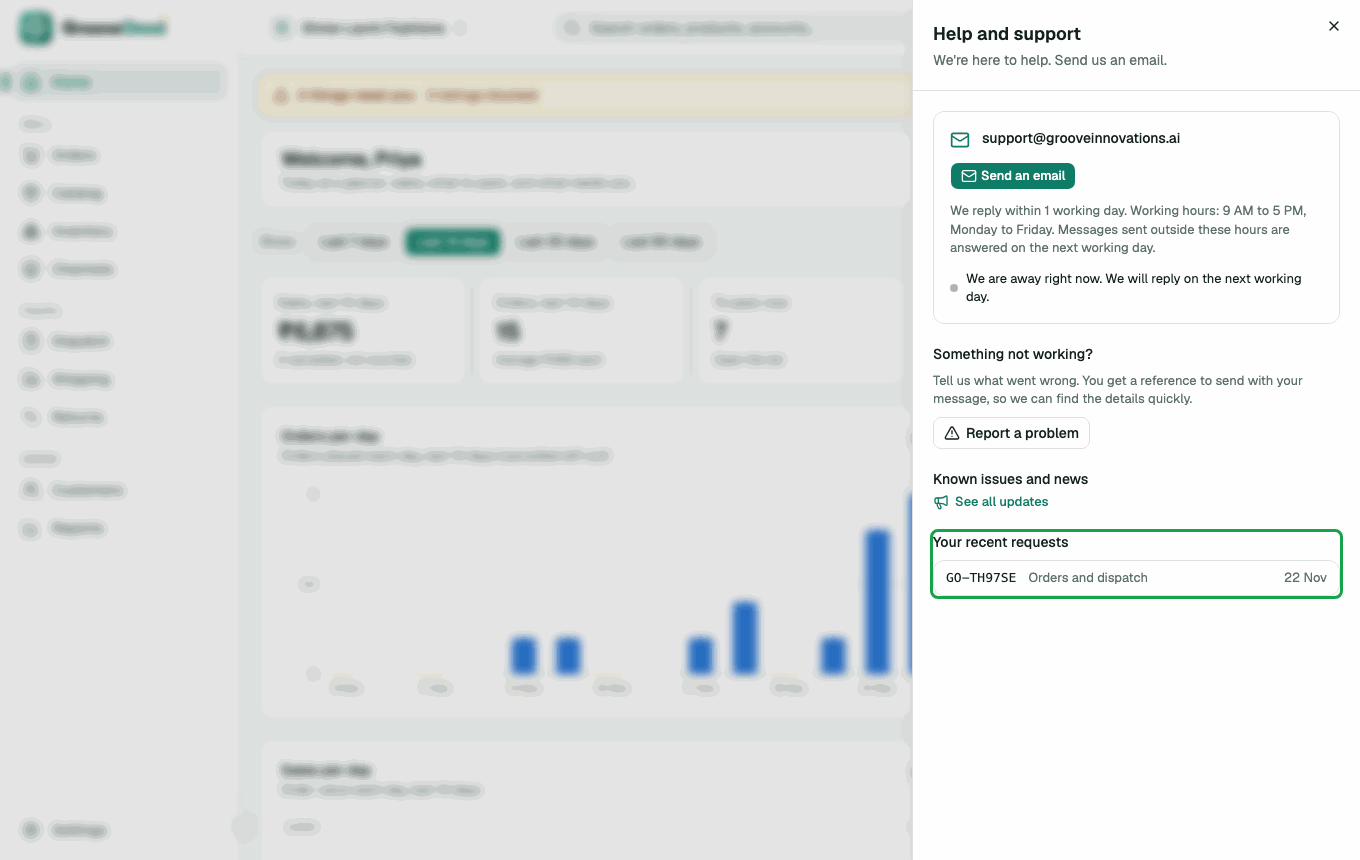 Your last five reports are under Your recent requests. Click one to send it again.
What to send us
The fastest help comes from a message with:
- The reference from Report a problem (or, if you write directly, your account name and business).
- The marketplace account it is about (for example "Laxmi Kurtis").
- What you did, what you expected, and what happened instead.
- The order number or SKU if it is about one order or one product.
- A screenshot of the GrooveOmni screen (without buyer details).
Common questions
Can I call? No. Support is by email only: write to support@grooveinnovations.ai and we reply within 1 working day.
What about holidays? We answer on the next working day.
Is there a help page for each topic? Yes: this site, one page per task.
What's next
- Known issues and coming soon Check first when something stops working: we may already be on it.
- Keep your accounts safe Never share Meesho's OTP, not even with us.
- Frequently asked questions Short answers to what sellers ask most.