Copy a catalog between your accounts
This page shows how to copy a catalog without filling Meesho's form again, and what cannot be copied.
Copying is what Publish to more does for a product that is already on one of your Meesho accounts. You do not fill Meesho's form again: GrooveOmni fills Meesho's own upload file on the other account from the first account's details and uploads it, exactly as Meesho's bulk upload does.
Who can do this: Owner, Admin, Manager.
Step 1 — Start a publish on a live product
Follow Publish a product to more accounts steps 1 to 3 on a product that is live on one account.
Step 2 — Fill the label details Meesho asks for
Label details for Meesho: Meesho's upload asks for the manufacturer, packer and importer (name, address, pincode). Details that are empty on the first account are listed here. GrooveOmni fills them from the first account's manufacturer, or from Settings → Businesses → Edit (the default label details).
So the manufacturer's details are filled in; change them if someone else imports it.
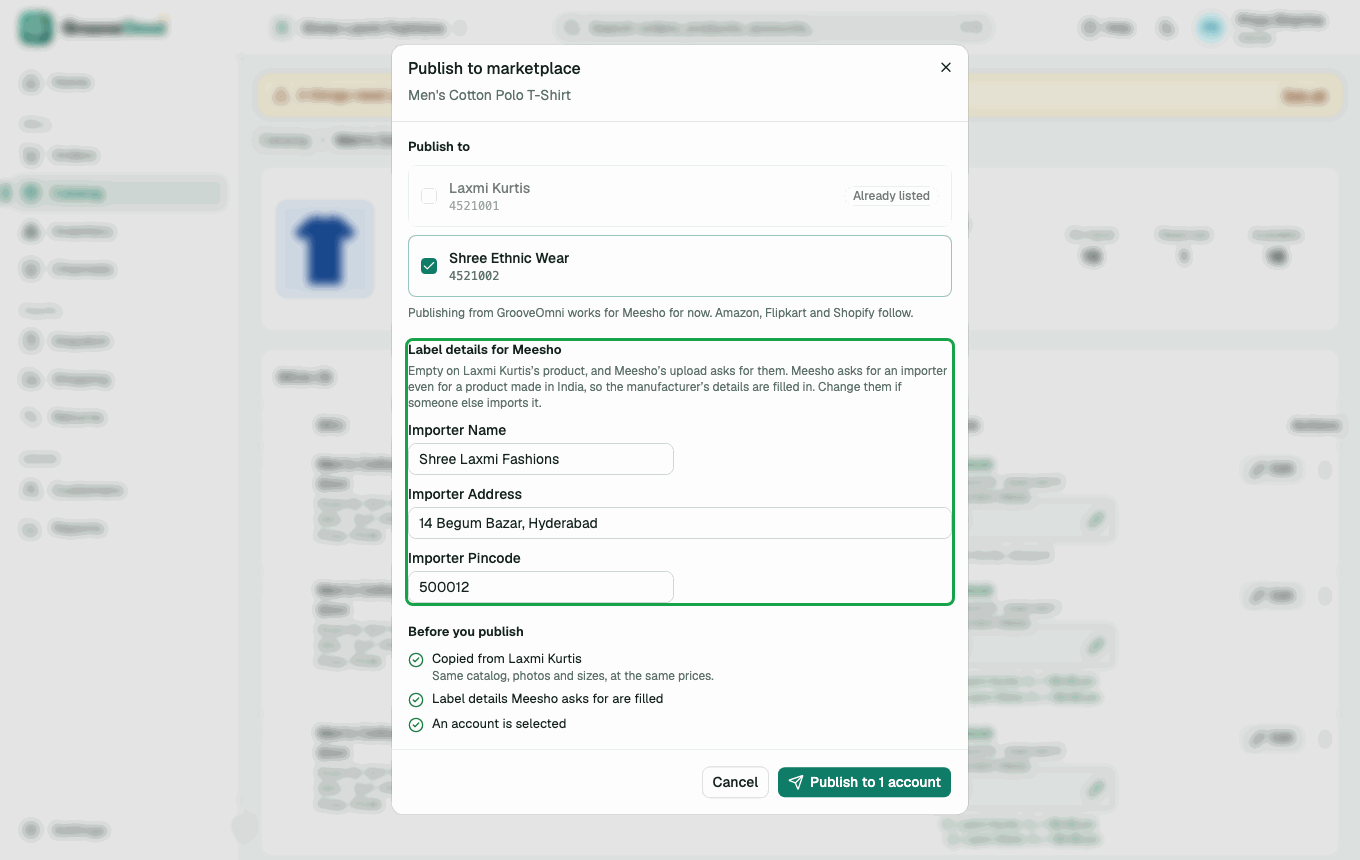 Label details for Meesho: the manufacturer, packer and importer. Details empty on the first account are filled in for you; check them.
Step 3 — Publish the copy
Click Publish to … account. The copy keeps the photos, sizes and prices. On the new account each SKU gets that
account's own SKU prefix in front (for example SEW-SLF-KURTI-01-XL on Shree Ethnic Wear), so the two accounts'
SKUs stay apart.
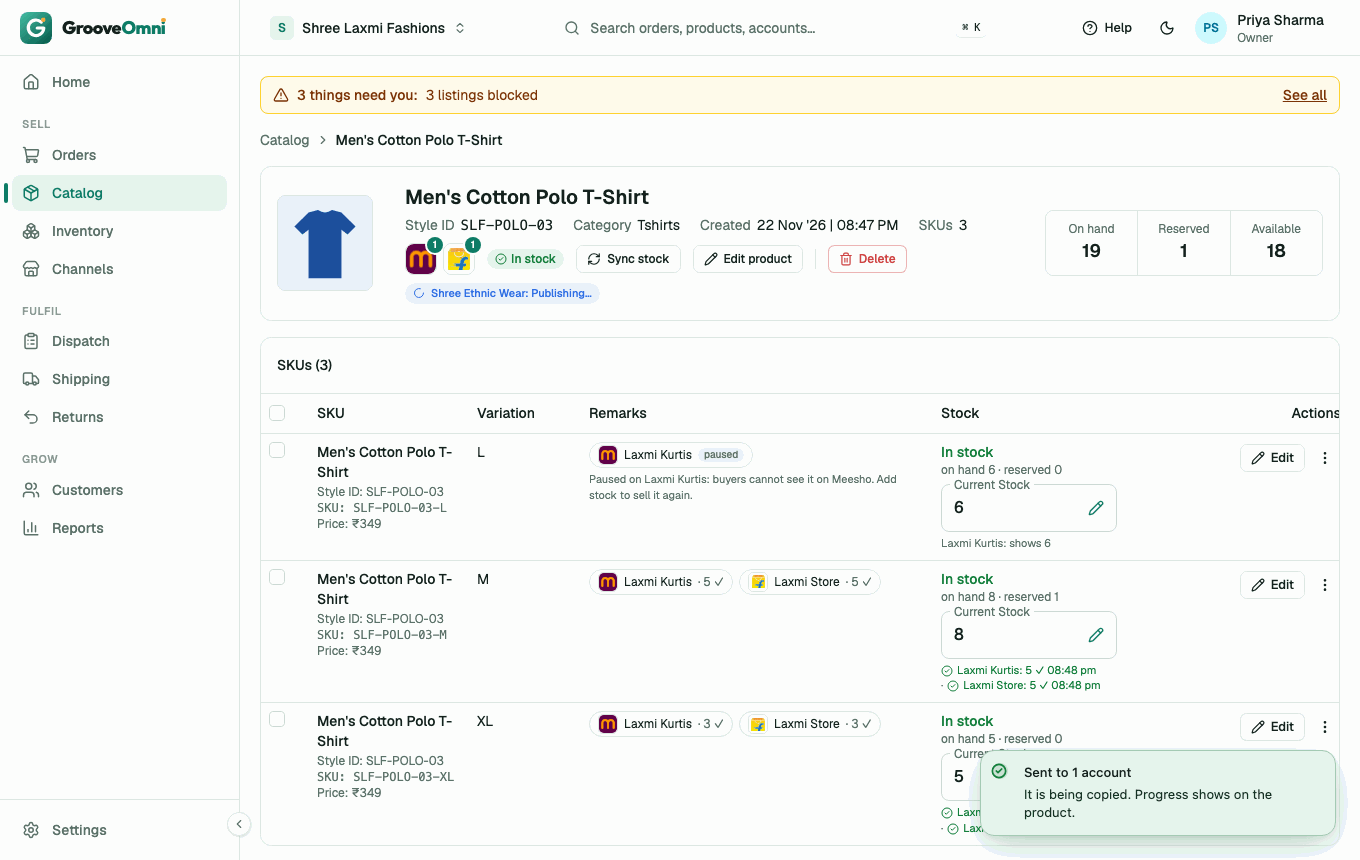 GrooveOmni fills Meesho’s own upload file for the other account from the first one, and uploads it.
Step 4 — Check it is live on both accounts
When Meesho passes it, the product page shows Live on both accounts, selling one stock.
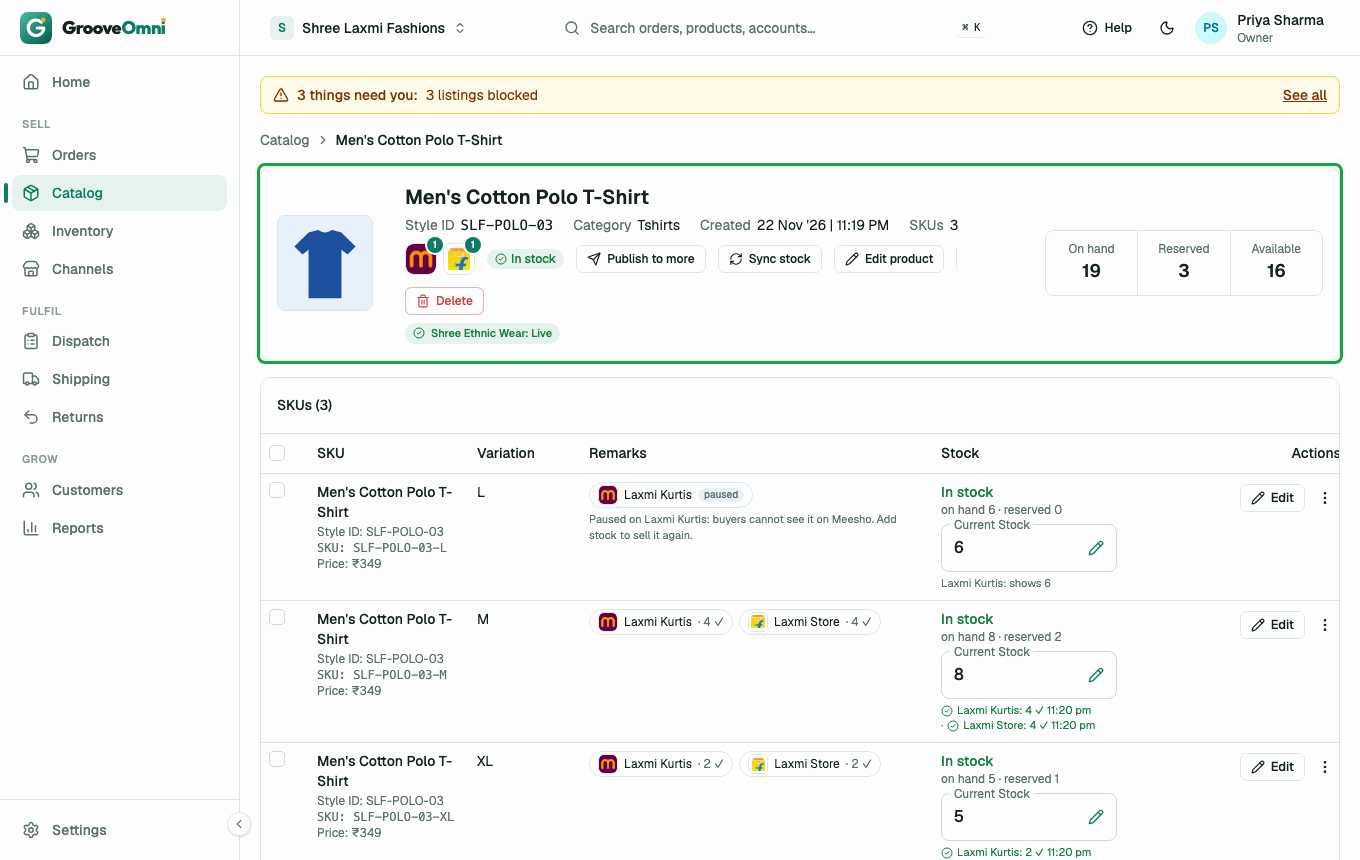 When Meesho passes it, the product shows on both accounts, selling one stock.
On the second account, the catalog appears under Catalog Uploads, first in QC, then live, and then in Inventory with the same stock as the first account.
What cannot be copied
- Only catalogs whose full details GrooveOmni could read from Meesho. Meesho does not give the details of paused or QC-failed catalogs, so those cannot be copied. Fix them on the first account first.
- Copying works between Meesho accounts only, for now.
- The account you copy to must be logged in.
Common questions
Do prices change? No; the copy uses the same prices.
Why did the copy fail? The product page shows Copy failed with Meesho's reason (on the product page and on Needs you → Catalogs not accepted). A common one: Meesho thinks it duplicates a product already on Meesho.
What's next
- Meesho's quality check (QC) What happens after the upload.
- Account settings Set the SKU prefix an account puts on copied SKUs.
- Problems in your catalog Where a failed copy shows up.