What GrooveOmni did on Meesho (account log)
This page shows how to check whether your change reached Meesho, and why something failed.
Who can do this: everyone can read the log. Sync now and Disconnect: Owner, Admin, Manager.
Step 1 — Open the account
Open the account (Channels → Meesho → account name). The Activity tab opens.
Step 2 — Check the GrooveOmni cloud card
The GrooveOmni cloud card shows Connected (or Logged out by Meesho) and "last sync … ago".
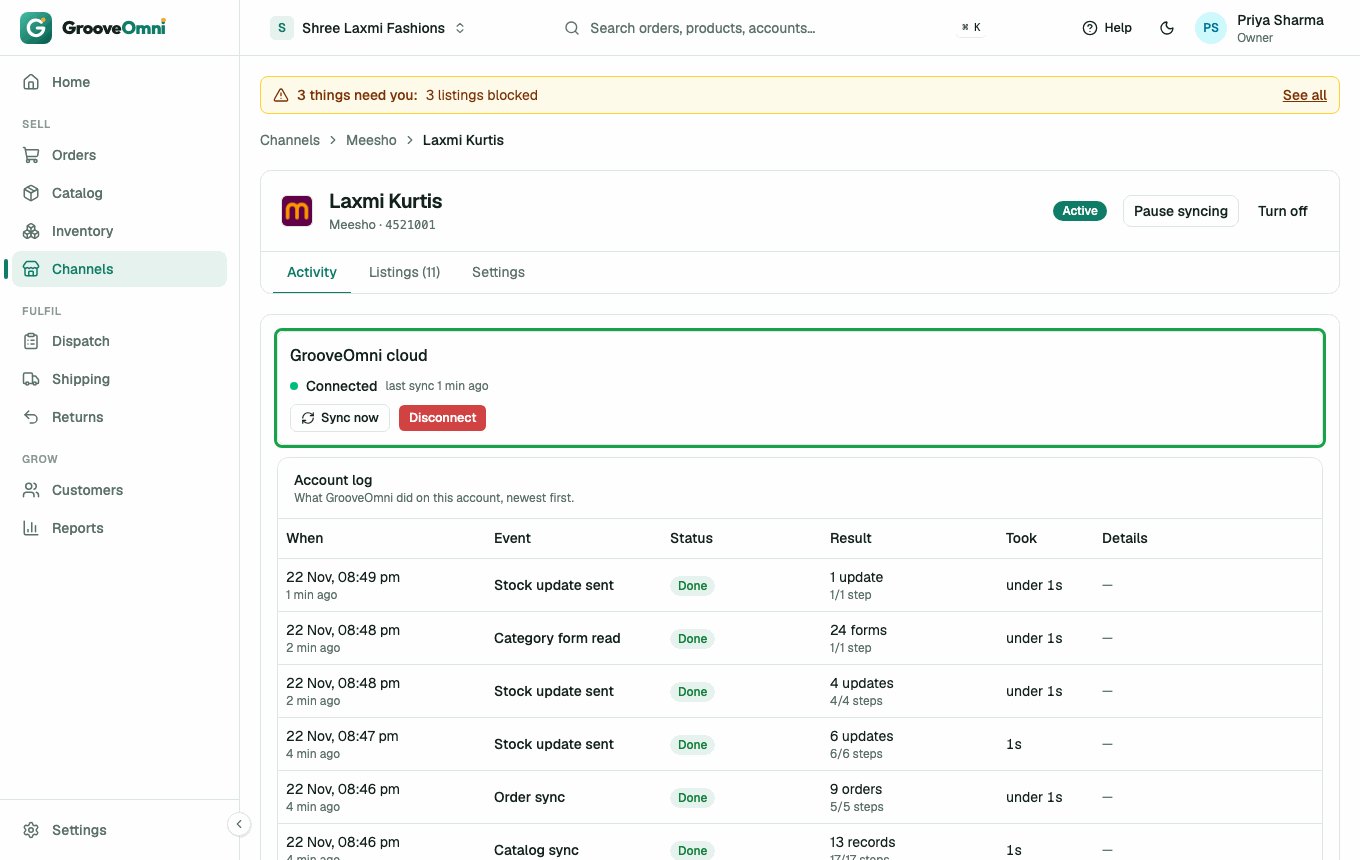 Open the account: the Activity tab shows the GrooveOmni cloud card, Connected, and when it last synced.
Step 3 — Sync now, if you need to
Click Sync now to sync everything at once: the catalog, waiting stock updates, and orders.
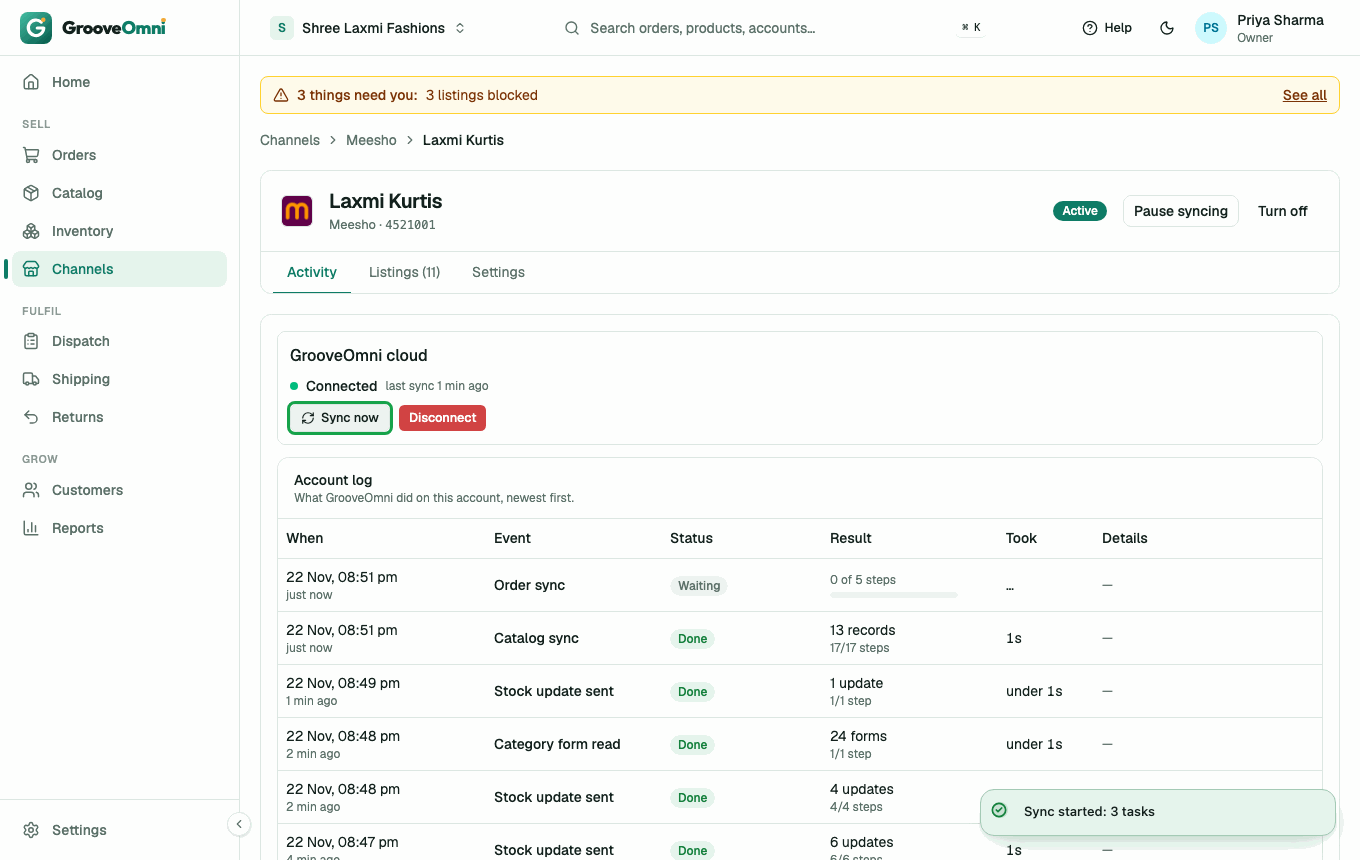 Sync now syncs everything at once: the catalog, waiting stock updates and orders.
Step 4 — Read the account log
Below it, the Account log lists everything GrooveOmni did on this account, newest first:
| Column | What it shows |
|---|---|
| When and Event | Catalog sync, Order sync, Stock update sent, Price change sent, Pause / restock, Catalog upload, and the small reads: Pickup addresses read, Categories read, Category form read, Photo upload, Catalog refresh. |
| Status | Waiting, Running, Done, "Done, 2 failed", Failed or Cancelled. |
| Result | How many records, orders or updates, and the steps done. |
| Took | How long it took ("—" for older lines, when it was not measured). |
| Details | The first error in plain words (for example "Meesho was still finishing an earlier request for this account"), with Meesho's own code and words in small print below, for support. |
Use Newer and Older to page through the log.
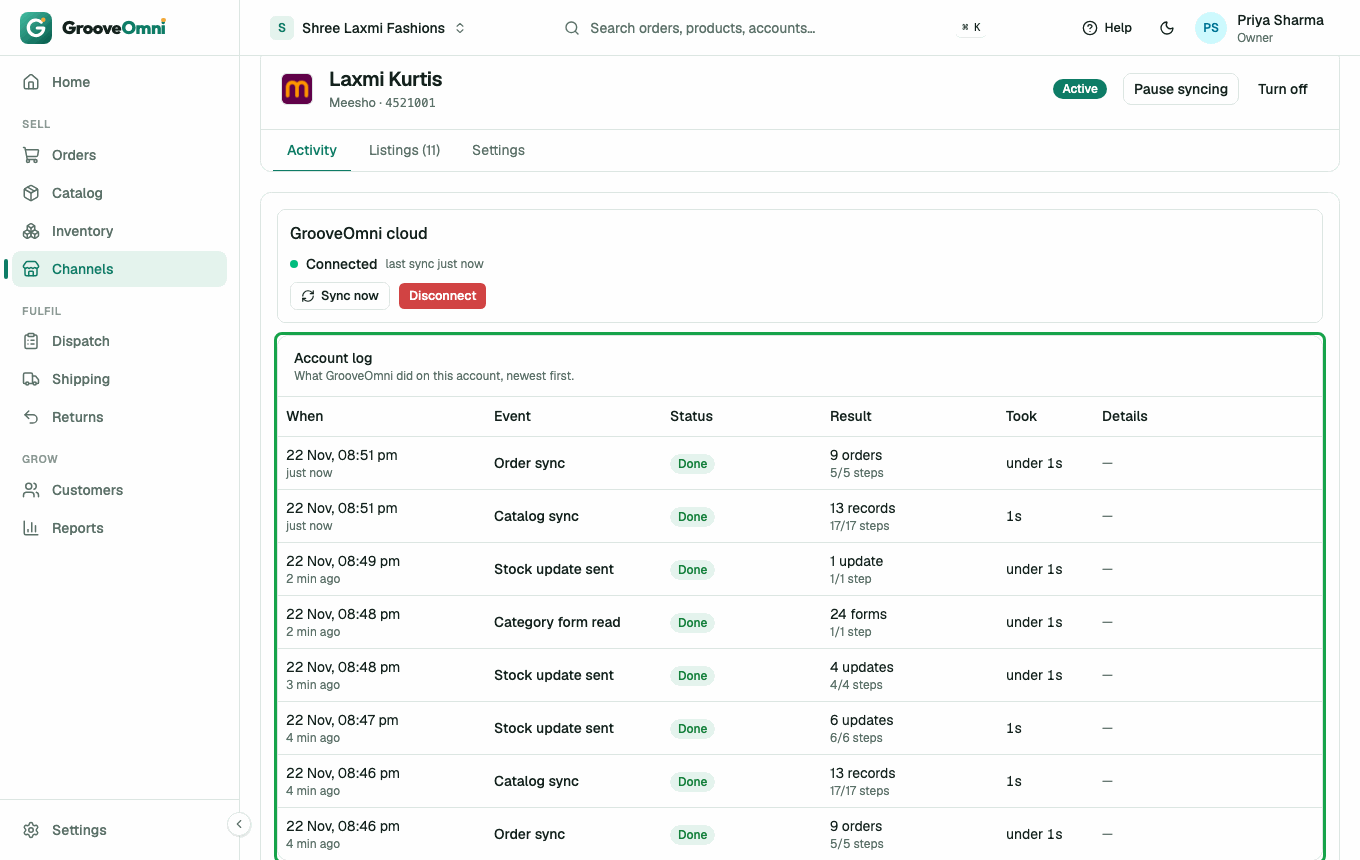 The account log lists everything GrooveOmni did on this account, newest first: when, what, status, result and how long it took.
If something goes wrong
- Failed, with "log it in first": the account is logged out. Log in again (Logging in and out of Meesho).
- Failed, with Meesho's message: Meesho refused the change. Read the message; fix it on Meesho if needed, then try again.
- Waiting for a long time: the account may be paused or its cloud browser offline. Open Needs you.
- Something you do not understand: Help → Report a problem, choose the account, and tick Add the last error you saw.
Common questions
How often does GrooveOmni sync on its own? Orders: about every 5 minutes for every logged-in, active account. Stock: within seconds of a change. The catalog: after each login, after a publish or copy, and whenever you click Sync now.
What does Sync now on the Channels page do? It asks what to sync, per account: Catalog (listings, photos, prices), Orders (new and changed orders) and Warehouses (pickup locations from Meesho) are ticked. Inventory (send waiting stock updates) is not: waiting stock updates go out by themselves within a minute. Tick it to send them now. Owner, Admin and Manager only.
Can I sync only orders? Yes: on the Orders page, each account has a small sync button next to "Synced … ago" (Owner, Admin, Manager).
What's next
- Is Meesho up to date? The line under each stock box, per account.
- Everything that needs you, in one place Every problem, with what to do.
- Getting help Report a problem with the last error attached.