What orders do to your stock
This page explains what an order does to your stock on every account, and what happens when it is cancelled or dispatched.
Who can do this: nothing to do: GrooveOmni changes the numbers by itself. Everyone can see them.
The rule
| What happens | On hand | Reserved | Available (sent to every account) |
|---|---|---|---|
| A new order comes in | same | +1 | −1 |
| The order is cancelled (by you or the buyer) | same | −1 | +1 |
| The order is shipped | −1 | −1 | same |
| A good return is received | +1 | same | +1 |
Step 1 — Follow an example
You have 4 pieces of the Cotton Printed Kurti in size S, sold on two accounts.
- A buyer orders 1 on Laxmi Kurtis. Reserved 1, Available 3. Both accounts now show 3.
- The buyer cancels. Reserved 0, Available 4. Both accounts show 4 again.
- Another order comes, and you ship it. On hand 3, Reserved 0, Available 3.
Step 2 — See the numbers yourself
See the numbers on the product page (On hand, Reserved, Available) and in the stock History (Change stock, and see why it changed): "Order", "Order cancelled", "Return".
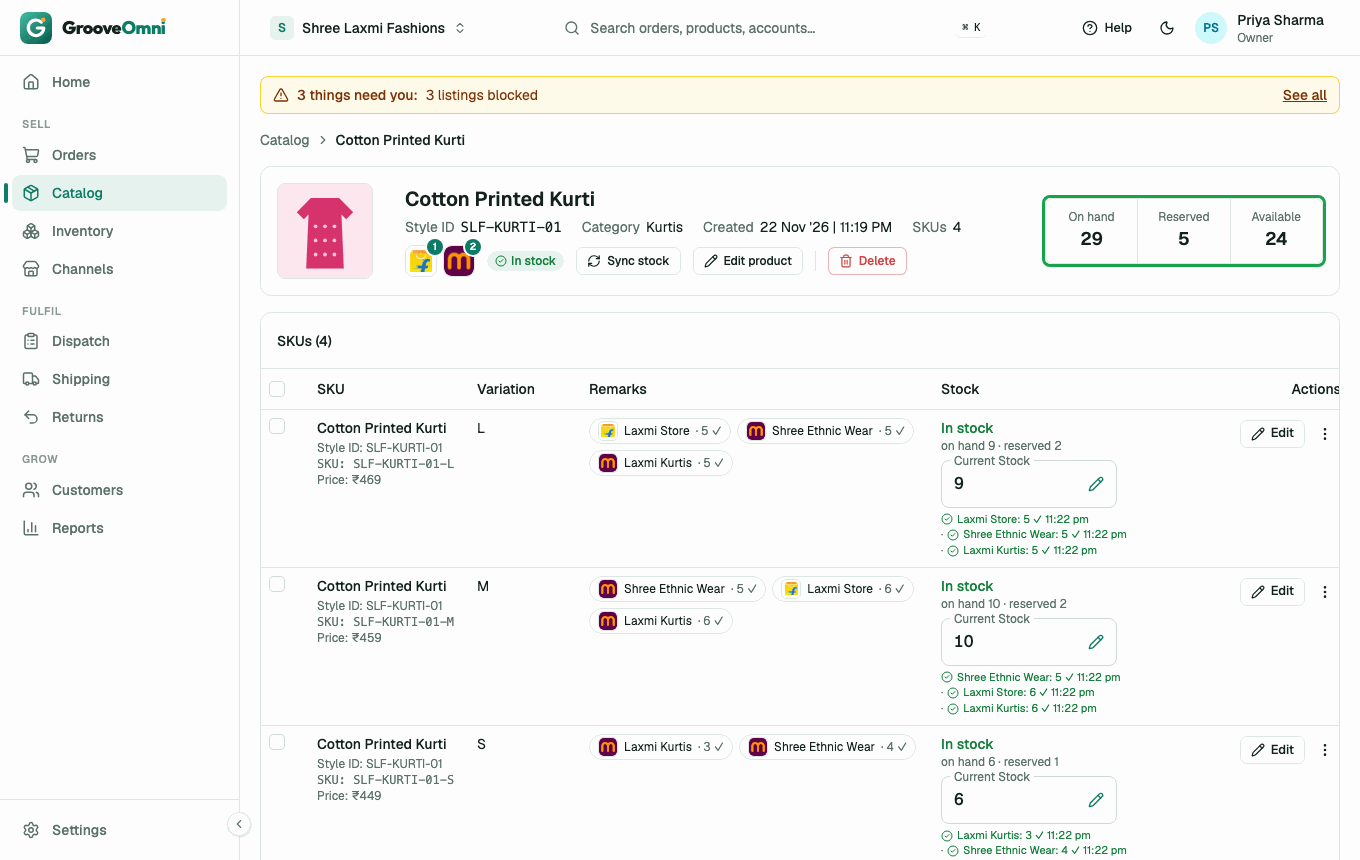 An order holds a piece: Reserved goes up and Available goes down, on every account. On hand changes when it ships.
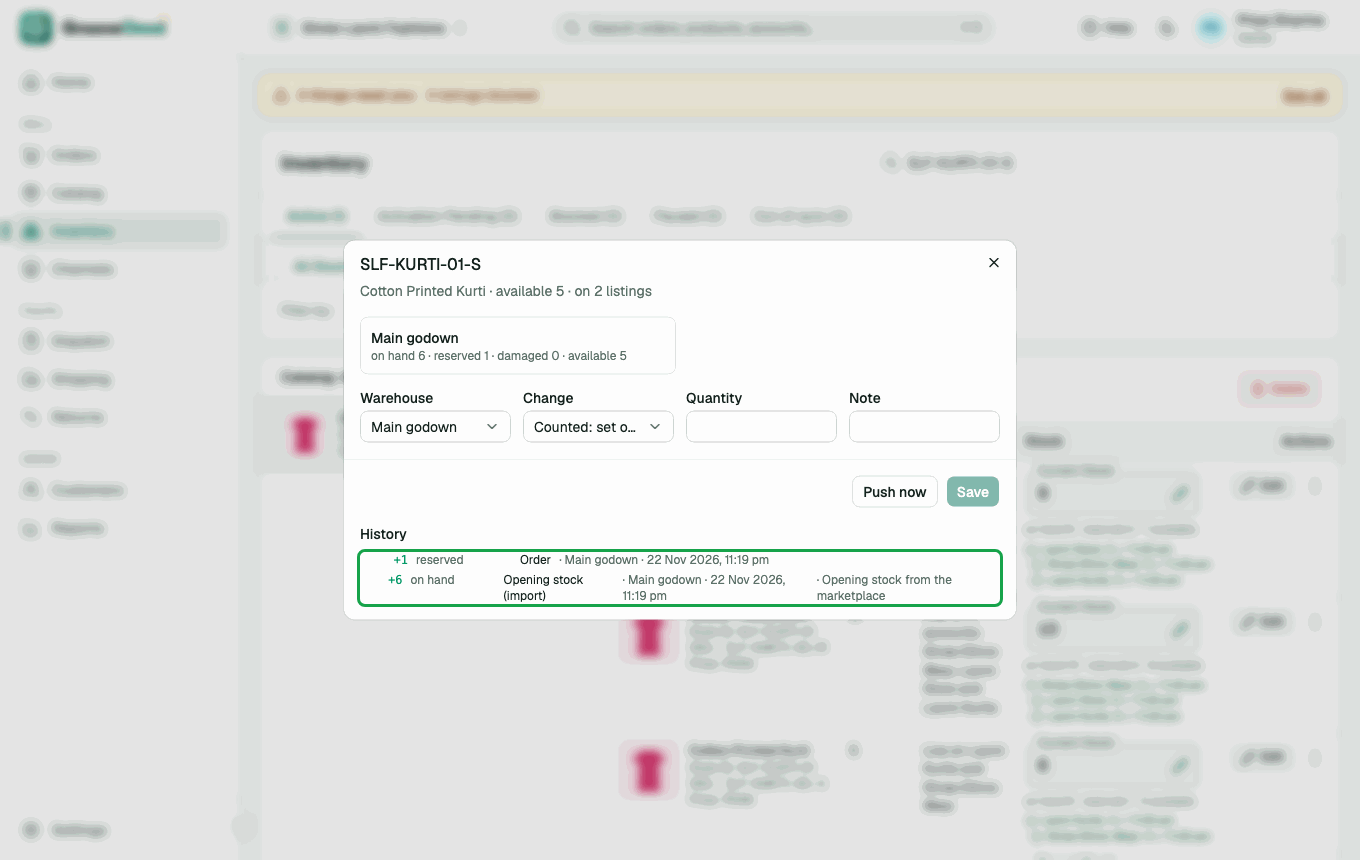 The stock History shows what orders did: Order, Order cancelled, Return, with the time.
Common questions
When an order comes, does my stock go down on every account? Yes: the available number goes down everywhere, so no other account sells the piece that is already sold.
An order did not change my stock. Its item says "(not in catalog)": the SKU has no GrooveOmni product. Or the order was already shipped when GrooveOmni first imported it.
What's next
- Change stock, and see why it changed The history of every change, orders included.
- Returns A good return goes back on sale at once.
- One stock for every account The four stock numbers.