Accept or cancel a Meesho order from GrooveOmni
This page shows how to accept or cancel Meesho orders from GrooveOmni, whether Meesho shows it, and what happens to your stock when the buyer cancels.
GrooveOmni presses Meesho's own Accept (or Cancel) button for you, in the account's cloud session. It is exactly the same as doing it on Meesho's panel.
Who can do this: Owner, Admin, Manager. The account must be logged in.
Step 1 — Find the pending order
Go to Orders → To pack. A pending Meesho order has Accept and Cancel order buttons (also on its order page).
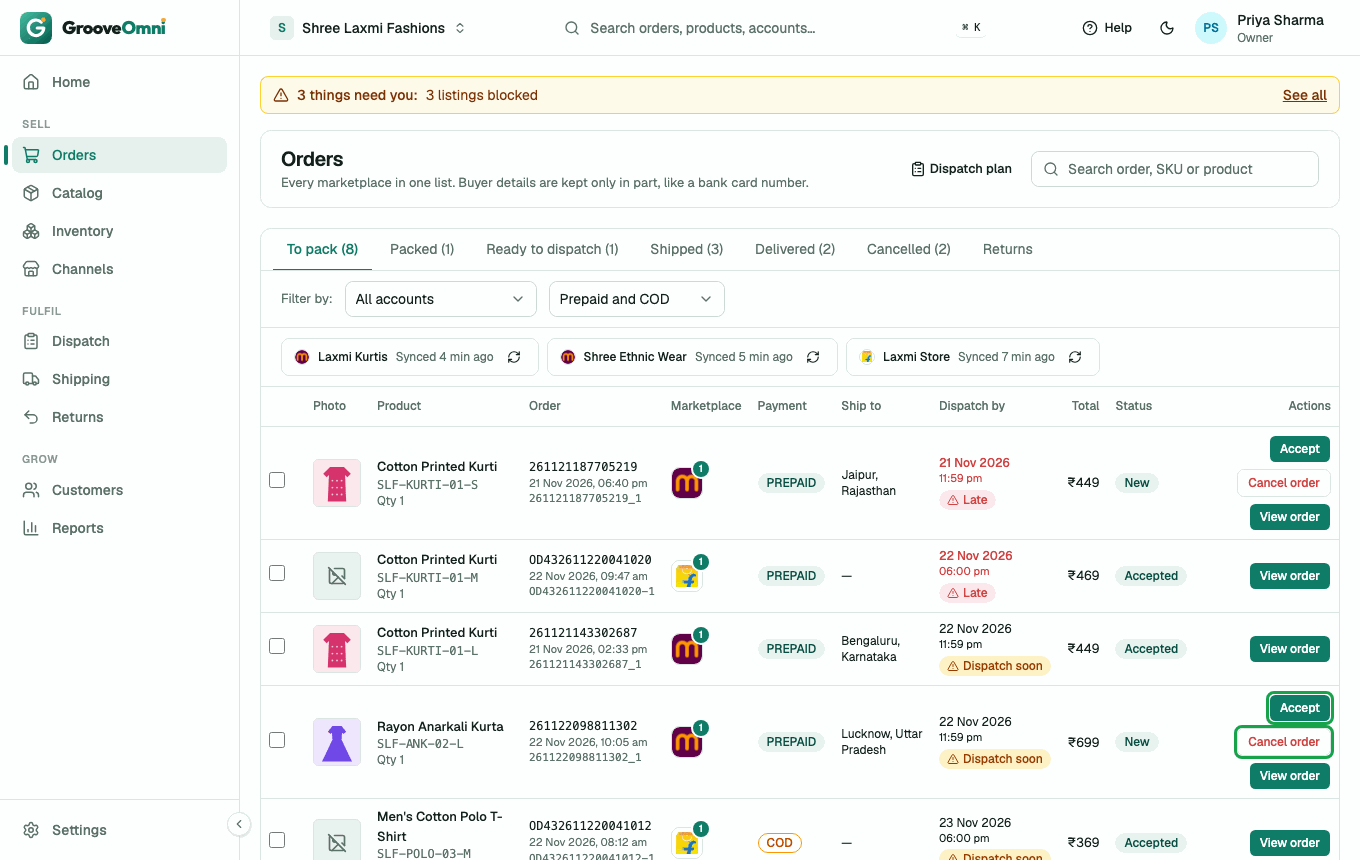 In Orders → To pack, a new Meesho order has Accept and Cancel order.
Step 2 — Click Accept and read the window
Click Accept. The window asks: "Accept order <number> on Meesho? GrooveOmni accepts it on Meesho for <account>, the same as the Accept button in Meesho's panel. Meesho then moves it to Ready to ship and makes the label. Pack it and hand it to the courier by <day>."
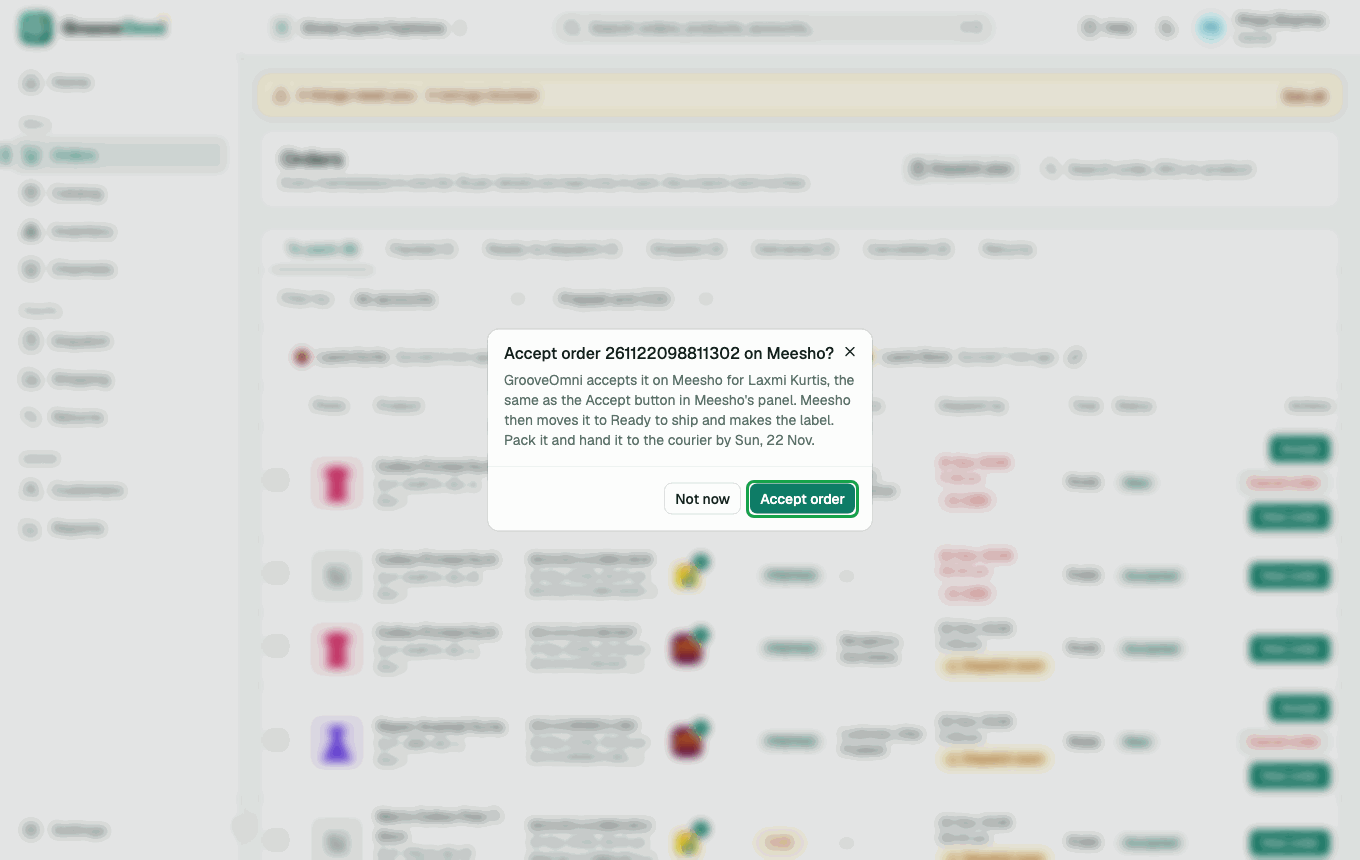 Click Accept. GrooveOmni presses Meesho’s own Accept for this account. Click Accept order.
Step 3 — Accept the order
Click Accept order (or Not now). You see "Accepted on Meesho: it moves to Ready to ship".
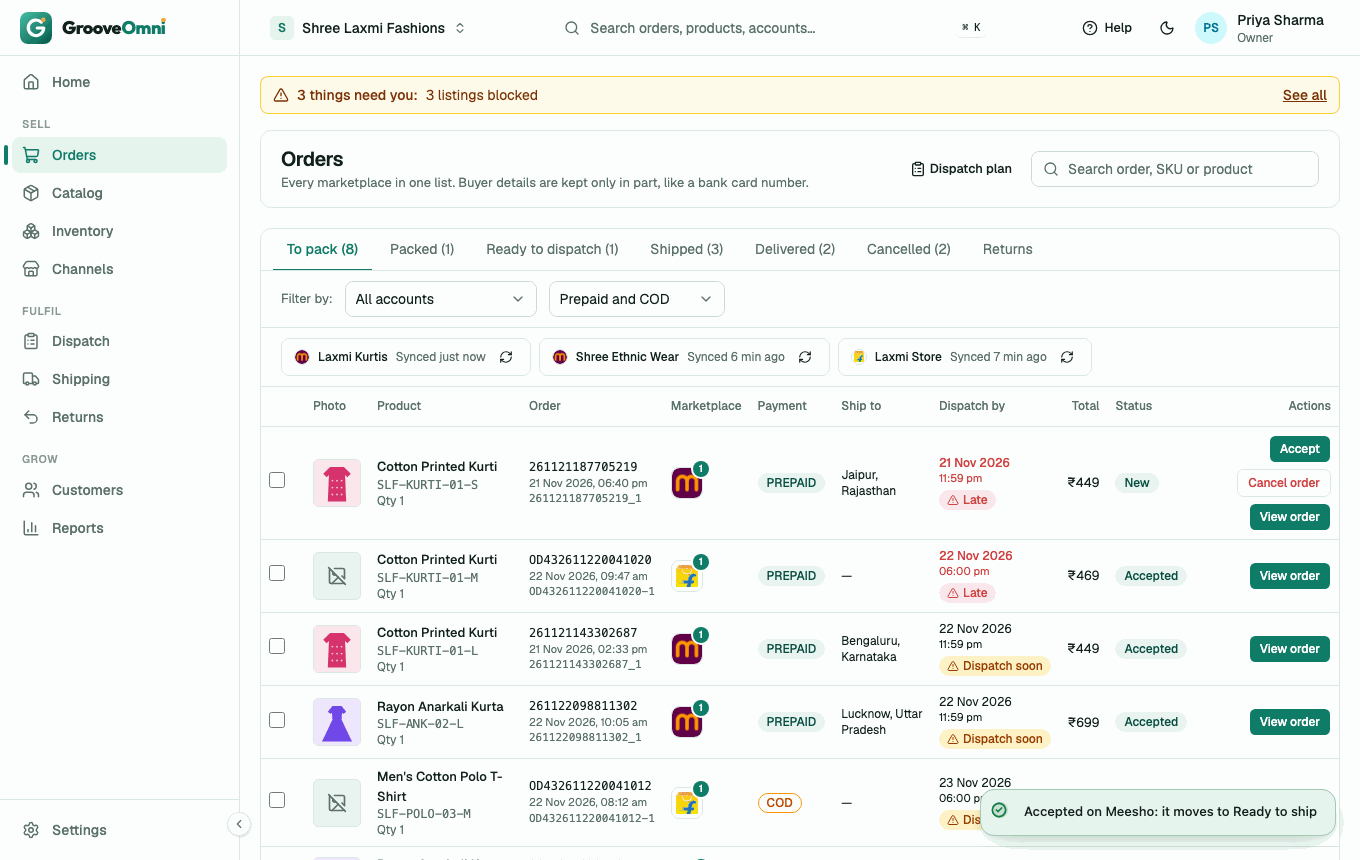 You see “Accepted on Meesho: it moves to Ready to ship”.
Step 4 — Check the order is accepted
GrooveOmni imports the account's orders again. The order now shows Accepted, Marketplace status READY_TO_SHIP, and Accepted in the timeline. The Meesho labels and Meesho manifest buttons appear (see Labels and manifest).
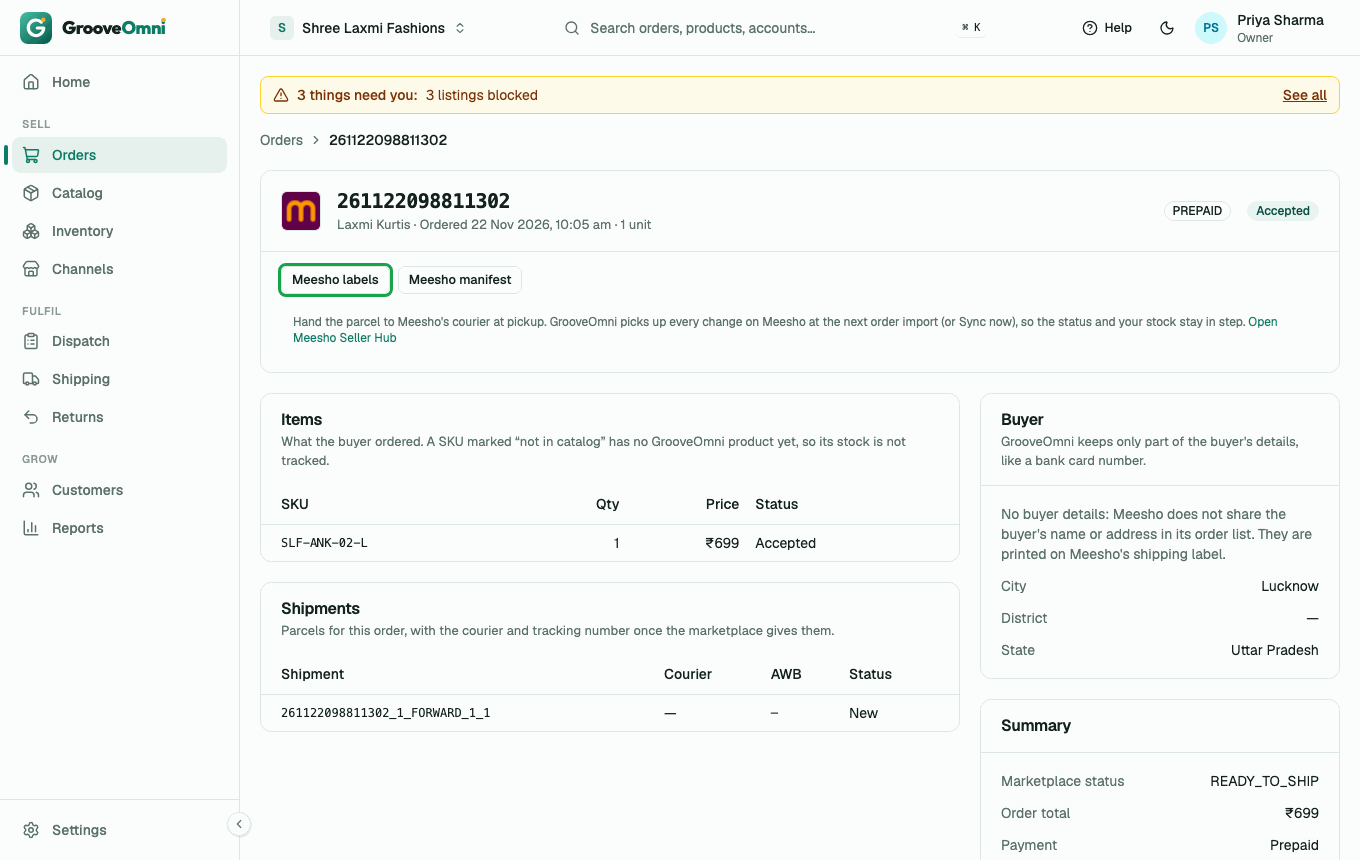 GrooveOmni imports the order again: it is Accepted, Meesho’s status is READY_TO_SHIP, and the Meesho labels buttons appear.
Step 5 — Pack and hand it over
Pack it and hand it to Meesho's courier by the Dispatch by date.
Pending (0); the order is now under Ready to Ship, with Meesho's Label button.
Cancel an order yourself
Only when you really cannot send it.
It cancels the order on Meesho itself. Meesho charges a penalty for a seller cancellation, and it counts against your dispatch health (keep cancellations below 10%).
- Click Cancel order on a pending Meesho order.
- Read: "This cancels the order on Meesho itself, for <account>. It cannot be undone, Meesho charges a penalty for a seller cancellation, and it counts against your dispatch health (keep cancellations below 10%)."
- Tick I understand: cancel this order on Meesho and click Cancel order. (Keep order closes the window.)
- You see "Cancelled on Meesho". The order moves to Cancelled and its piece is free again.
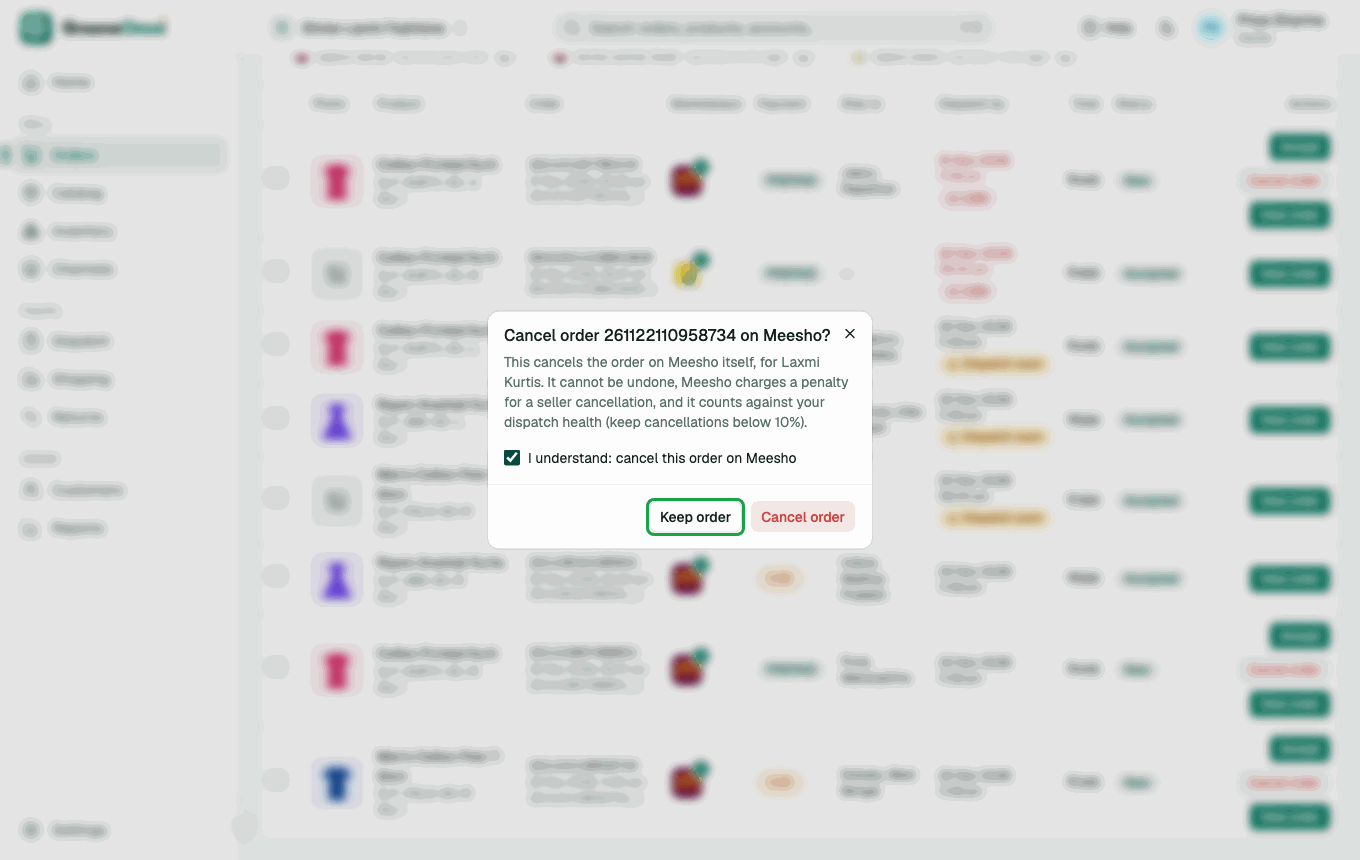 Cancel only when you cannot send it: Meesho charges a penalty. Tick I understand and click Cancel order, or Keep order.
When the buyer cancels
You do nothing. At the next order import, GrooveOmni sees it on Meesho:
- the order shows Cancelled;
- the piece held for it is released: Reserved goes down by 1 and Available up by 1;
- the new number is sent to all your accounts.
On Meesho's panel: the order is under Cancelled.
If something goes wrong
- "Already past pending on Meesho (import orders again)": it was already accepted or cancelled, perhaps on Meesho's panel. Click the sync button on the account's chip (Owner, Admin, Manager); the order updates.
- "Not a Meesho order we know (import orders first)": sync the account's orders, then try again.
- "… log it in first": the account is logged out. Log in again (Logging in and out of Meesho), then accept.
- "Your role in this business does not allow this": accepting and cancelling need a Manager, Admin or Owner.
- Meesho refused it: the message gives Meesho's own words. Check the order on Meesho's panel.
Common questions
Can I accept orders from GrooveOmni? Yes, Meesho orders that are still Pending.
Does Meesho show it? Yes. It is the same action as Meesho's own Accept button.
Can I accept many at once? One at a time on screen for now.
What's next
- Labels and manifest Print Meesho's labels and the courier handover list.
- What orders do to your stock What accepting, cancelling and shipping do to the numbers.
- Orders to dispatch today and tomorrow What is late, and what to pack today.