Publish a product to more accounts
This page shows how to put a product on another account, for example one you sell on Laxmi Kurtis onto Shree Ethnic Wear.
Who can do this: Owner, Admin, Manager.
Step 1 — Open Publish to more
Open the product (Catalog → View catalog) and click Publish to more. (Also: Publish in the catalog row or on the Inventory page.)
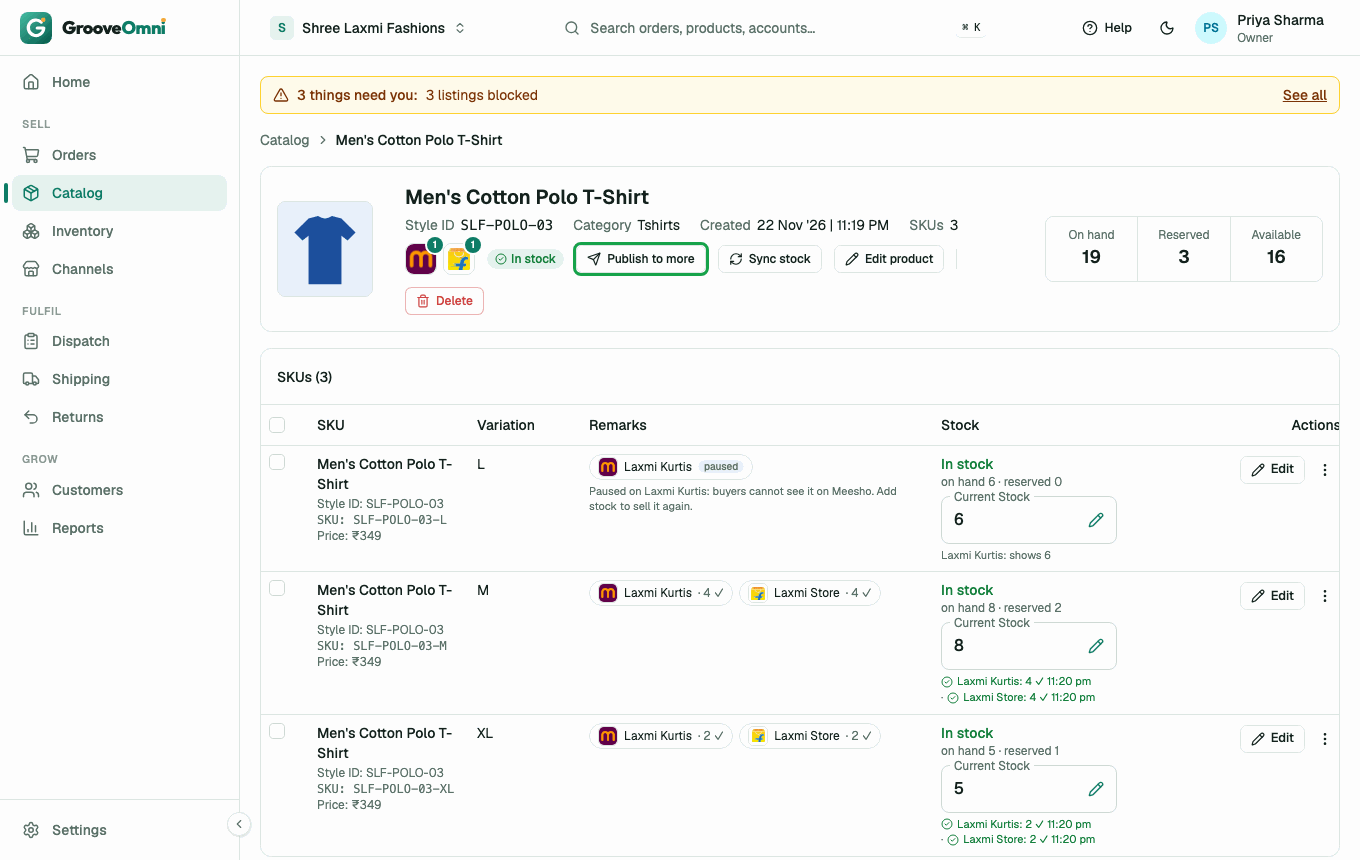 Open the product and click Publish to more.
Step 2 — Choose the accounts
Publish to marketplace opens. Under Publish to, tick the Meesho accounts. Accounts that already sell it say Already listed; a logged-out account says Log in again.
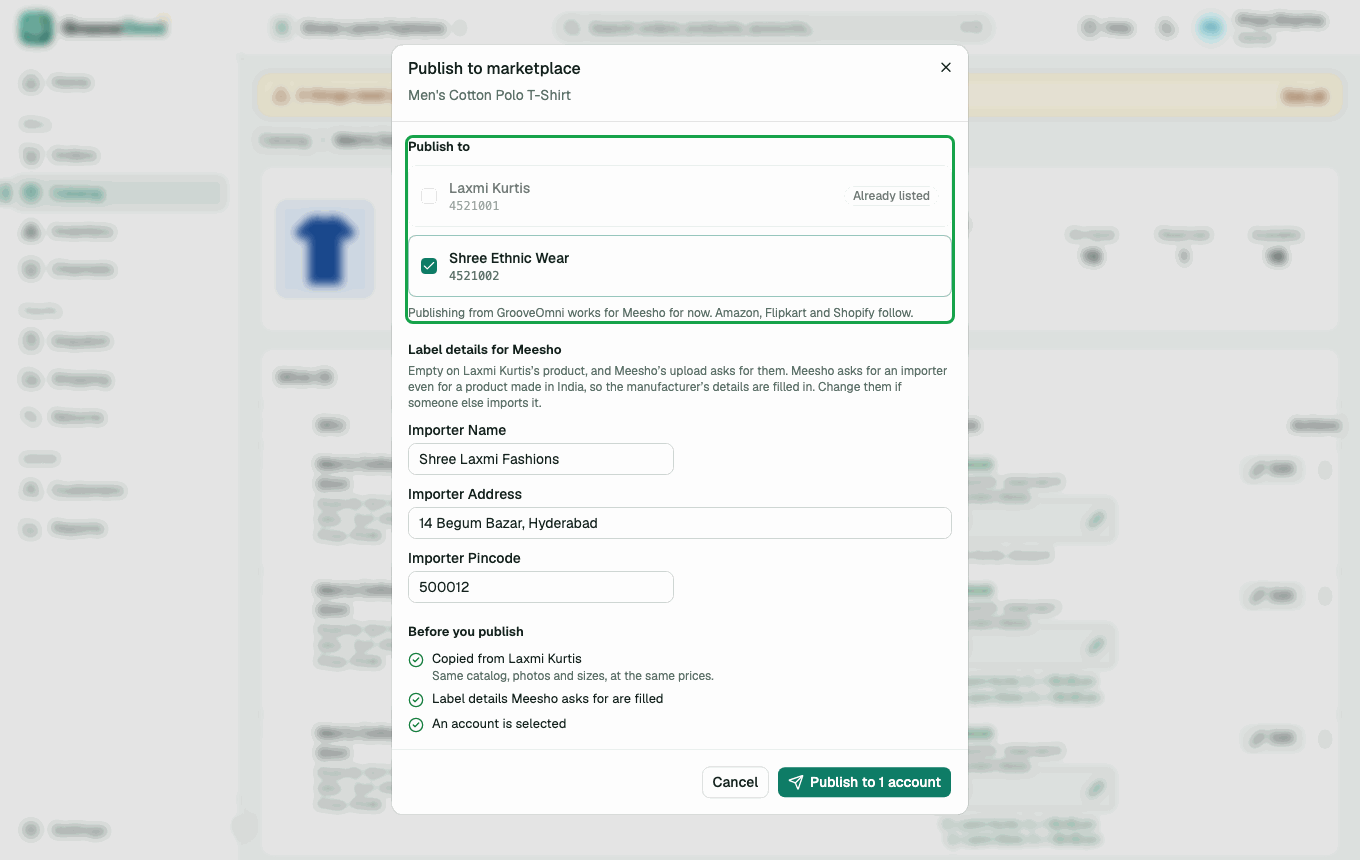 Under Publish to, tick the Meesho accounts. Accounts that already sell it say Already listed.
Step 3 — Copy from the live account, or add photos
- If the product is already live on one of your Meesho accounts, GrooveOmni copies it from there: "Copied from <account>. Same catalog, photos and sizes, at the same prices." Fill any Label details for Meesho it asks for (see Copy a catalog between your accounts).
- If the product was made in GrooveOmni, add Photos (1 to 4).
Step 4 — Check Before you publish
Check Before you publish: every line needs a green tick.
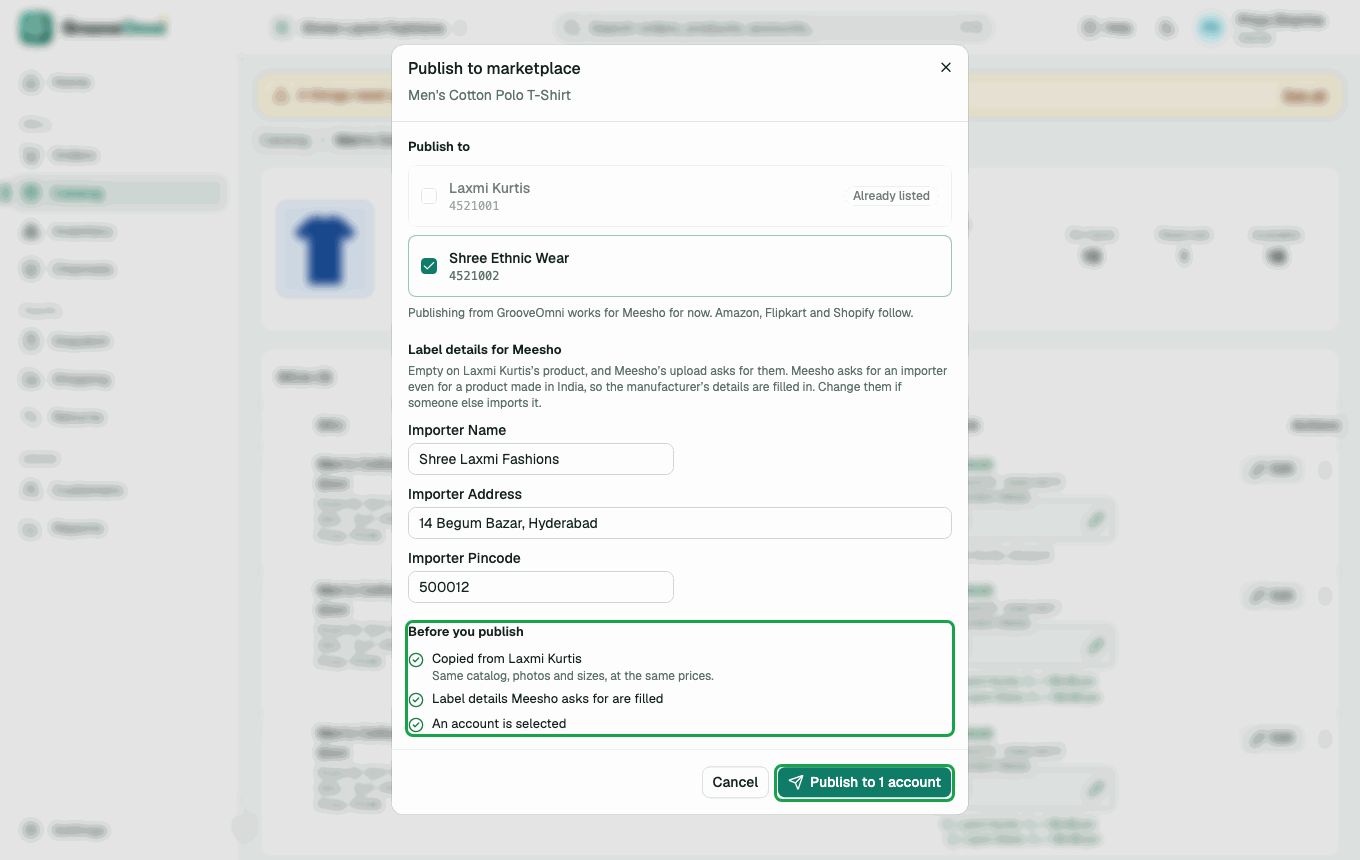 Check Before you publish: every line needs a green tick. Then click Publish to 1 account.
Step 5 — Publish
Click Publish to 1 account (or to 2 accounts…). You see "Sent to 1 account".
Step 6 — Follow the progress
Follow the progress on the product page: Publishing…, Preparing…, Uploading to Meesho…, In QC at Meesho, then Live (or Publish failed / Copy failed, with Meesho's reason).
Then Meesho runs its quality check: see Meesho's quality check (QC).
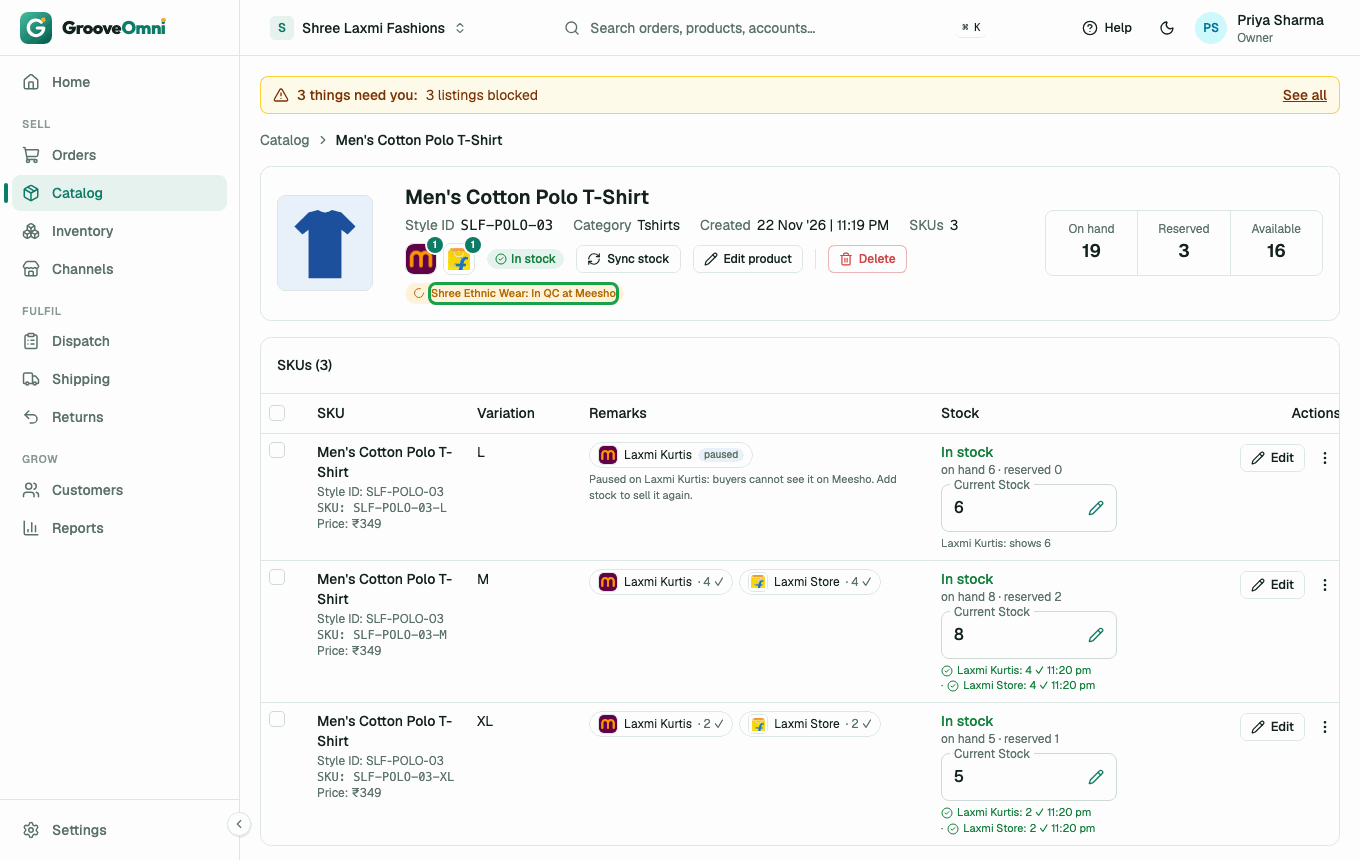 Follow the progress on the product page: Preparing, Uploading to Meesho, In QC at Meesho, then Live.
Common questions
Can I publish to Flipkart or Amazon? Not yet. "Publishing from GrooveOmni works for Meesho for now. Amazon, Flipkart and Shopify follow."
Will the new listing share stock with the old one? Yes. When it goes live, GrooveOmni imports it and joins it to the same product by itself: a catalog you published from GrooveOmni does not wait in Duplicates to review.
My catalog editor cannot publish. Publishing changes your Meesho accounts, so it needs a Manager, Admin or Owner.
What's next
- Copy a catalog between your accounts What copying fills in for you, and what cannot be copied.
- Meesho's quality check (QC) How long it takes, and what to do when it fails.
- Create a new catalog on Meesho List a brand-new product from GrooveOmni.