Your plan, and why you are on it
This page explains which plan you need, why you are on the one you have, and whether to pay monthly or yearly.
Who can do this: Owner, Admin. Only the Owner and Admins can see Settings → Billing.
GrooveOmni billing in six lines
- You pay for a plan (Free, Multi or Multi-sub) plus ₹500 a month for each marketplace account.
- All prices are before 18% GST. You get a GST invoice for every charge.
- GrooveOmni is prepaid: you add money to a wallet, and every charge is paid from it automatically.
- Every new GrooveOmni account gets a ₹500 welcome credit once: the first month with one account costs nothing.
- Pay monthly, or yearly for 10% off the plan price.
- If a bill stays unpaid for 3 days, the account goes into Limited mode. Orders and stock keep syncing, so you never oversell.
The prices
| Plan | For | Monthly | Yearly |
|---|---|---|---|
| Free | 1 marketplace (any number of its accounts), 1 GSTIN, 1 business | ₹0 | ₹0 |
| Multi | 2 or more marketplaces (for example Meesho and Flipkart) or 2 or more GSTINs, still 1 business with one stock | ₹999 | ₹10,789.20 (₹899.10 a month) |
| Multi-sub | 2 or more businesses, each with its own stock, GSTINs and marketplace accounts | ₹1,499 | ₹16,189.20 (₹1,349.10 a month) |
| Each marketplace account, on every plan | ₹500 | ₹6,000 (no yearly discount) |
All prices are before 18% GST.
Examples (monthly, before and with GST)
| You have | Plan | Monthly bill | With 18% GST |
|---|---|---|---|
| 1 Meesho account, first month | Free | ₹500 − ₹500 welcome credit = ₹0 | ₹0 |
| 1 Meesho account, from month 2 | Free | ₹500 | ₹590 |
| 3 Meesho accounts, 1 GSTIN | Free | ₹1,500 | ₹1,770 |
| Meesho + Flipkart (2 accounts) | Multi | ₹999 + ₹1,000 = ₹1,999 | ₹2,358.82 |
| 2 GSTINs, Meesho only (2 accounts) | Multi | ₹999 + ₹1,000 = ₹1,999 | ₹2,358.82 |
| 2 businesses, 4 accounts | Multi-sub | ₹1,499 + ₹2,000 = ₹3,499 | ₹4,128.82 |
Step 1 — Open Billing
Click Settings (bottom of the left menu), then the Billing tab. (Or your name at the top right → Billing.)
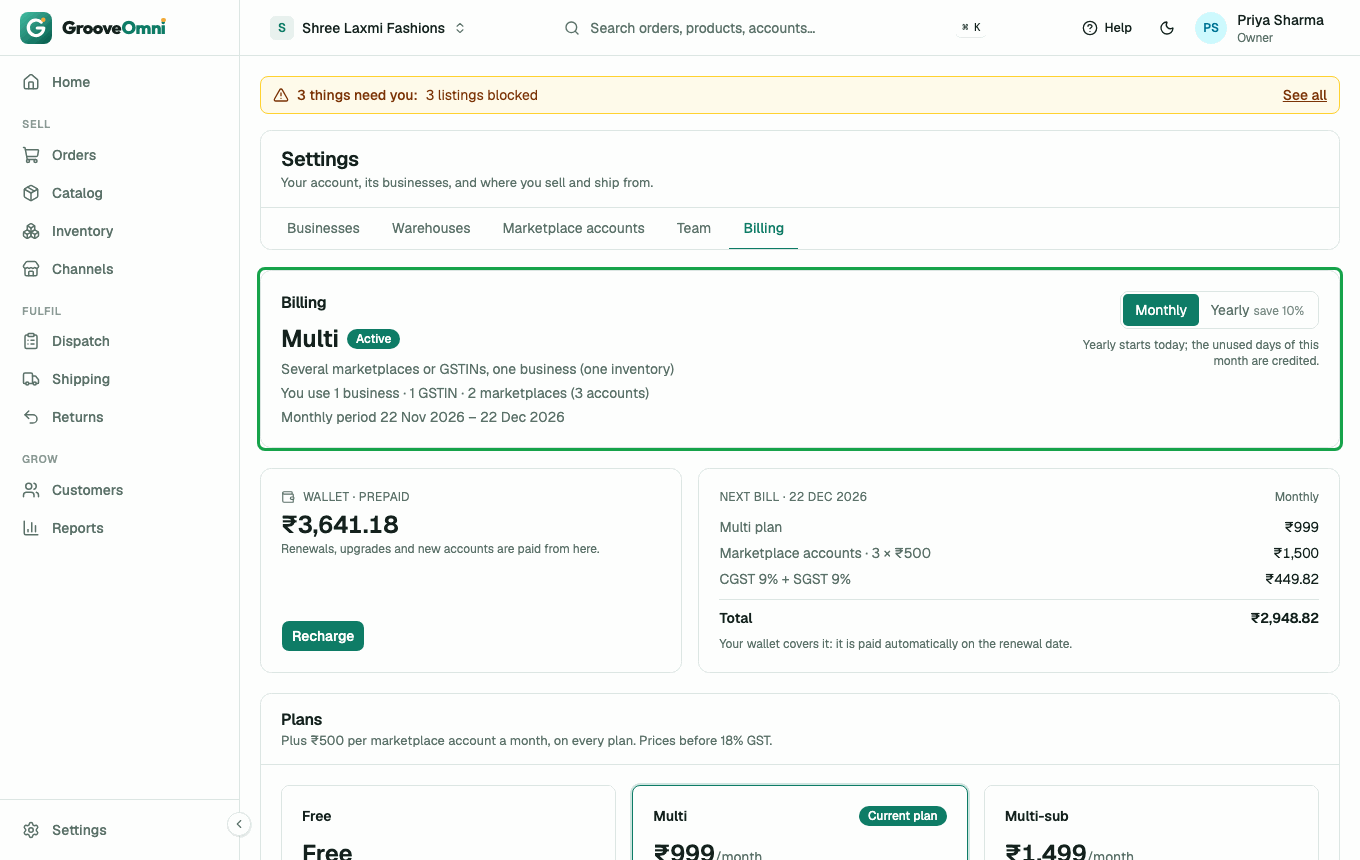 Click Settings, then the Billing tab. The top box shows your plan, its status and why you are on it.
Step 2 — Read the Billing box
The top box, Billing, shows:
- your plan (Free, Multi or Multi-sub) and its status (Active, Payment due, Limited mode);
- one line on what the plan covers;
- why you are on it: "You use 1 business · 1 GSTIN · 1 marketplace (3 accounts)";
- the current period, for example "Monthly period 21 Nov 2026 – 21 Dec 2026";
- the Monthly / Yearly switch (Yearly shows "save 10%" on paid plans).
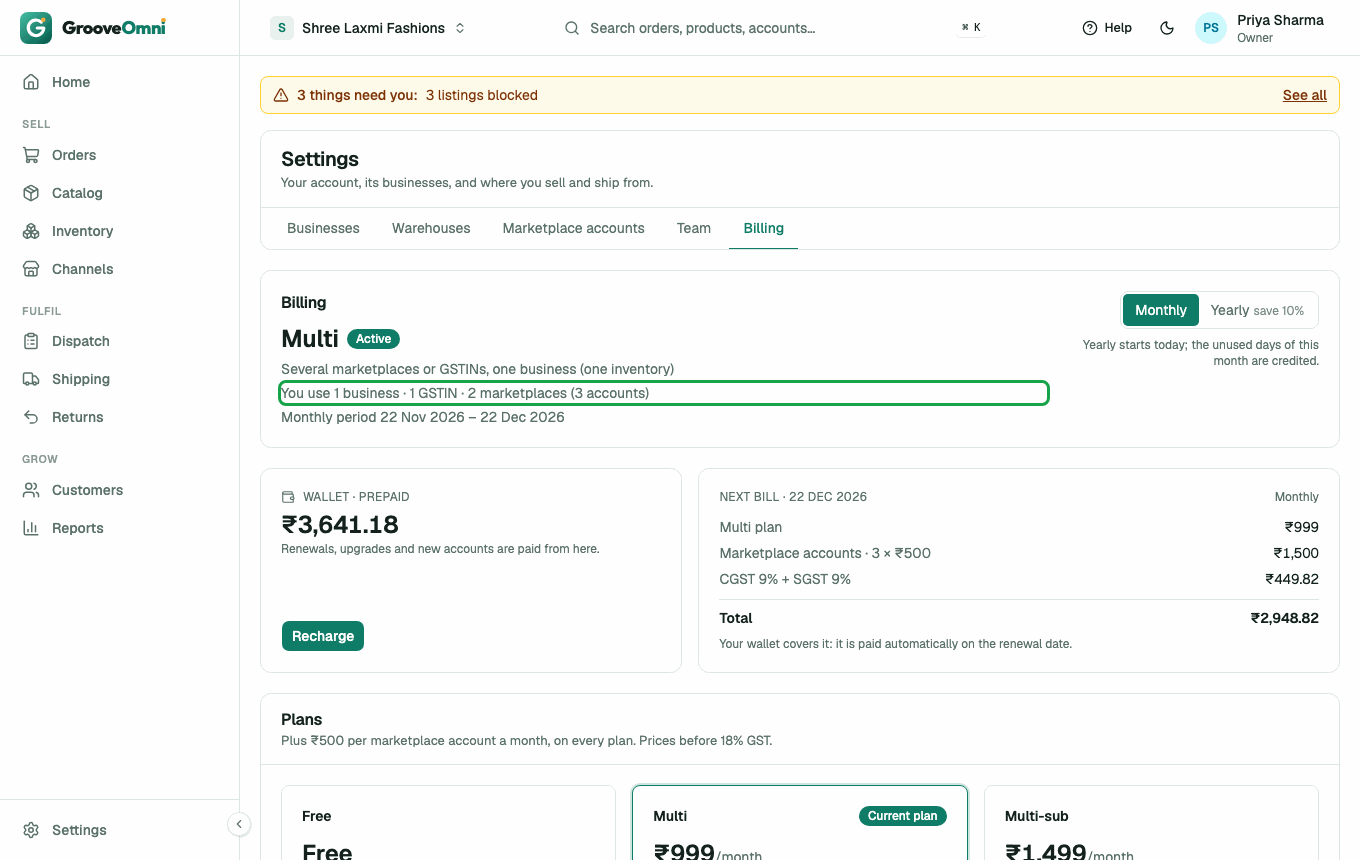 The line under the plan says what you use: businesses, GSTINs, marketplaces and accounts.
Step 3 — Compare the plans
Scroll to Plans to compare the three plans. Your plan says Current plan.
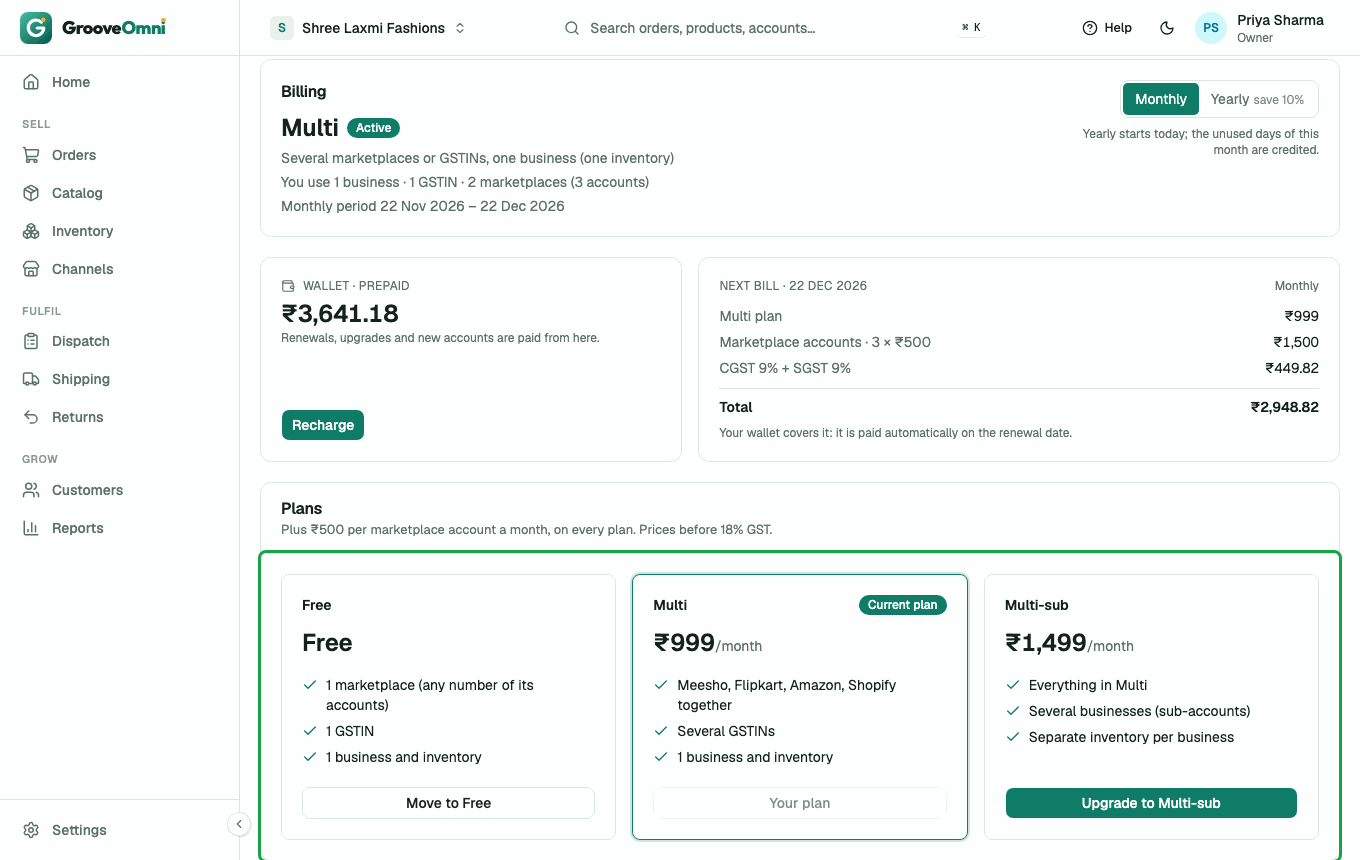 Scroll to Plans to compare Free, Multi and Multi-sub. Your plan says Your plan.
How GrooveOmni picks the plan
You choose the plan, but GrooveOmni never lets you use more than it covers:
- a second GSTIN or a second marketplace needs Multi;
- a second business needs Multi-sub.
When you try to add one of these, GrooveOmni first asks you to upgrade and shows the price (see Upgrade and downgrade). Several accounts on the same marketplace never change the plan.
Common questions
I only sell on Meesho, with several accounts. Which plan? Free, plus ₹500 + GST per account.
Monthly or yearly? Yearly saves 10% on the Multi and Multi-sub plan price. On Free, yearly only changes how the accounts are billed (₹6,000 per account per year, the same as 12 months).
Can I get a discount? Launch discounts and coupons are not in GrooveOmni yet. Ask support.
What's next
- Recharge the wallet Add money online, by UPI or by bank transfer.
- Upgrade and downgrade What happens when you add a GSTIN, a marketplace or a business.
- How your accounts change the bill Accounts added or removed in the middle of a period.