What each role can do
This page answers whether your packer can see your bills, and whether your catalog person can change stock.
Who can do this: only the Owner and Admins give roles (see Add a staff member).
The roles
- Owner: the person who created the account. Exactly one. Can do everything. Cannot be changed or removed.
- Admin: everything in every business, including billing and the team, except making admins and changing the owner.
- Staff: works only in the businesses given to them, with one of these roles in each:
- Manager: runs the business: settings, GSTINs, warehouses and marketplace accounts.
- Catalog editor: adds and edits products, prices and stock.
- Packer: packs and ships orders and counts stock.
- Viewer: read-only.
For example, in Shree Laxmi Fashions: Ravi Kumar is the Packer, Anita Verma the Catalog editor and Suresh Rao a Viewer.
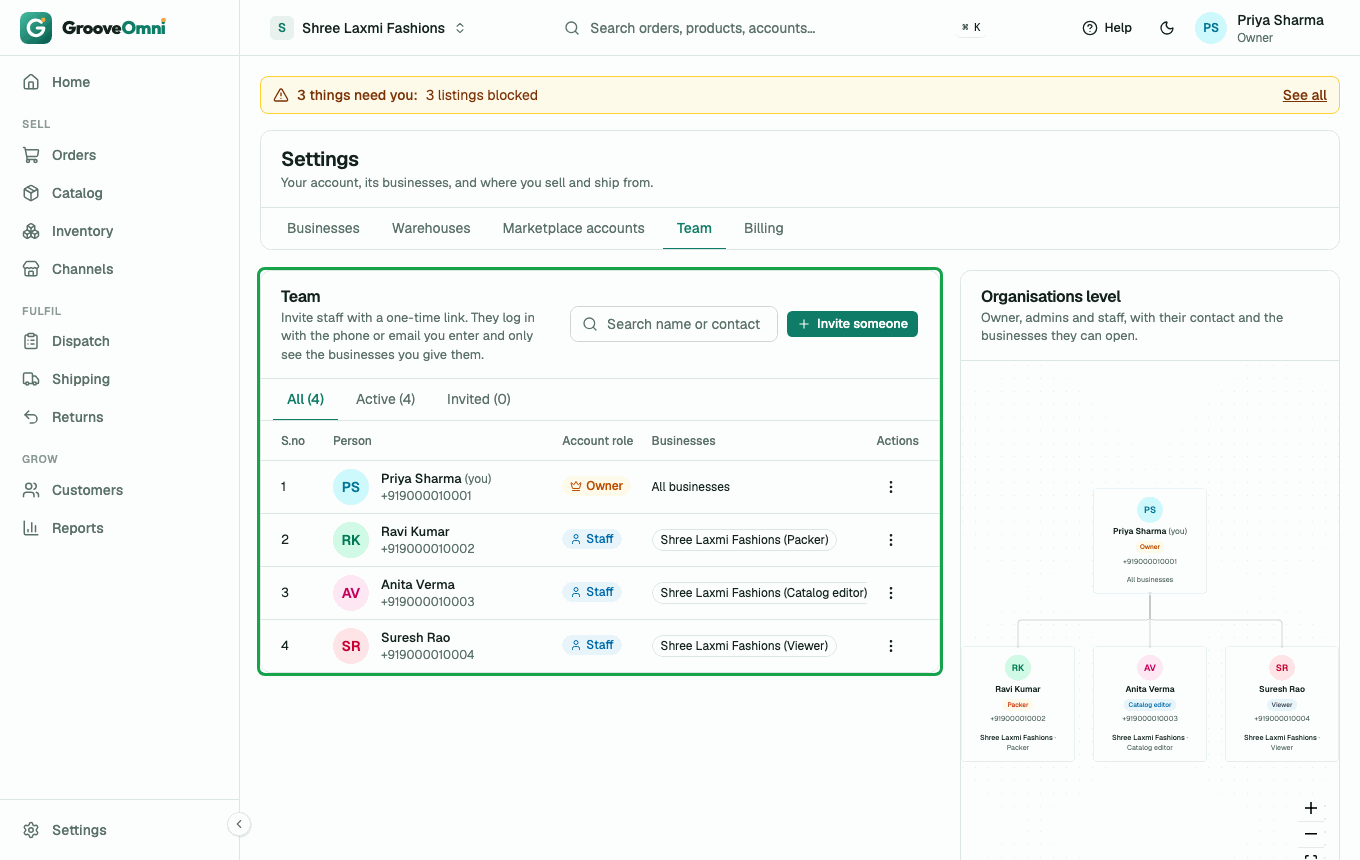 Settings → Team lists everyone with their role in each business: owner, admins and staff.
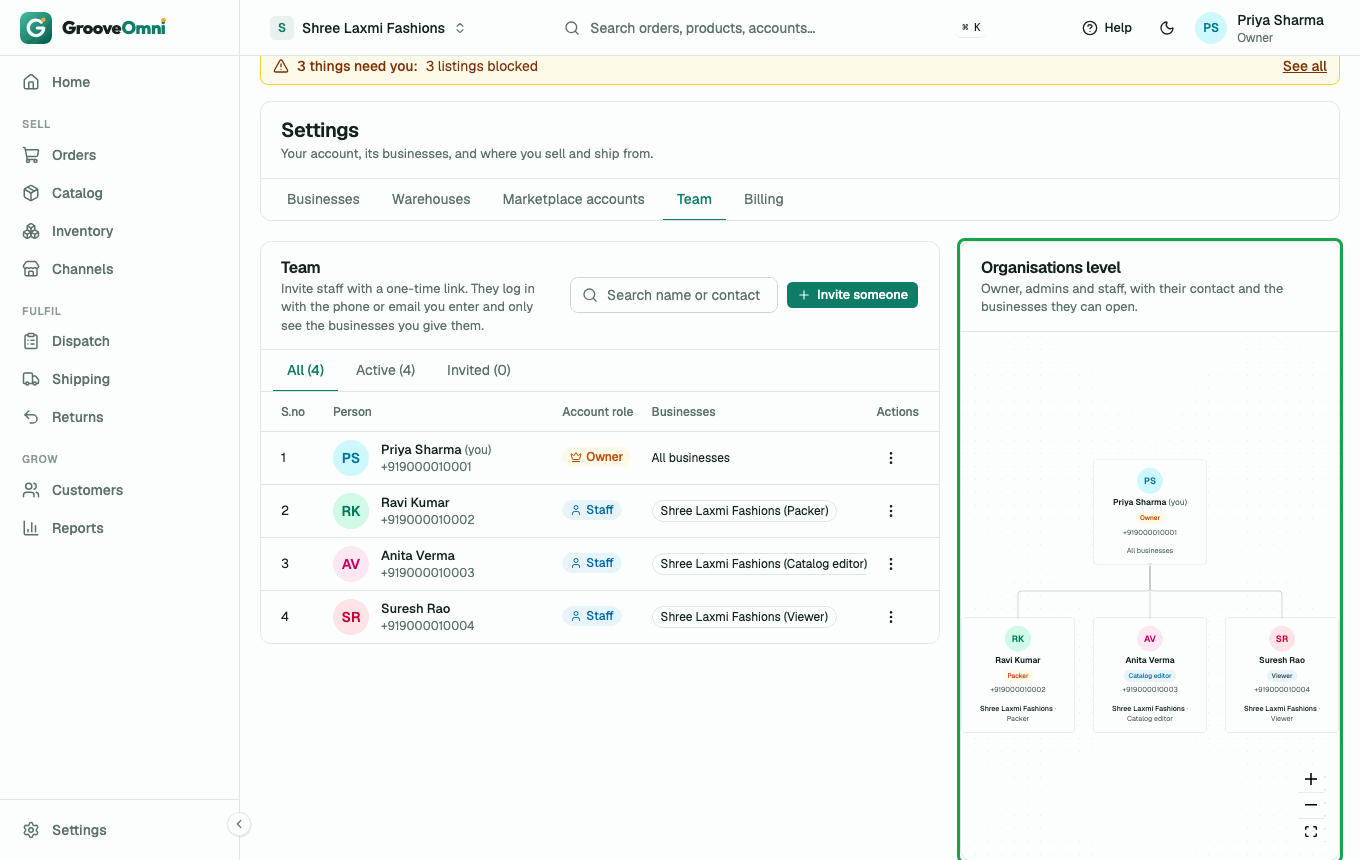 Organisations level shows who is who: the owner on top, then admins, managers and the rest.
Who can do what
| Action | Owner | Admin | Manager | Catalog editor | Packer | Viewer |
|---|---|---|---|---|---|---|
| See orders, catalog, stock, returns | yes | yes | yes | yes | yes (no Catalog page) | yes |
| See and pay bills, change the plan | yes | yes | no | no | no | no |
| Invite, change or remove team members | yes | yes | no | no | no | no |
| Make someone an Admin | yes | no | no | no | no | no |
| Create a business | yes | yes | no | no | no | no |
| Edit a business, its GSTINs and warehouses | yes | yes | yes | no | no | no |
| Connect a marketplace account, log in again, sync, pause | yes | yes | yes | no | no | no |
| Remove or restore a marketplace account (billing) | yes | yes | no | no | no | no |
| Add and edit products, SKUs, photos; merge duplicates | yes | yes | yes | yes | no | no |
| Publish or copy to Meesho; pause, restock or lower price on Meesho | yes | yes | yes | no | no | no |
| Change stock and send it to the marketplaces | yes | yes | yes | yes | yes | no |
| Accept or cancel Meesho orders; Meesho labels and manifest | yes | yes | yes | no | no | no |
| Flipkart labels, manifest and dispatch | yes | yes | yes | no | yes | no |
| Receive returns | yes | yes | yes | no | yes | no |
What each person sees
- Packers see only Home, Orders, Inventory, Dispatch and Returns. No Catalog, Channels, Shipping, Customers, Reports or Settings: opening one by its address shows "You don't have access to this page" with the pages they can use. In Inventory they change stock, but see no Delete, Publish or ⋮ More.
- Viewers see the numbers without any buttons (no pencil, Edit or Delete).
- Everyone else sees the whole menu. Buttons they cannot use are not shown; a short note says who can (for example "Fixed by the owner, an admin or a manager" on the yellow bar, which for them reads "9 things need attention").
- Billing and Team tabs appear only for the Owner and Admins.
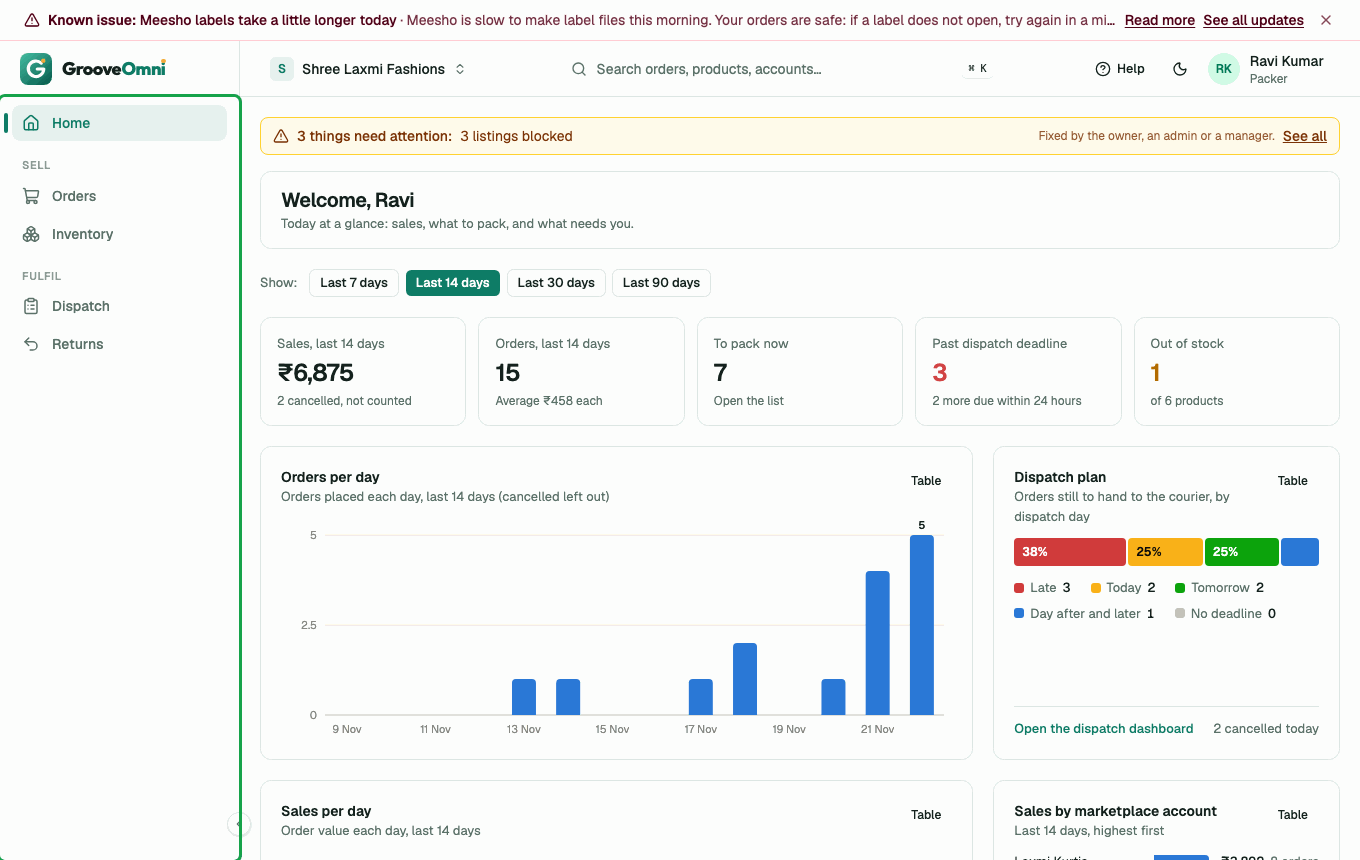 A Packer sees only Home, Orders, Inventory, Dispatch and Returns.
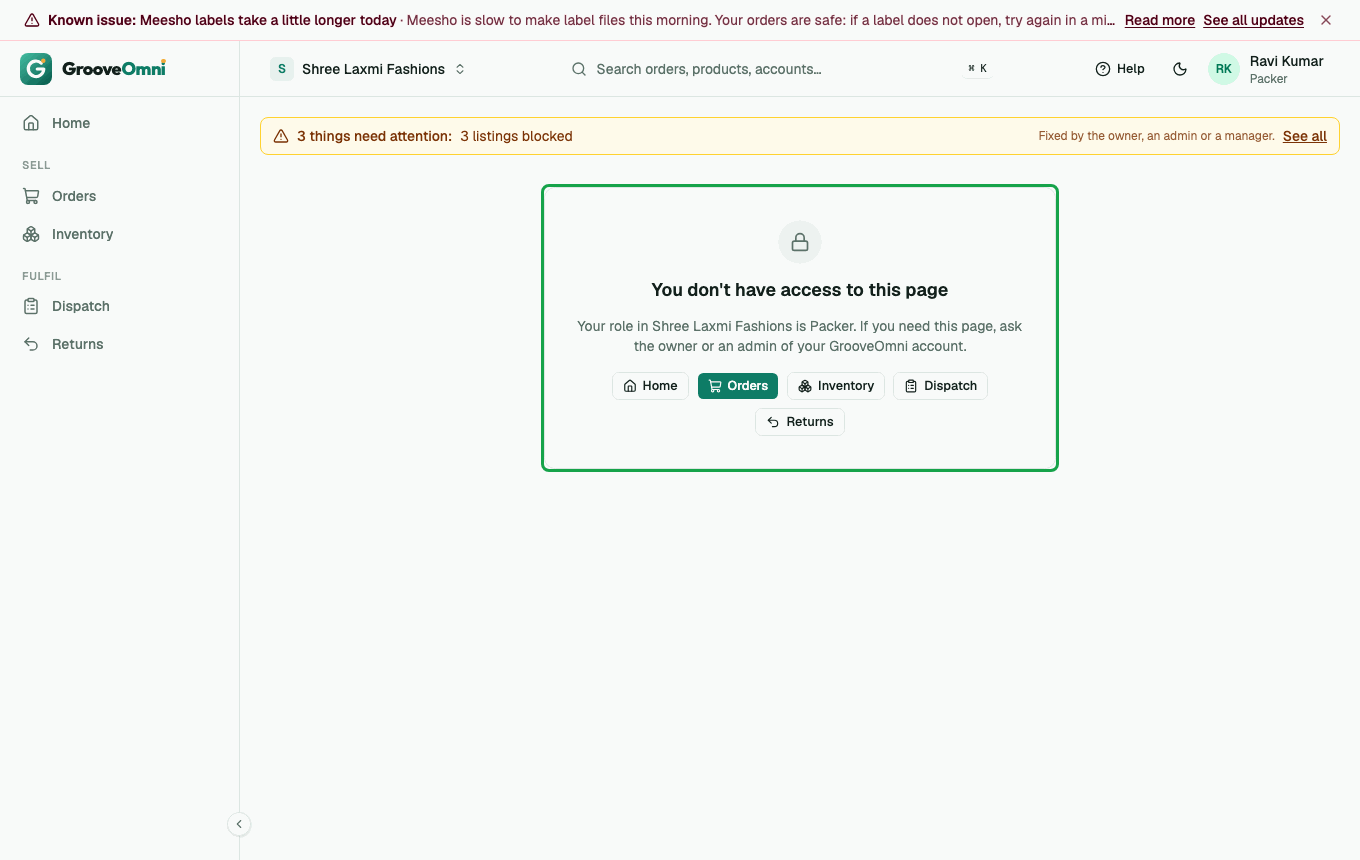 Opening another page by its address shows “You don’t have access to this page”, with the pages they can use.
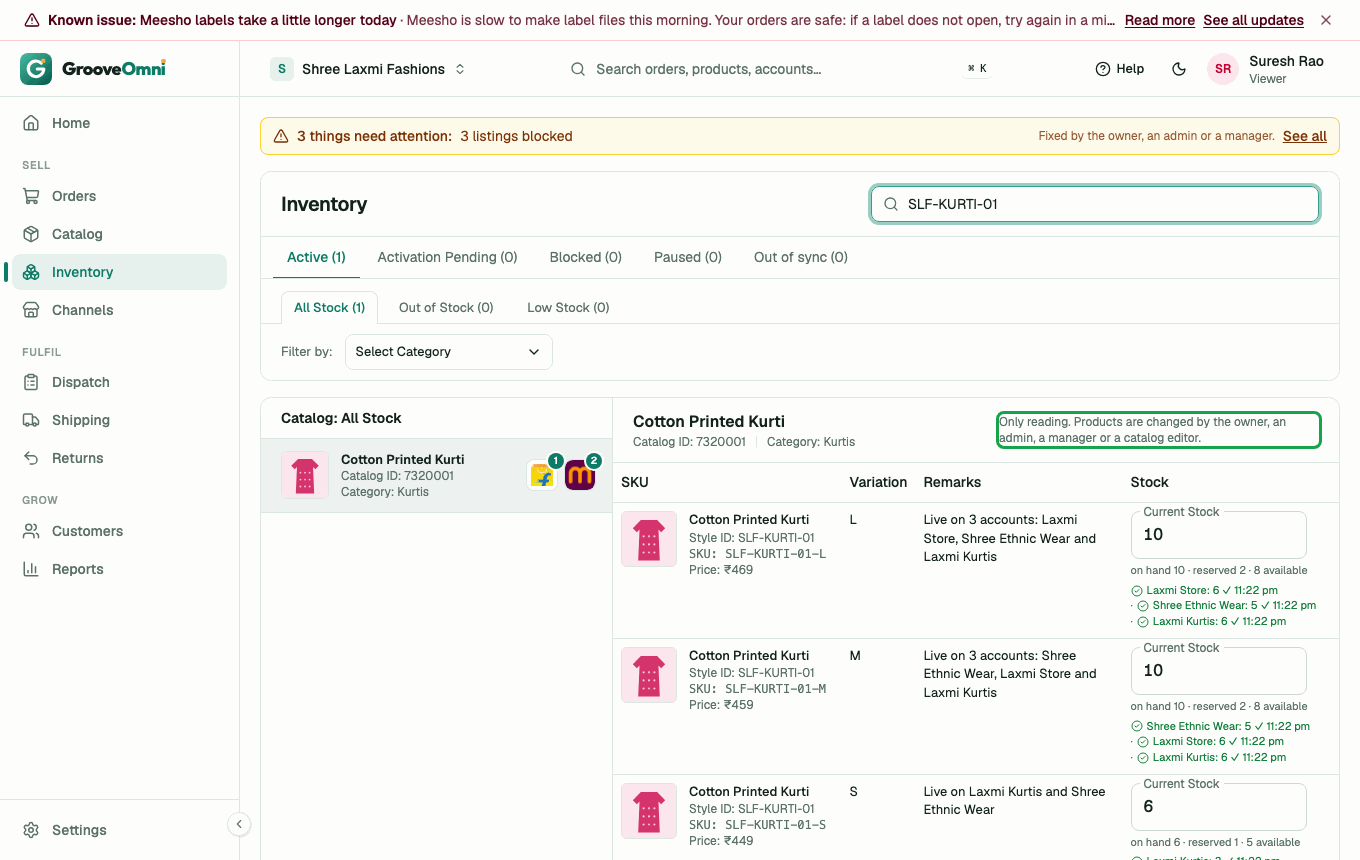 A Viewer sees the numbers without any buttons: no pencil, Edit or Delete.
Common questions
Can my packer see my bills? No. Billing is for the Owner and Admins only.
Can my catalog person change stock? Yes. A Catalog editor can change stock and edit products, but cannot publish to Meesho or accept orders.
Is there an accountant role? Coming soon: a read-only role for invoices and GST. Today, send your accountant the CSV and invoice PDFs from Settings → Billing (see Every rupee accounted for).
Can I make my own roles? Not yet. The roles above are fixed.
What's next
- Change a role or remove someone Change access, or end it at once.
- Add a staff member Invite someone with the right role.
- More than one business or GSTIN One role per business.