Orders arrive
This page answers whether orders from all your accounts come into one list, and how quickly. Yes: every order from every connected account comes into one list. GrooveOmni imports orders about every 5 minutes for each logged-in, active account, and whenever you press a sync button.
Who can do this: everyone sees orders. Syncing an account's orders by hand: Owner, Admin, Manager.
A Meesho order's day, in short
It arrives as New in To pack → you Accept it (it becomes Accepted, Meesho's Ready to Ship) → you print Meesho labels, pack it and hand it to Meesho's courier → Meesho marks it shipped and GrooveOmni shows Shipped.
Who can do what with orders
| Action | Owner, Admin | Manager | Packer | Catalog editor, Viewer |
|---|---|---|---|---|
| See orders, dispatch plan, returns | yes | yes | yes | yes |
| Accept or cancel a Meesho order | yes | yes | no | no |
| Download Meesho labels and manifest | yes | yes | no | no |
| Flipkart labels, manifest and dispatch | yes | yes | yes | no |
| Receive a return | yes | yes | yes | no |
Step 1 — Open Orders
Click Orders in the left menu. The tabs follow the order's stage: To pack, Packed, Ready to dispatch, Shipped, Delivered, Cancelled, Returns, each with a count.
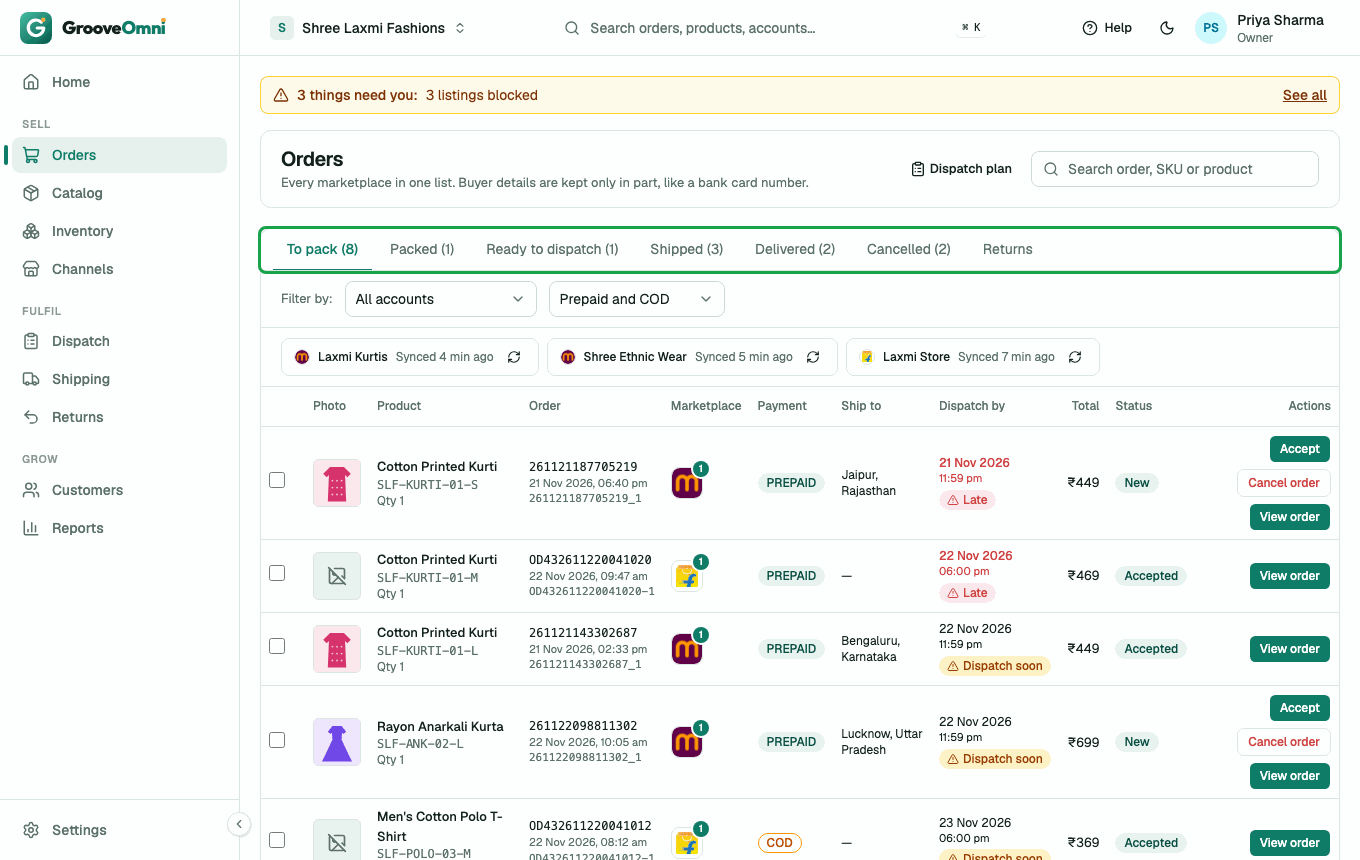 Click Orders. Every order from every account is in one list, with tabs by stage: To pack, Packed, Ready to dispatch, and so on.
Step 2 — Narrow the list
Use Filter by: Marketplace account and Payment (Prepaid and COD, Prepaid, Cash on delivery), or Search order, SKU or product. Clear filters shows everything again.
Under the filters, one chip per account says when its orders were last imported ("Synced 3 min ago"). For the Owner, Admins and Managers, the small round-arrow button next to it syncs that account's orders now.
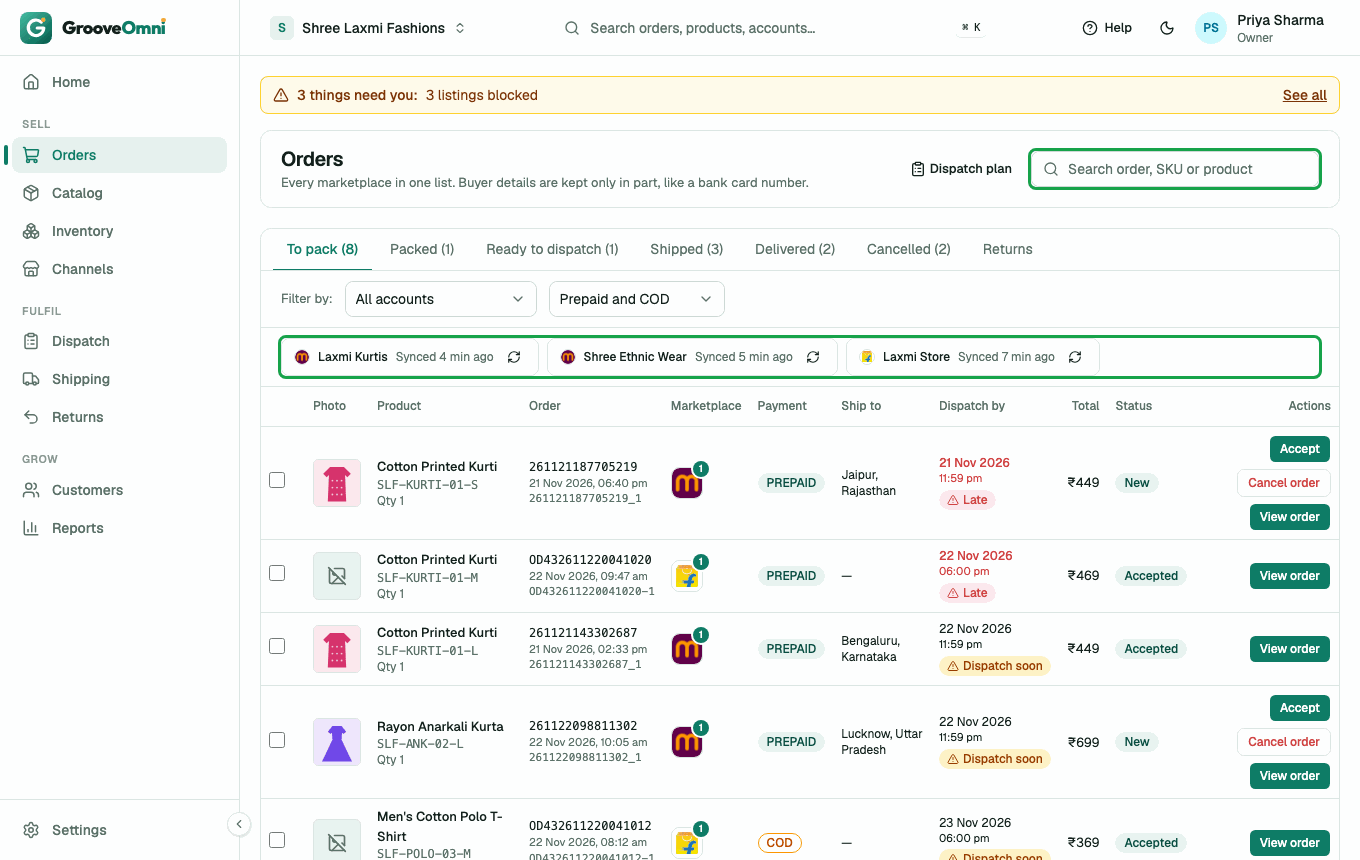 Filter by account and payment, or search. One chip per account says when its orders were last imported.
Step 3 — Read each row
Each row shows the photo, product and SKU, order number and time, sub-order number, size, quantity, marketplace, payment (PREPAID or COD), ship-to city, Dispatch by (with a red Late or amber Dispatch soon badge when the deadline is past or within 24 hours), total and status. On a laptop screen the sub-order number sits under the order number, and the size and quantity under the product.
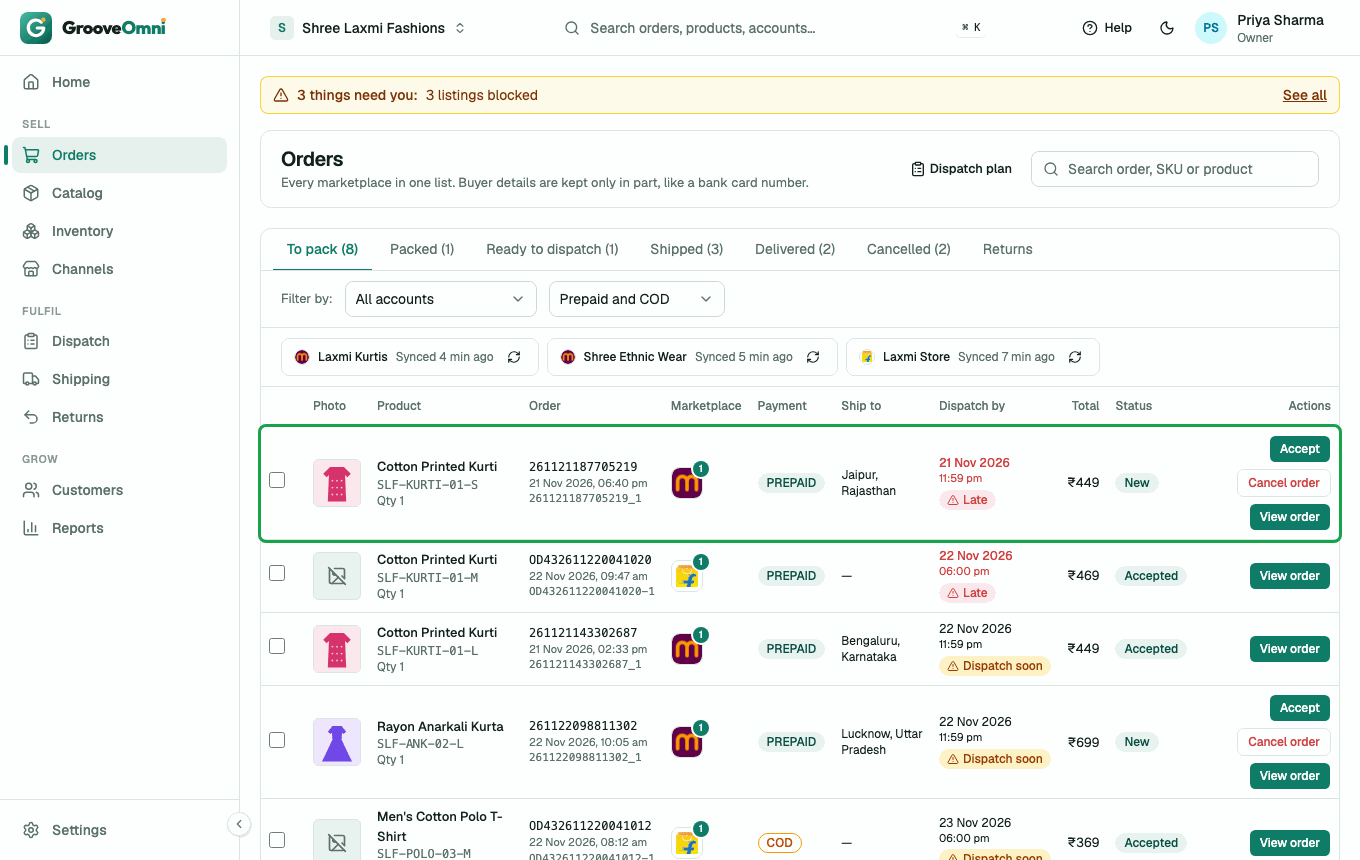 Each row shows the product, order and sub-order numbers, payment, ship-to city and Dispatch by, with Late or Dispatch soon when it matters.
Step 4 — Open an order
Click a row or View order to open the order page:
- the order number, account, order time and number of units;
- Items: SKU, quantity, price and status ("not in catalog" means GrooveOmni has no product for that SKU, so its stock is not tracked);
- Shipments: courier and AWB once the marketplace gives them;
- Buyer, Summary (with the Marketplace status, such as PENDING or READY_TO_SHIP, and Dispatch by) and Timeline (Ordered, Accepted, …).
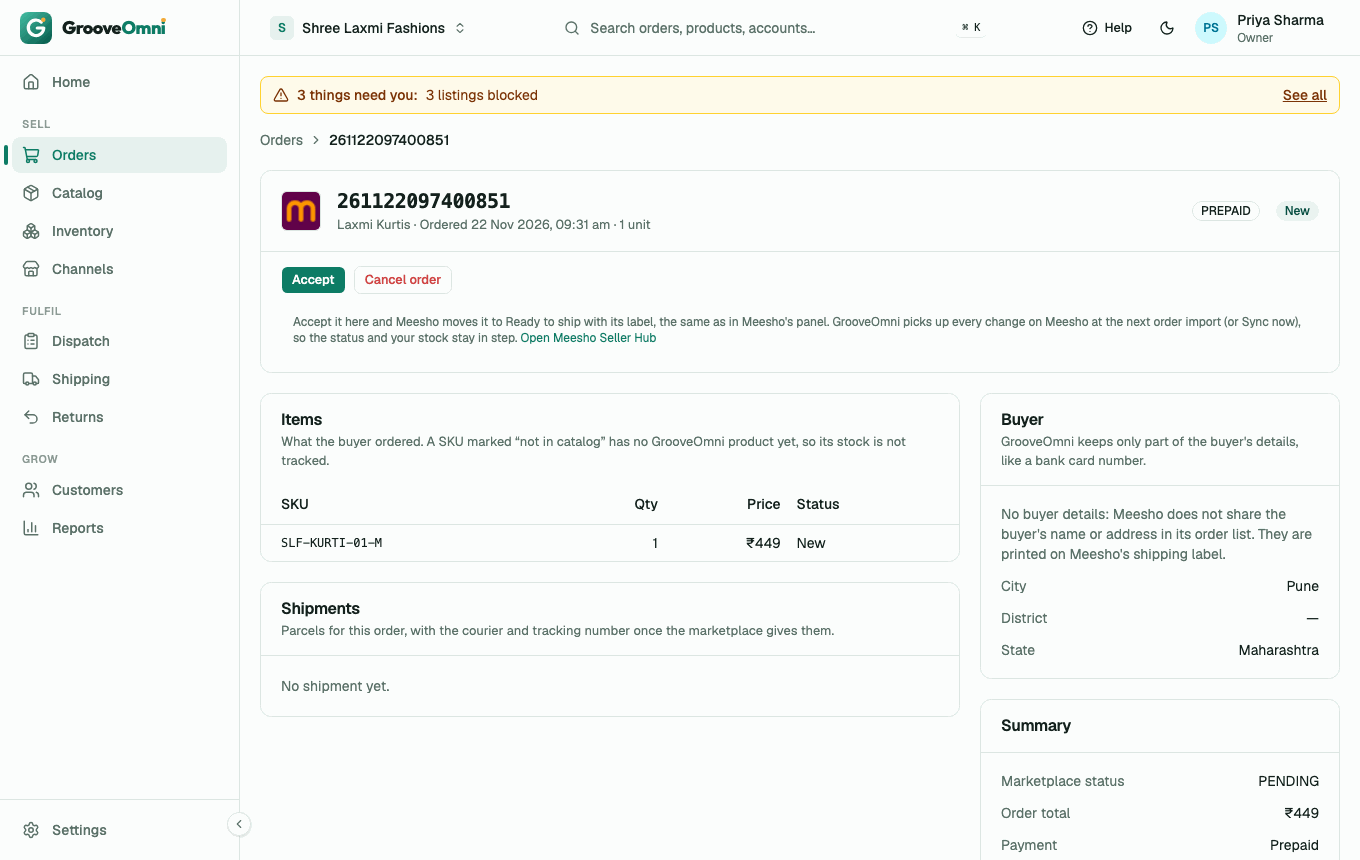 Click a row to open the order: items, shipments, buyer, summary (with Meesho’s status and Dispatch by) and the timeline.
Meesho's words and GrooveOmni's
| On Meesho | In GrooveOmni |
|---|---|
| On Hold, Pending | New, in To pack |
| Ready to Ship | Accepted, in To pack |
| Shipped | Shipped |
| Cancelled | Cancelled |
Buyer details
GrooveOmni keeps only part of each buyer's details, the way a bank shows a card number: a name like "Kaxxx Mexxx", a phone like "xxxxxx2345", a pincode like "500xxx", and the first part of the address. They are deleted 30 days after an order closes; city and state stay.
Meesho's order list gives GrooveOmni no buyer names, phones or addresses. Buyer details for Meesho orders, read from the label later, are coming soon.
Orders → Pending on the Supplier Panel shows the same order, with the same sub-order ID and dispatch date.
Common questions
How quickly do orders arrive? Within about 5 minutes. The Owner, an Admin or a Manager can press the sync button on the account's chip to fetch them now.
An account says "Log in again to sync". It is logged out of Meesho; its orders wait. See Logging in and out of Meesho.
"Could not load orders." This is a problem on GrooveOmni's side, not an empty list; your orders are safe. Click Try again.
What's next
- Accept or cancel a Meesho order from GrooveOmni Press Meesho's own Accept button without leaving GrooveOmni.
- Orders to dispatch today and tomorrow What to pack first, and the pick list.
- What orders do to your stock Reserved, cancelled and shipped.