Returns
This page shows where you see returns, and whether a good return goes back on sale.
Who can do this: receiving: Owner, Admin, Manager, Packer.
Meesho returns: coming soon
GrooveOmni does not read Meesho's returns yet; the Returns page says so, with a link to Meesho's panel. Until it does:
- see and manage Meesho returns in Meesho's panel (Returns);
- when a good piece comes back, add it to stock in GrooveOmni: Inventory → Edit → Add, with a note such as "Return <order number>". It is then sent to every account.
The steps below are for returns from marketplaces that send them (such as Flipkart).
Step 1 — Open Returns
Click Returns in the left menu: "Buyer returns and RTOs. Check each parcel when it arrives: good items go back on sale at once."
Step 2 — Find the parcel
To receive lists parcels on the way back ("3 parcels · 4 units on the way back"). Filter by Marketplace account and Return type (RTO, Buyer return), or search Order, AWB or SKU.
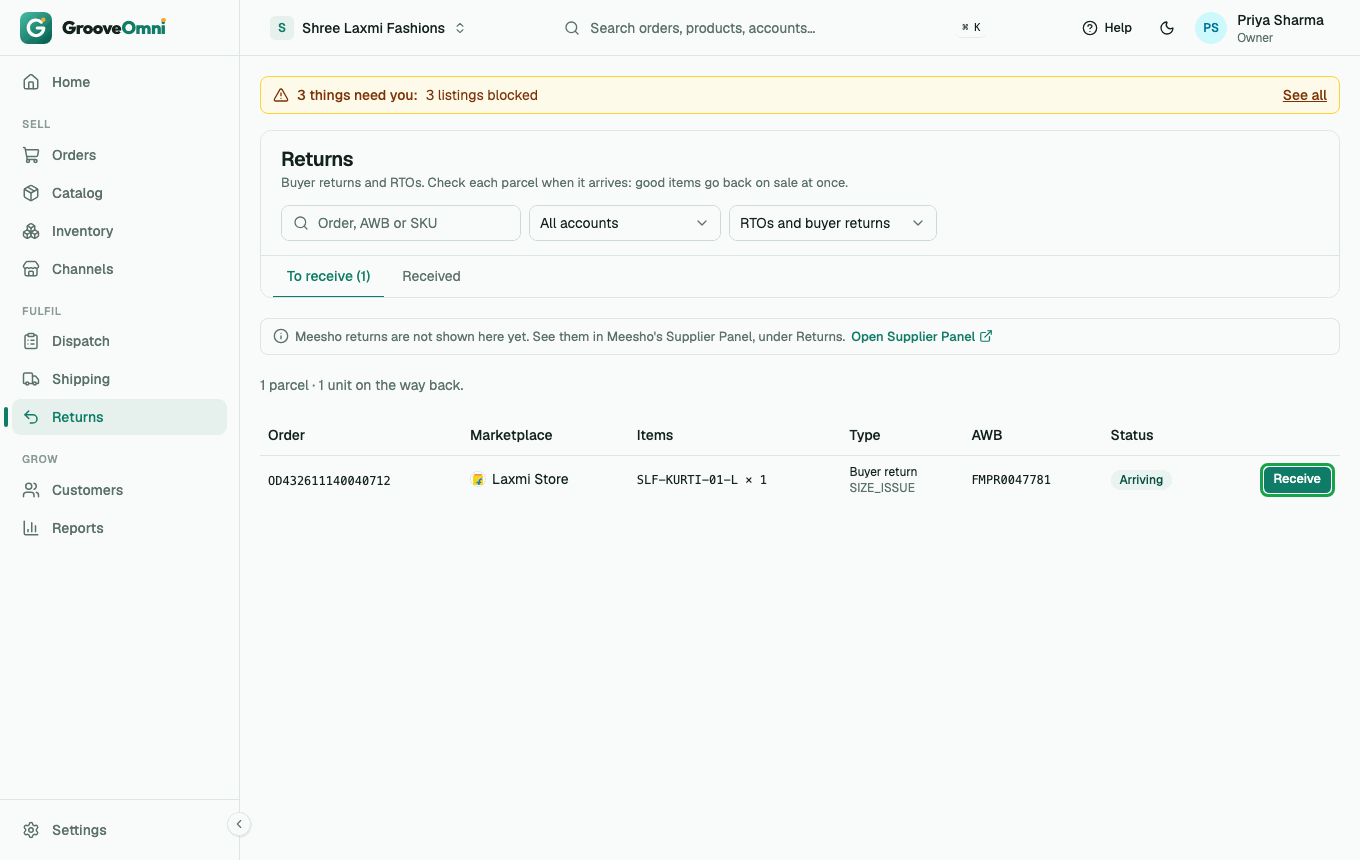 Click Returns. To receive lists the parcels on their way back. When one arrives, click Receive.
Step 3 — Receive it
When the parcel arrives, click Receive.
Step 4 — Check each item
Choose where it was Received at (the warehouse), then check each item:
| Choice | What happens |
|---|---|
| Good: back on sale | Added back to stock and sent to every marketplace. |
| Damaged: keep, not for sale | Kept as damaged, not sold. |
| Wrong item came back | Recorded. |
| Missing from the parcel | Recorded. |
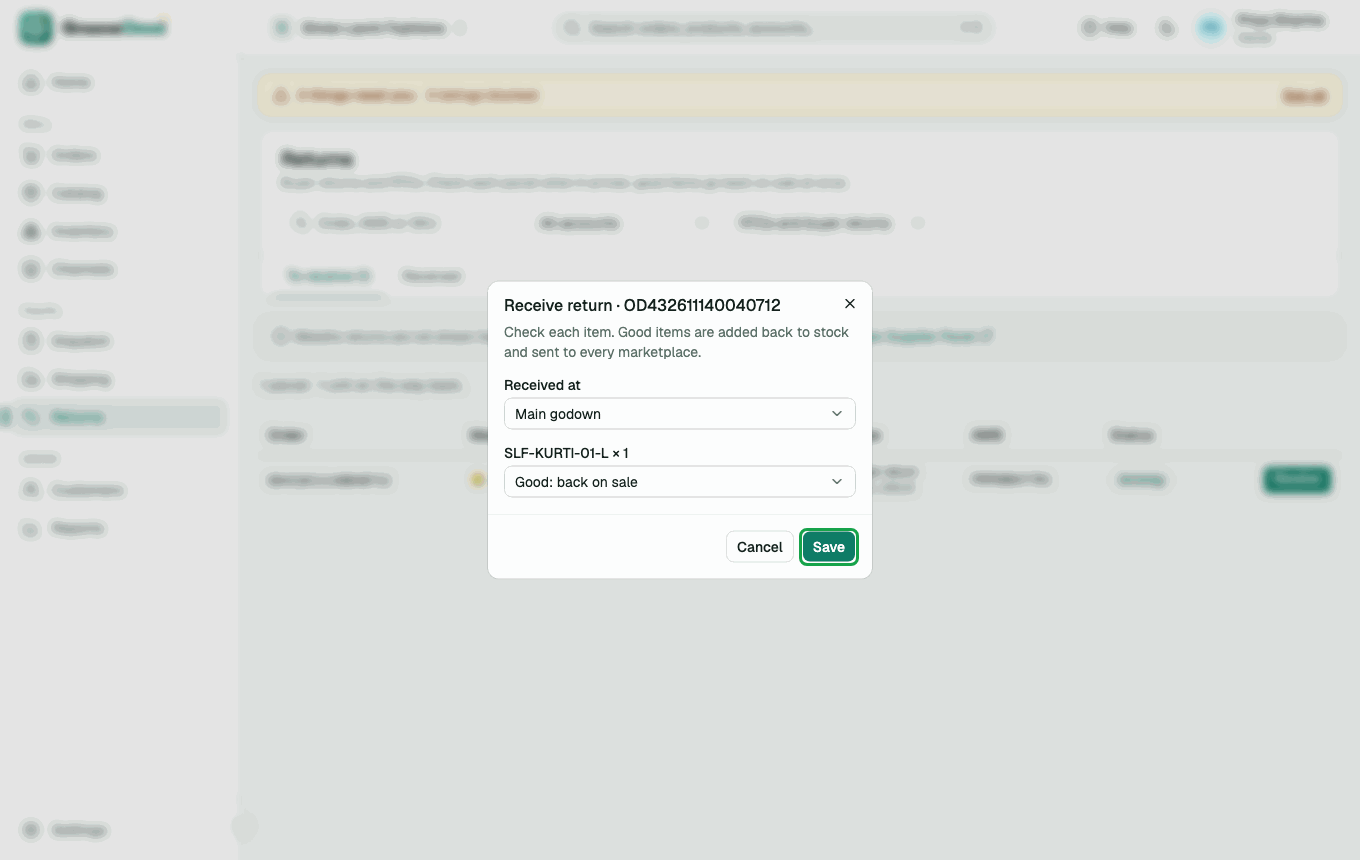 Choose the warehouse it was received at and check each item: Good goes back on sale at once. Click Save.
Step 5 — Save
Click Save. The return moves to Received, with what you found for each item.
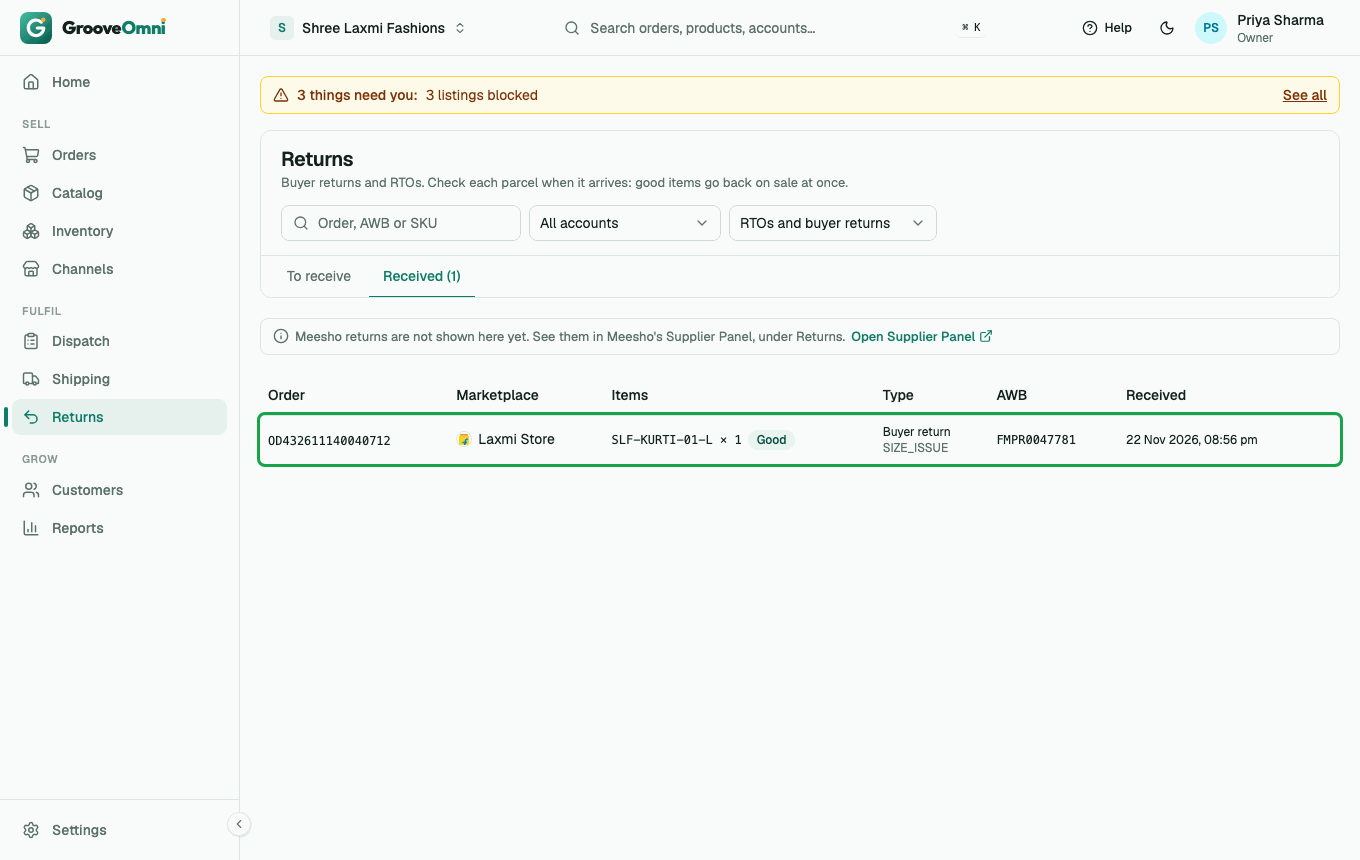 The return moves to Received, with what you found for each item.
Common questions
Does a good return go back on sale? Yes, at once, on every account.
What about a damaged item? It is counted as damaged in that warehouse, and never sold.
What's next
- Change stock, and see why it changed Add a Meesho return to stock by hand.
- What orders do to your stock What a good return does to the numbers.
- Known issues and coming soon Meesho returns on the Returns page.