Merge by hand from the catalog screen
This page shows how to merge two products yourself when GrooveOmni did not suggest it but they are the same. You join or split listings (one size on one account) on the product page.
Who can do this: Owner, Admin, Manager, Catalog editor.
Step 1 — Open the product whose listing should move
Catalog → View catalog on the product.
Step 2 — Click the listing's tag
In the Remarks column, click the tag of the listing (account name).
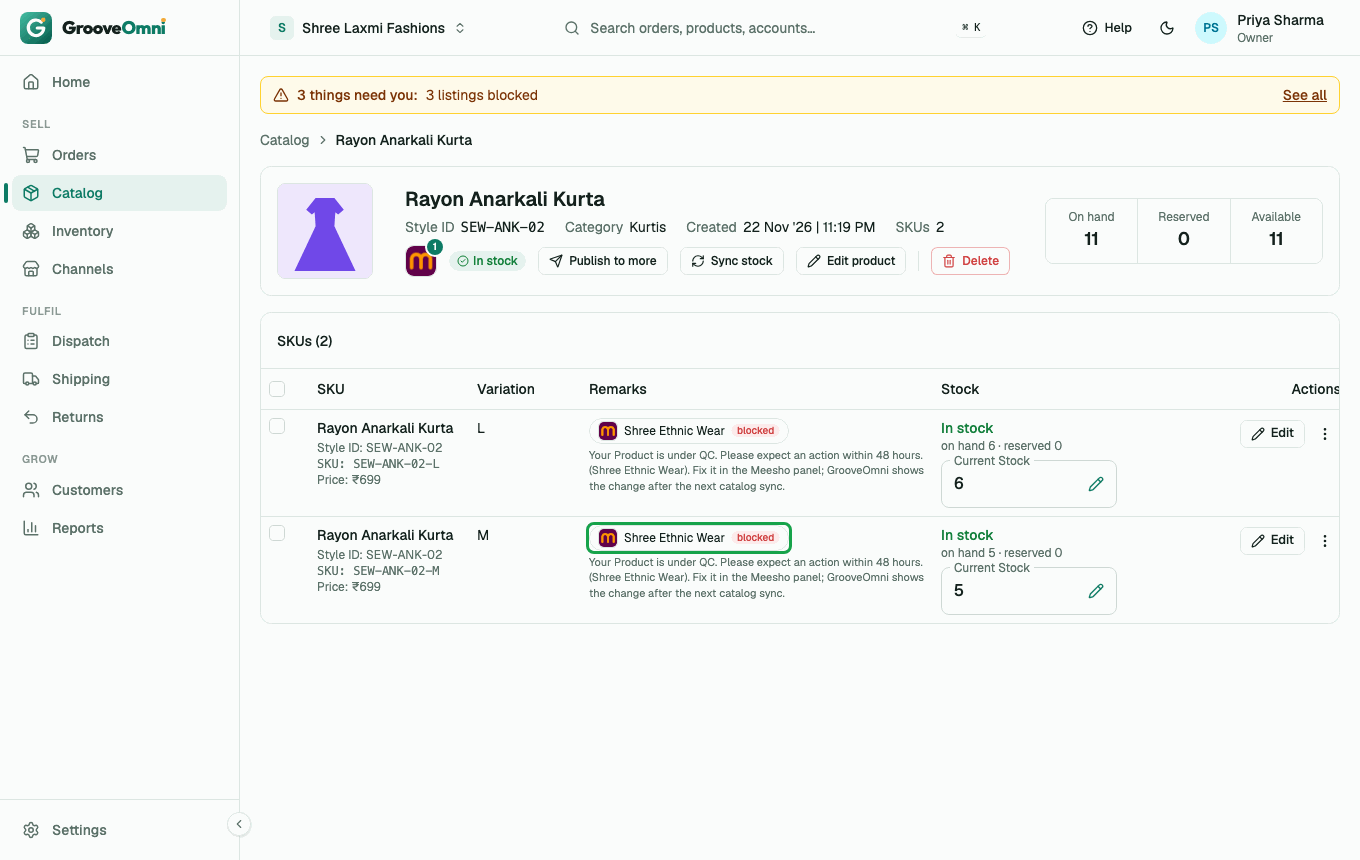 Open the product whose listing should move. In the Remarks column, click the tag of the listing.
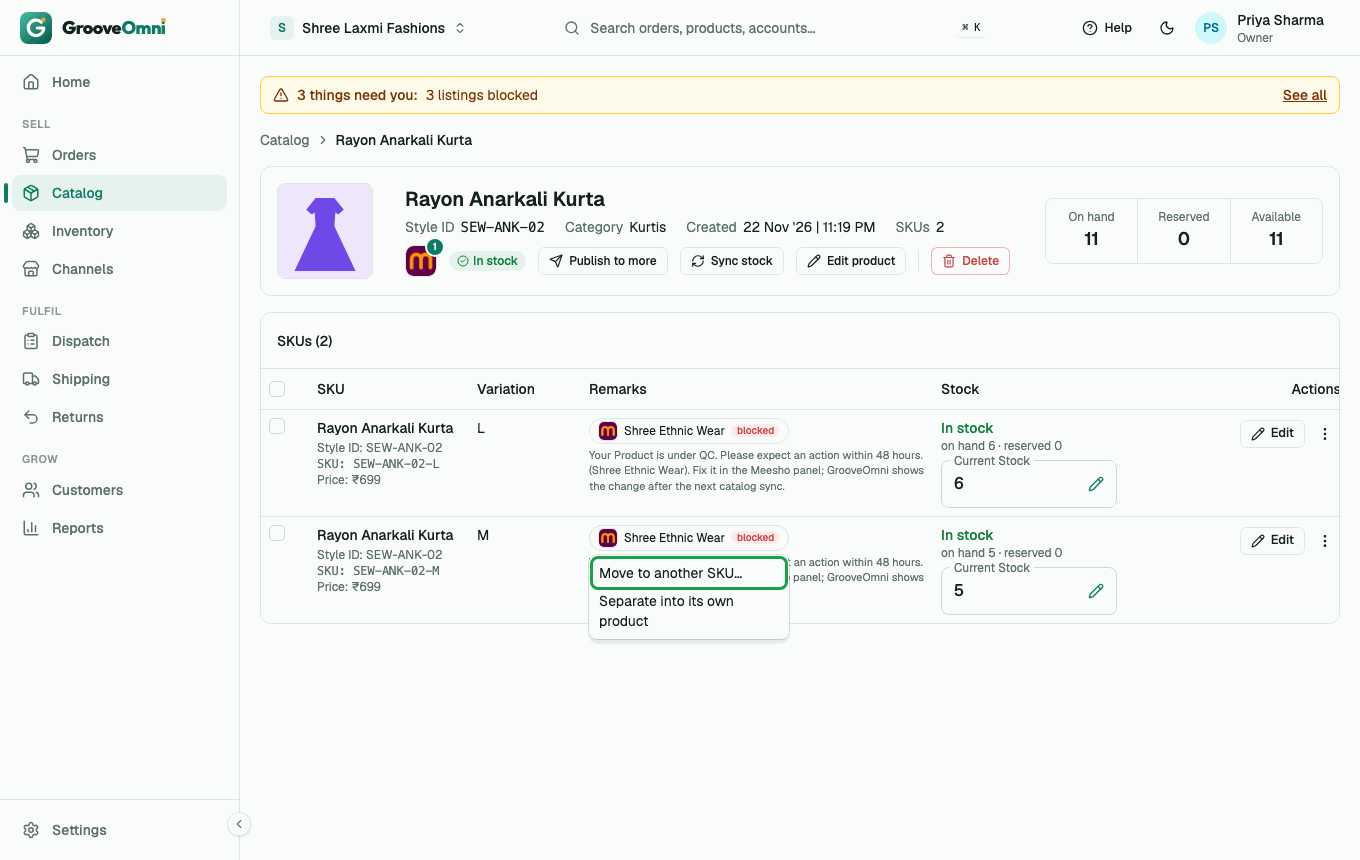 Choose Move to another SKU… (or Separate into its own product to split it off).
Step 3 — Move it to another SKU
- Choose Move to another SKU….
- Search by SKU code or product title, and click Link next to the right SKU. "The listing will sell that SKU's stock from now on."
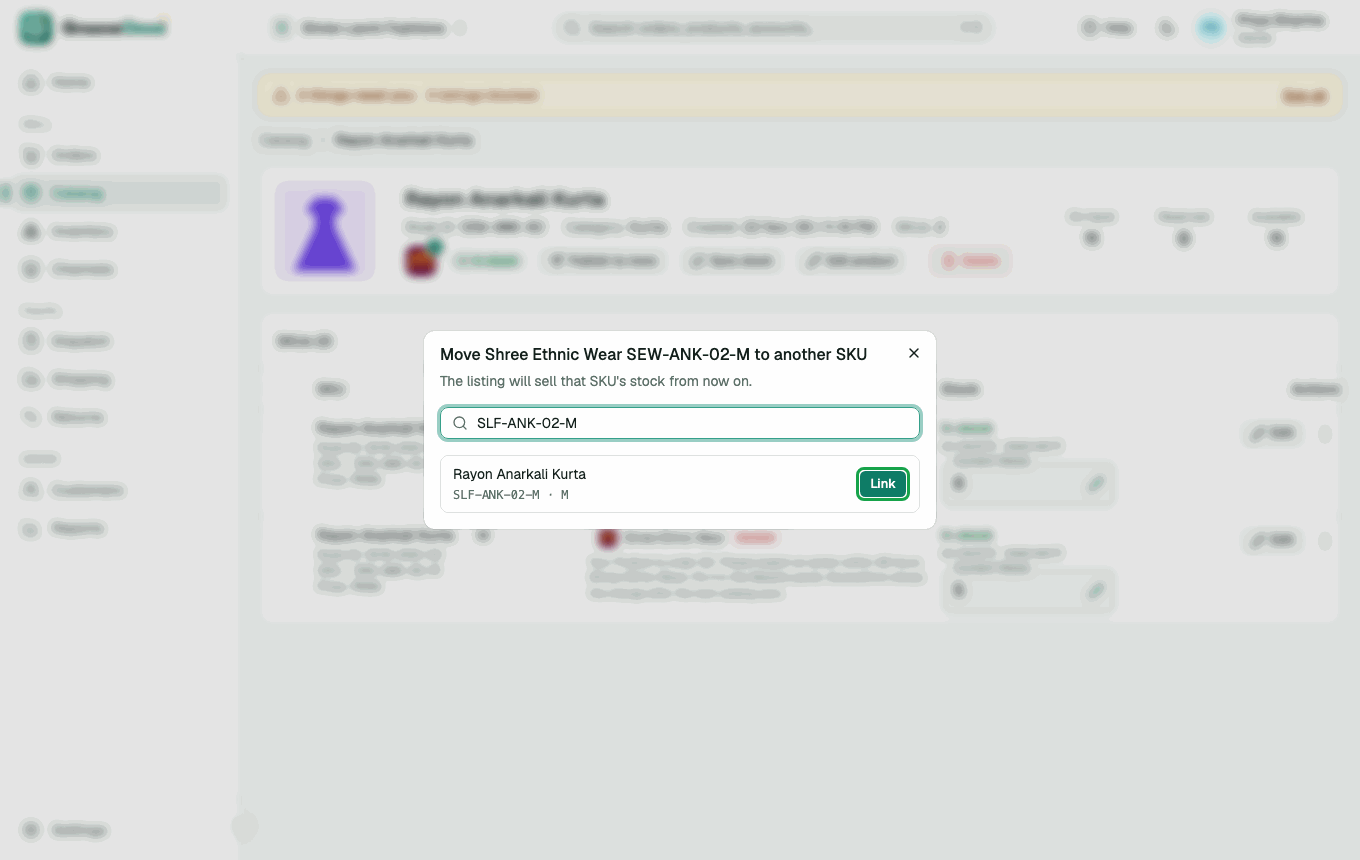 Search by SKU code or product title and click Link next to the right SKU. The listing then sells that SKU’s stock.
Step 4 — Repeat for each size, then tidy up
Do this for each size. When the old product has no listings and no stock left, you can Delete it.
Split a listing off
- Click the listing's tag in Remarks.
- Choose Separate into its own product. "Separated: it has its own SKU now (stock 0 until you set it)."
- Set its stock in the Current Stock box.
Set its stock straight away, or that account shows it as out of stock.
Common questions
Can I tick two products in the catalog list and merge them? Not from the list. Use Move to another SKU… as above, or wait for the pair to appear in Duplicates to review.
What happens to the stock when I move a listing? The listing sells the stock of the SKU it joins. The old SKU keeps its own count.
What's next
- Duplicate products, and merging The pairs GrooveOmni suggests, with their scores.
- Change stock, and see why it changed Set the stock of a separated listing.
- Publish a product to more accounts Put a product on another account.