How your accounts change the bill
This page explains what you pay when you add an account in the middle of the month, and when a removed account stops costing money.
Who can do this: Owner, Admin.
Adding an account in the middle of the period
You pay only for the days left until your billing date, from the day you connect it.
Your billing period runs 21 Nov to 21 Dec (30 days). On 6 Dec you connect a second Meesho account, "Shree Ethnic Wear". 15 days are left, so you pay ₹500 × 15 ÷ 30 = ₹250 + ₹45 GST = ₹295 now. From 21 Dec it is part of your normal bill: ₹500 + GST a month.
GrooveOmni shows this before you connect, in What this account costs (see Add another Meesho account).
The welcome credit
The ₹500 welcome credit comes off your first charges, before GST, until it is used up. If your first account was connected in the middle of a period, part of the credit is left for the next bill.
Removing an account
- It stops syncing at once.
- It stays on the bill until the end of the current period. There is no refund for those days.
- From the next renewal, your bill is ₹500 + GST (₹590) lower per removed account.
- In the same period you can click Undo; there is no new charge.
Steps: Pause, switch off, remove and restore an account.
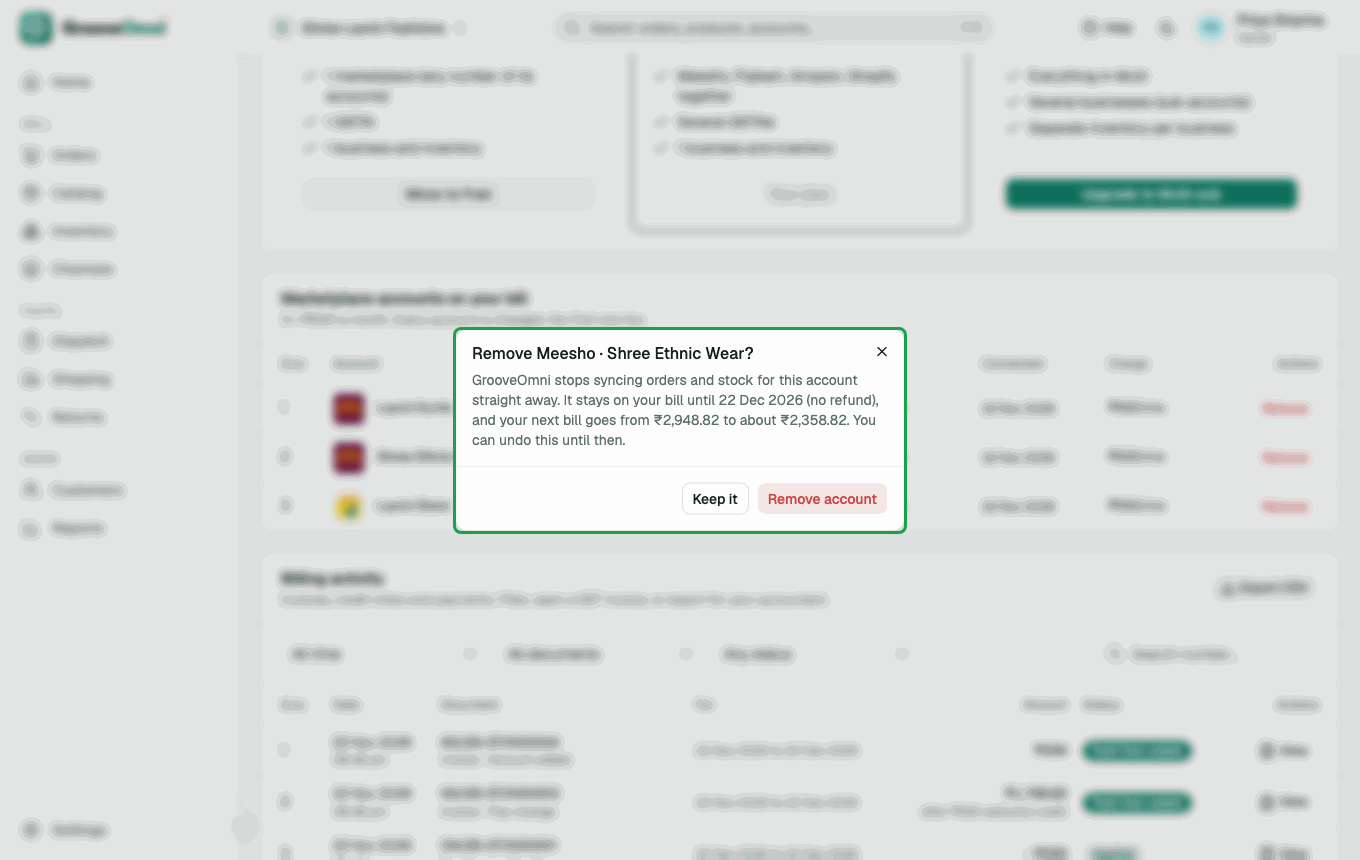 Remove says when the account leaves your bill and what your next bill becomes. Nothing is refunded for this period.
Step 1 — See the accounts on your bill
Settings → Billing → Marketplace accounts on your bill: "3 × ₹500 a month. Every account is charged, the first one too." Each row shows the account, marketplace, business, Connected date and the charge (or Billing ends <date>).
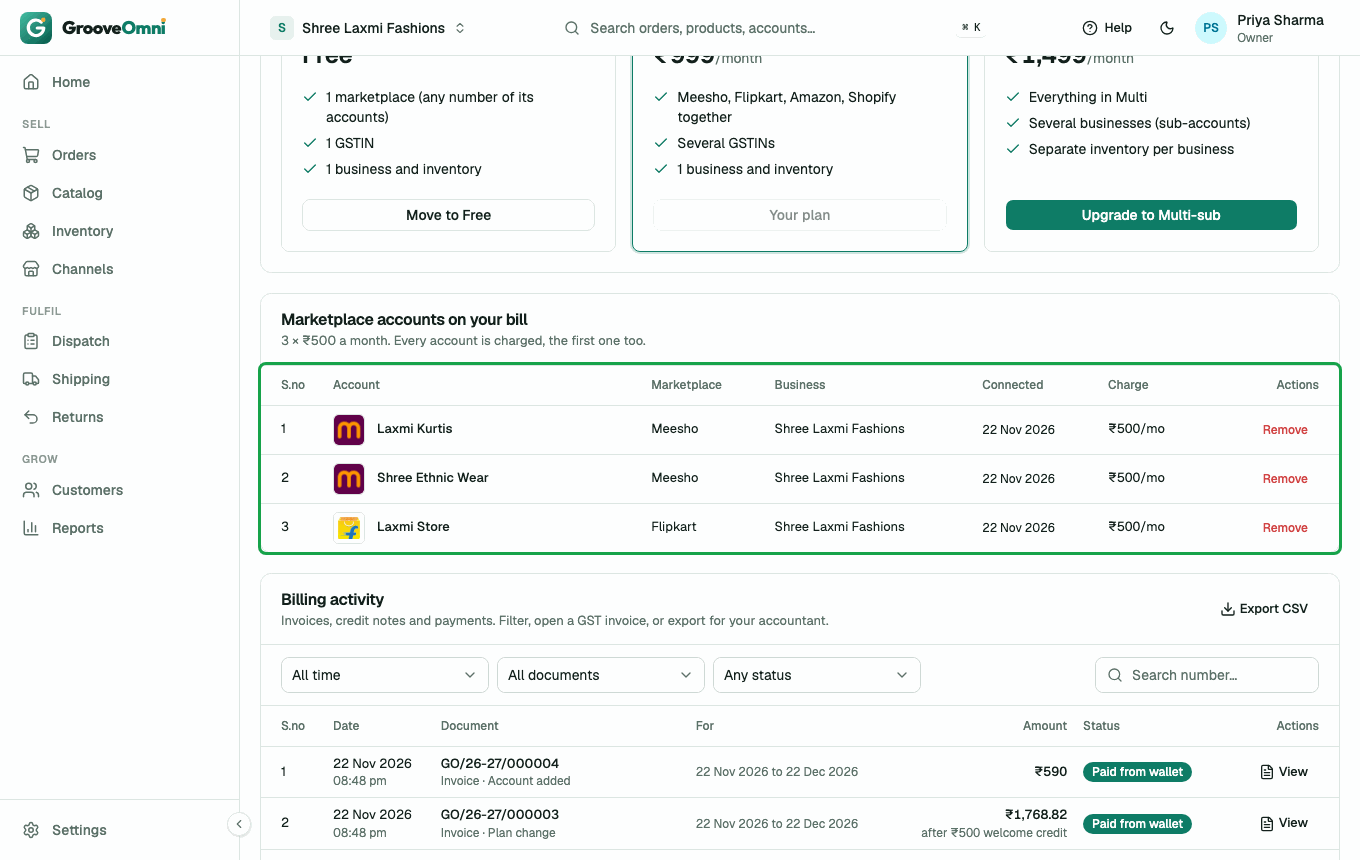 Marketplace accounts on your bill: each account, its marketplace and business, the day it was connected and its charge.
Step 2 — Check the next bill
The Next bill card shows the new total right away.
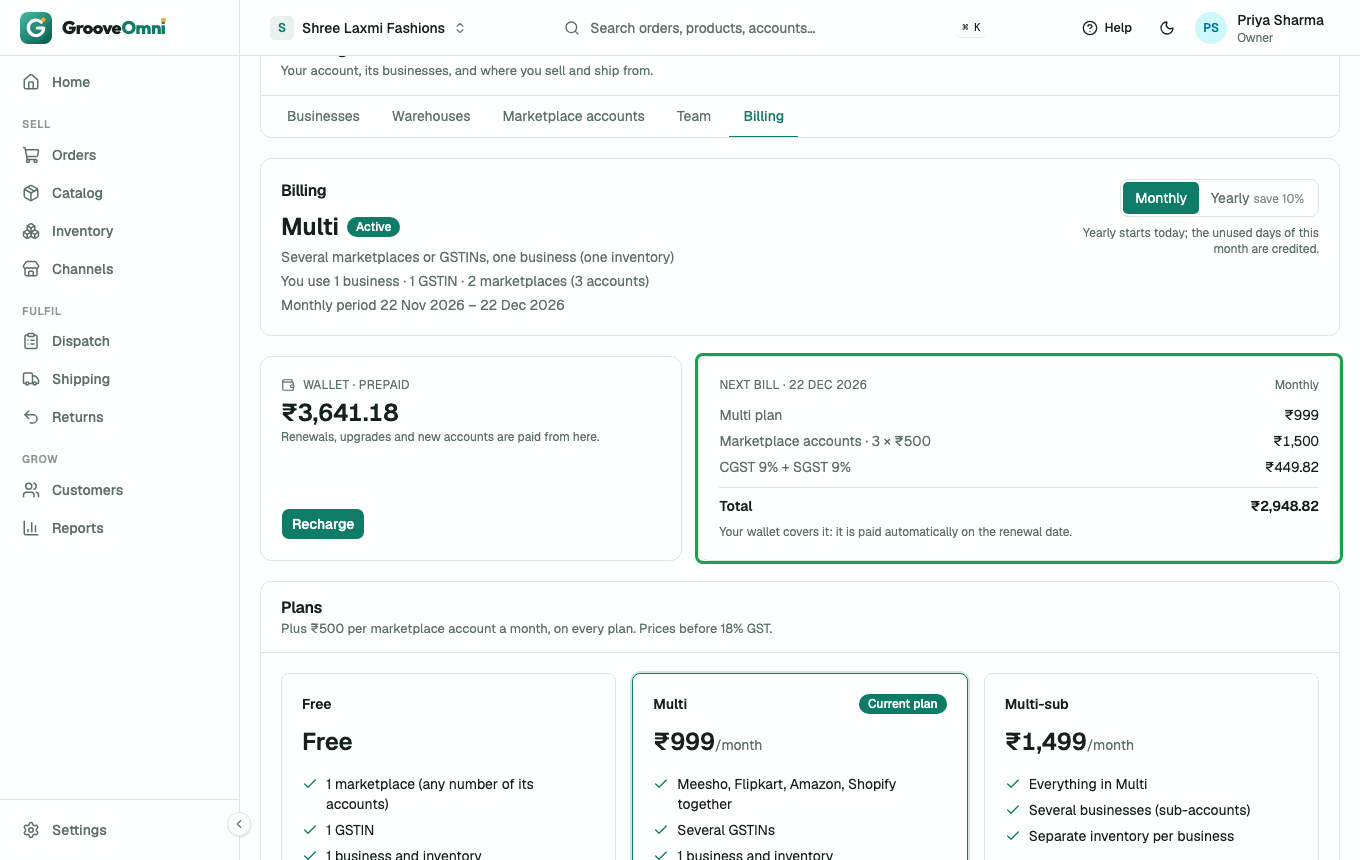 The Next bill card shows the new total right away: the plan plus ₹500 for each account, before GST.
Common questions
Does pausing an account lower my bill? No. Paused and switched-off accounts are still billed. Only Remove lowers it.
I removed an account by mistake. Click Undo in its row before the period ends.
What's next
- Every rupee accounted for "Invoice · Account added" and every other line on your statement.
- Pause, switch off, remove and restore an account The four choices, and what each does to the bill.
- Auto-debit from the wallet How the next bill is paid.