More than one business or GSTIN
This page explains how GrooveOmni handles two businesses, or one business with two GSTINs, and what each costs.
Who can do this: a second GSTIN: Owner, Admin, Manager (the upgrade it needs: Owner, Admin). A second business: Owner, Admin.
Step 1 — Add a second GSTIN to the same business
- Settings → Businesses, your business's ⋮ → GSTINs (or Manage in the GSTIN column).
- Add the Legal name and GSTIN, click Add GSTIN.
- GrooveOmni asks you to move to Multi first and shows the price (see Upgrade and downgrade).
The business still has one stock. Choose per marketplace account which GSTIN it sells under (account → Settings → GSTIN), and per warehouse which GSTIN it is registered under. One GSTIN can also be shared by several businesses.
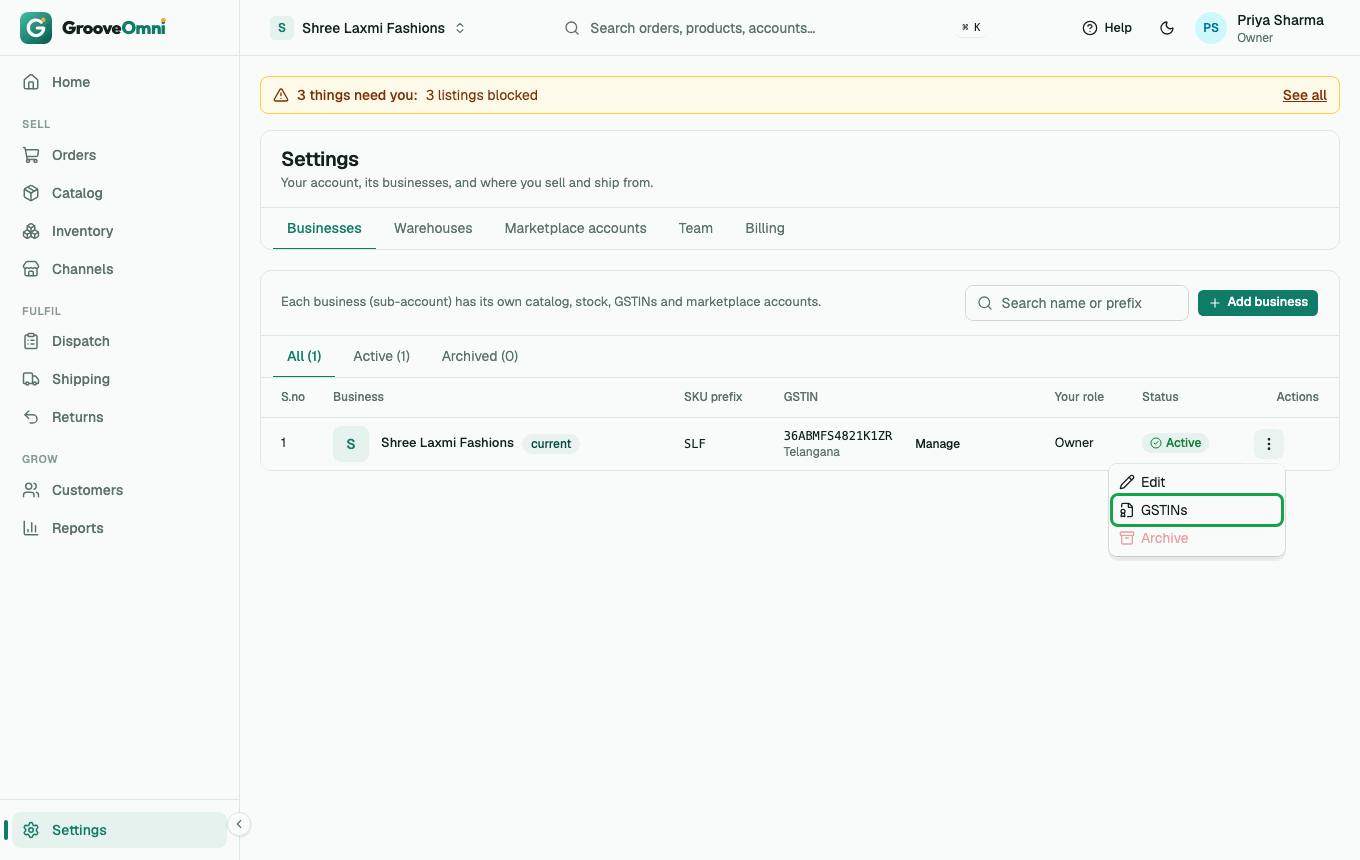 A second GSTIN in the same business: Settings → Businesses, then ⋮ → GSTINs (or Manage in the GSTIN column).
Step 2 — Or add a second business (sub-account)
A business is a separate sub-account: its own catalog, stock, warehouses, GSTINs and marketplace accounts.
-
Click the business switcher at the top left → Add a business. This opens Settings → Businesses (you can also go there yourself and click Add business).
-
Fill in:
Field What to enter Business name The name of the new business. Display name Optional. SKU prefix 2 to 5 letters or digits, fixed once created. Default label details Brand, manufacturer, packer, importer, pincode: printed on listings when a product has none of its own. -
Click Create business.
-
If your plan is not Multi-sub yet, GrooveOmni now asks you to move to it and shows the price. Upgrade to create the business, or click Not now.
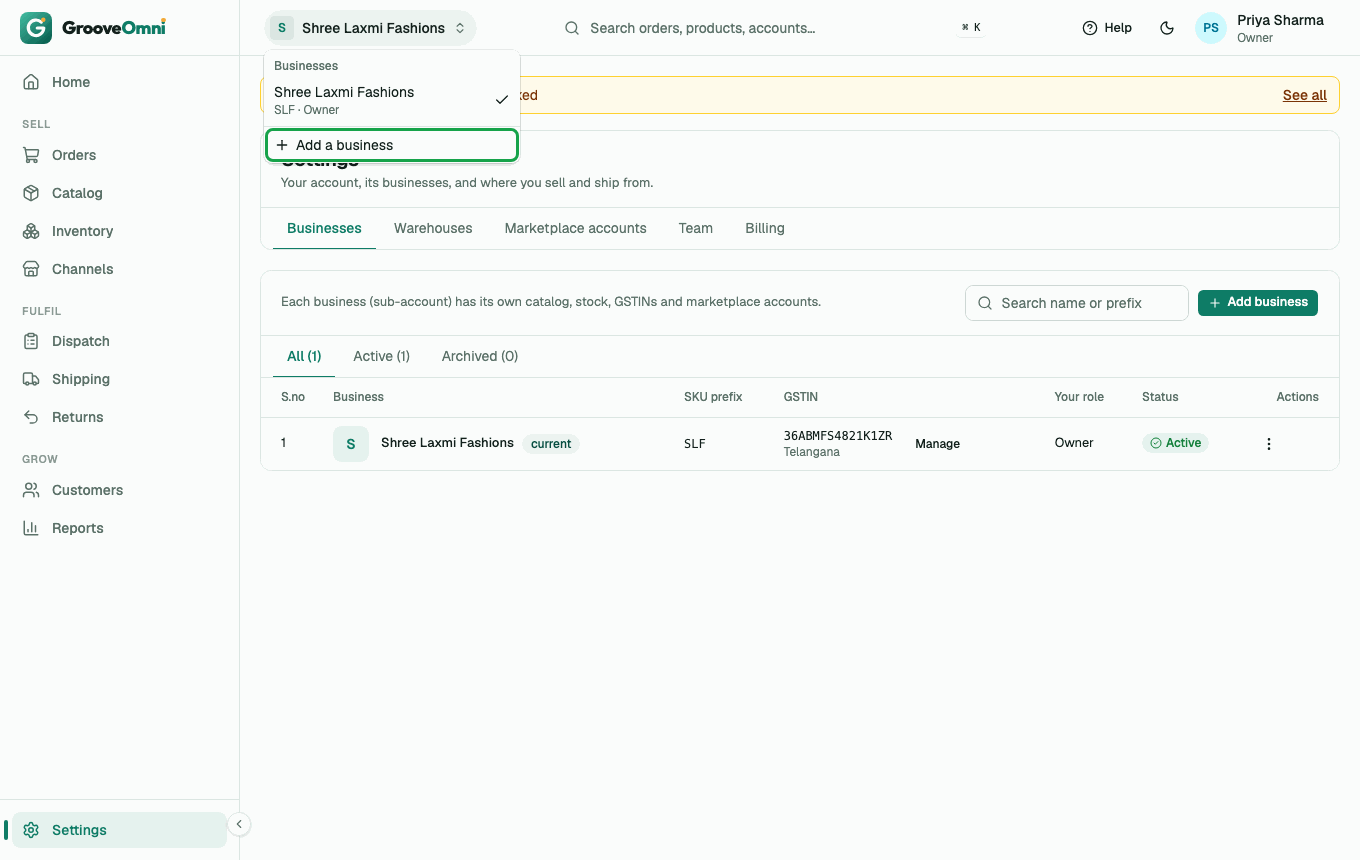 A second business has its own catalog, stock, warehouses and accounts. Click the business switcher → Add a business.
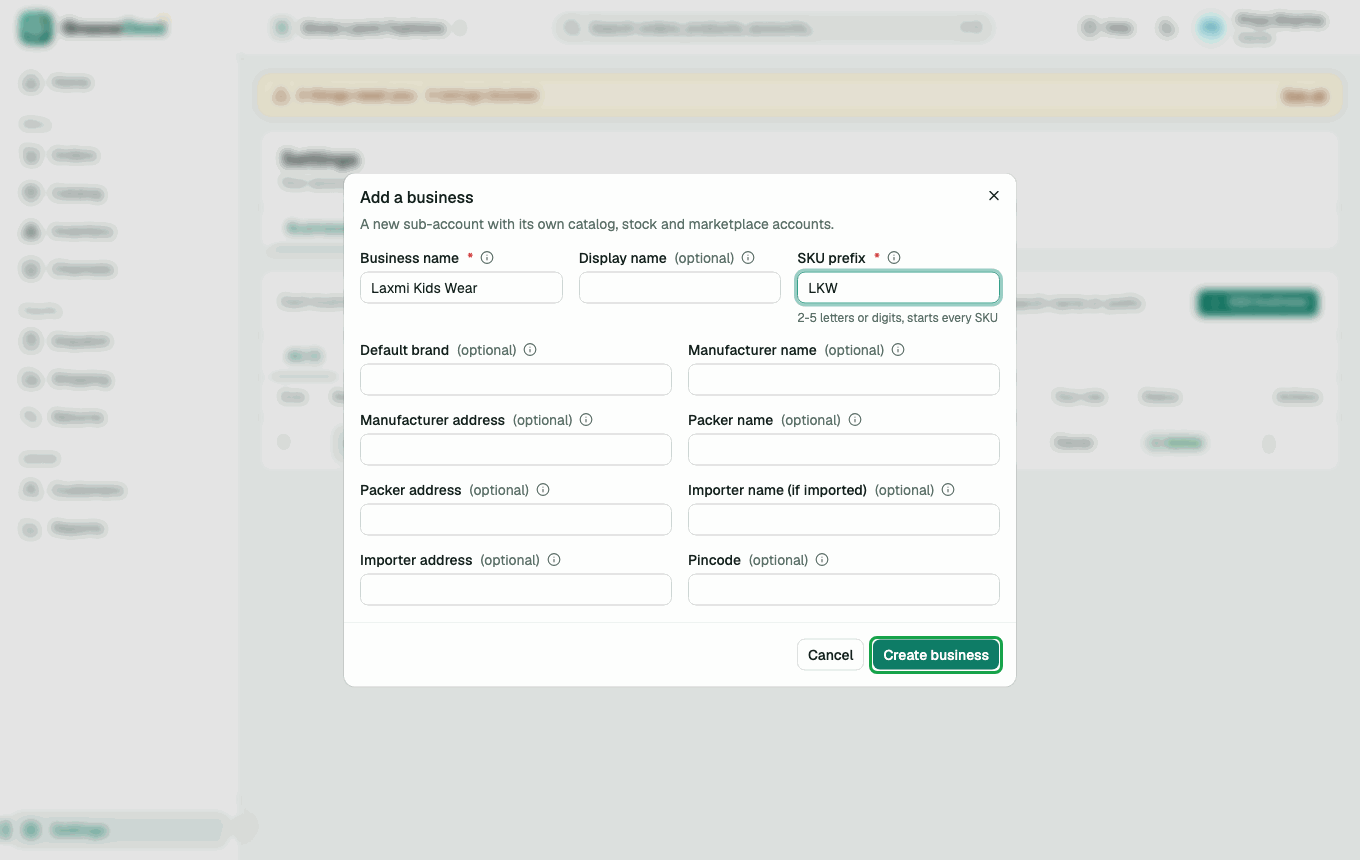 Fill in the business name and its SKU prefix (fixed once created), then click Create business.
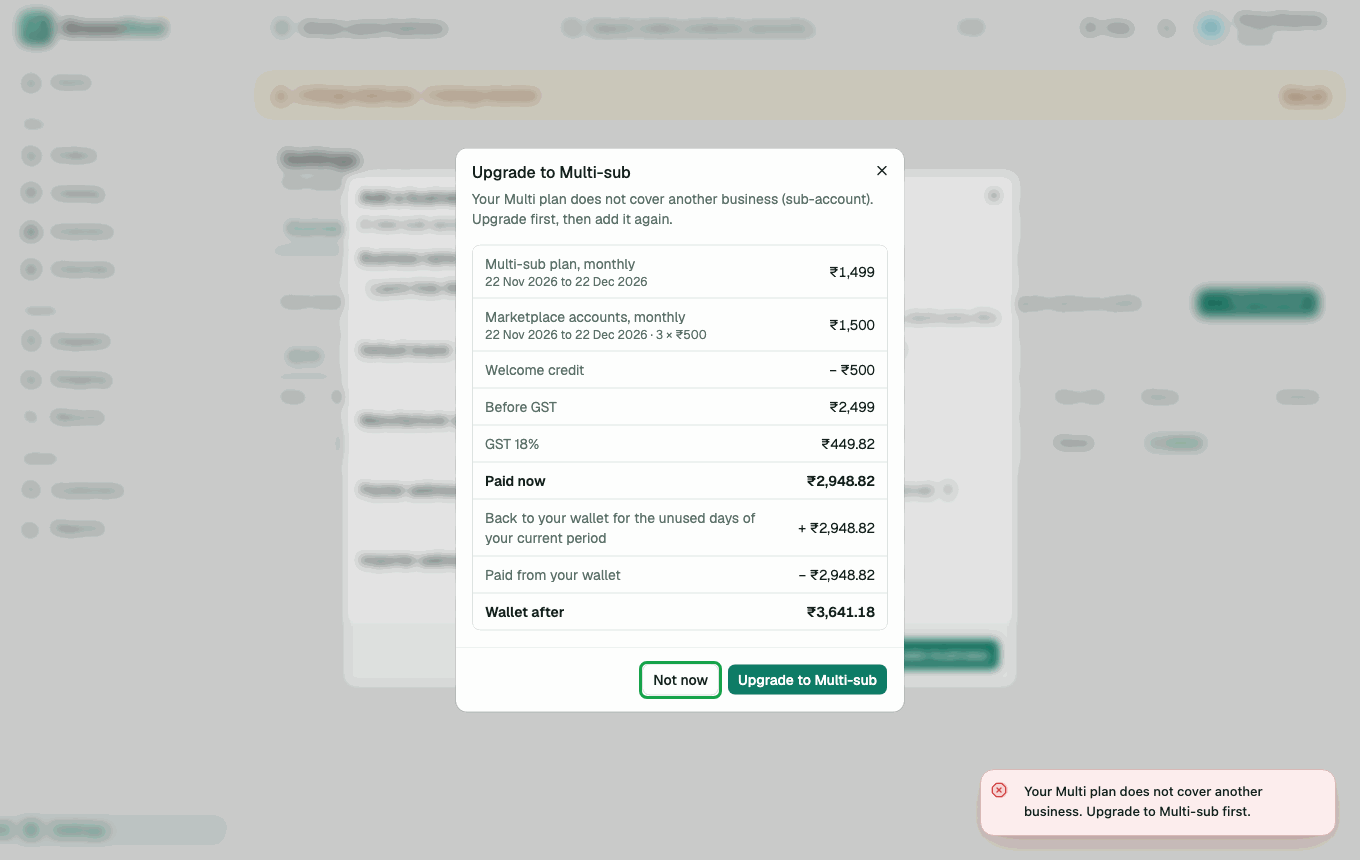 On Multi, GrooveOmni asks you to move to Multi-sub first and shows what it costs now. Not now cancels.
Step 3 — Switch to the new business
To work in it, click the business switcher and choose it: "Now working in <name>". Everything you see (orders, catalog, stock, accounts) is now that business's.
Give staff access per business in Team (see Add a staff member). To stop using a business: Settings → Businesses → ⋮ → Archive (at least one business stays active); Restore brings it back.
Common questions
Two GSTINs or two businesses? If both GSTINs sell from one stock, use one business with two GSTINs (Multi). If they are run separately with their own stock, use two businesses (Multi-sub).
Does the second business cost more? Yes: the Multi-sub plan (₹1,499 + GST a month), plus ₹500 + GST per marketplace account as always.
What's next
- Your plan, and why you are on it Multi and Multi-sub, with examples.
- Several warehouses Each business has its own warehouses.
- Invoices and GST Which GSTIN GrooveOmni's invoices are made out to.