Add another Meesho account, and what it costs
Many sellers run several Meesho accounts; GrooveOmni keeps one catalog and one stock for all of them. This page shows how to add another account, how much more you pay, and why you do not pay for the whole month. Your first account is in Connect your first Meesho account.
Who can do this: Owner, Admin, Manager. (Only the owner and admins can see and pay the bill.)
What it costs
- Every marketplace account costs ₹500 a month + 18% GST (₹590), the first one too. Five Meesho accounts cost ₹2,500 + GST a month.
- You do not pay for the whole month. An account added in the middle of the month is charged only for the days left until your billing date. After that it simply joins your regular monthly bill. Your billing date never moves.
- GrooveOmni is prepaid: the charge is taken from your wallet at once. If the wallet is short, you recharge first.
- All your Meesho accounts are one marketplace, so you stay on the same plan. Adding a second marketplace (for example Flipkart) needs the Multi plan (see Upgrade and downgrade).
Step 1 — Click Add another account
Go to Channels → Meesho and click Add another account (or, on the Channels page, the round + next to your Meesho accounts).
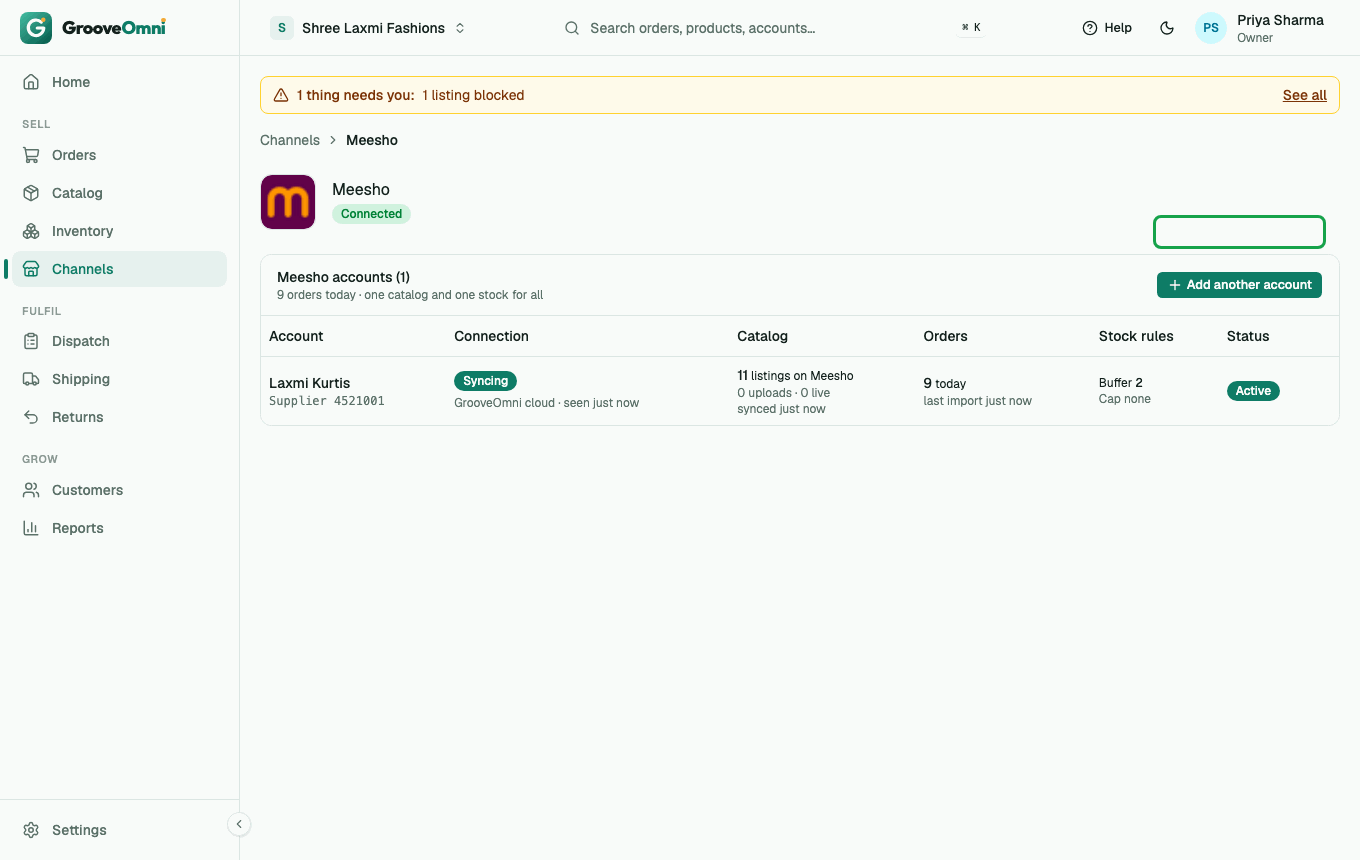 Go to Channels → Meesho and click Add another account.
Step 2 — Read what this account costs
What this account costs shows:
- "Meesho account · today – 21 Dec 2026 (30 of 30 days)" and the amount for those days;
- Welcome credit, if you still have some;
- GST 18%;
- Paid from your wallet now;
- "Wallet ₹… → ₹… after this", and "Charged only for the days left until your billing date…".
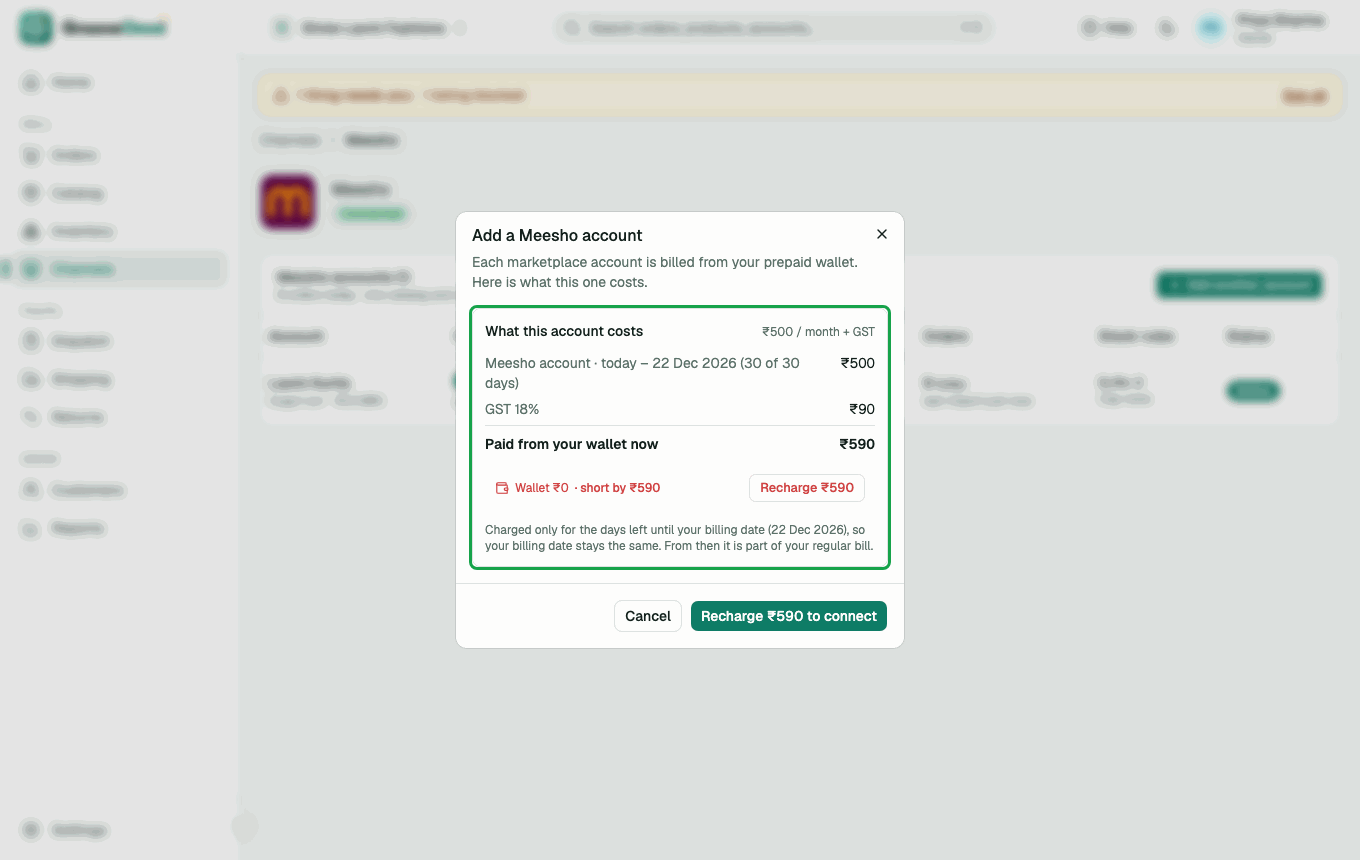 Read what this account costs: the days left until your billing date, GST, and what is paid from your wallet now.
Step 3 — Pay from the wallet, or recharge first
- If the wallet covers it, click Continue to Meesho login · pay ₹….
- If the wallet is short, the wallet line turns red ("short by ₹…") and the button reads Recharge ₹… to connect. Click it, recharge (see Recharge the wallet), then click Add another account again.
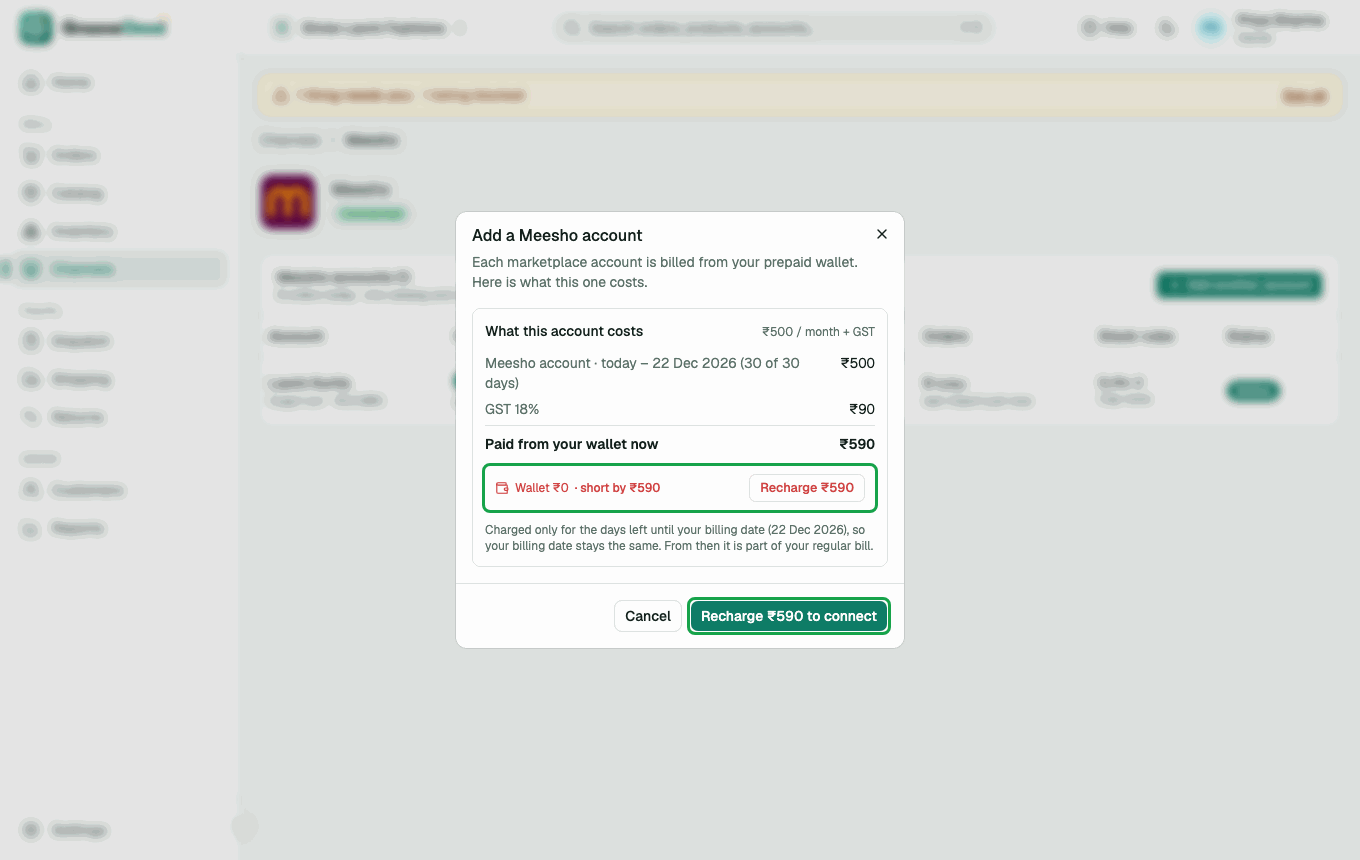 If the wallet is short, the line turns red and the button reads Recharge ₹… to connect.
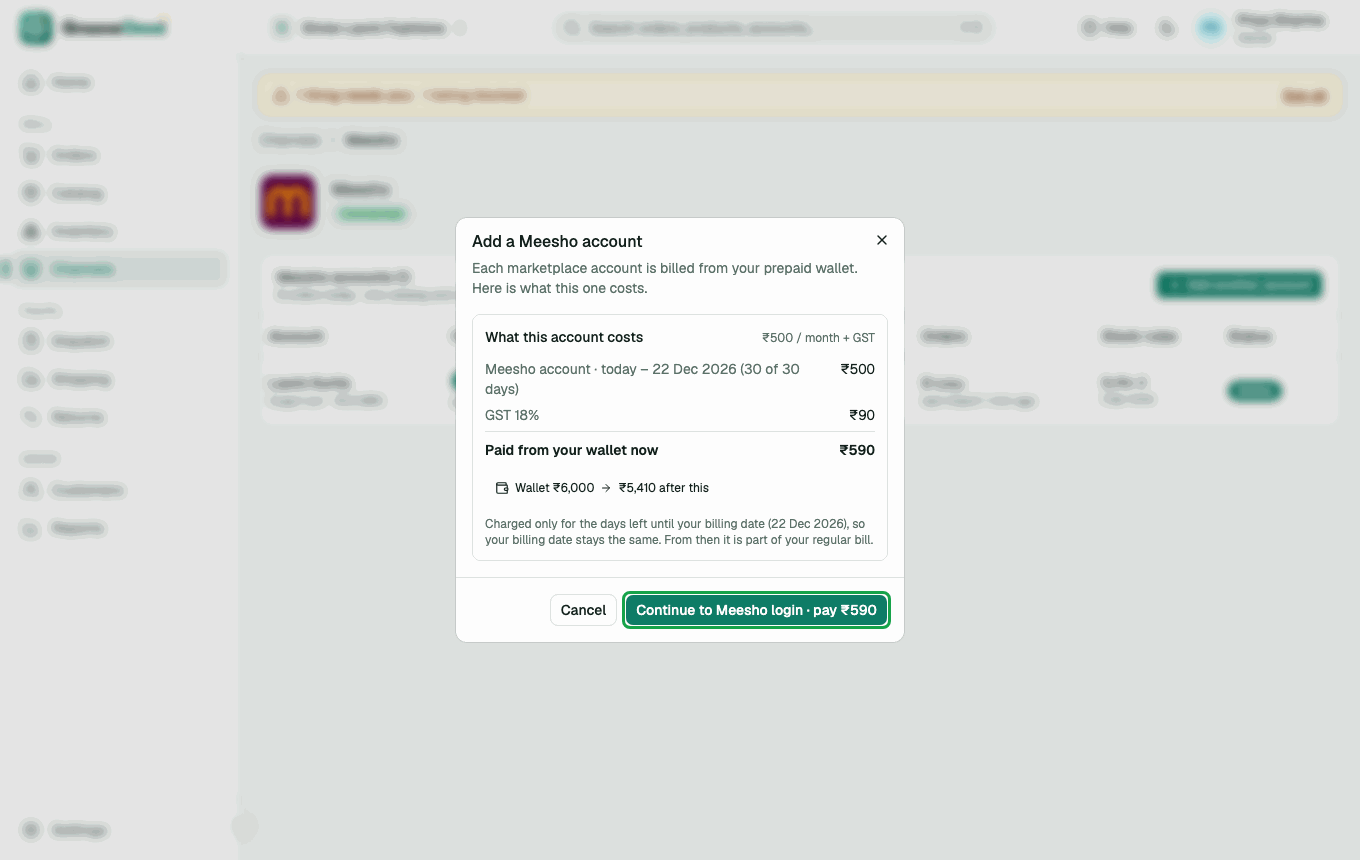 When the wallet covers it, click Continue to Meesho login · pay ₹….
Step 4 — Log in to Meesho
Choose the warehouse if asked, then log in to Meesho with that account's phone number and OTP, as in Connect your first Meesho account.
GrooveOmni says how much it took from the wallet. Its catalog and orders import by themselves.
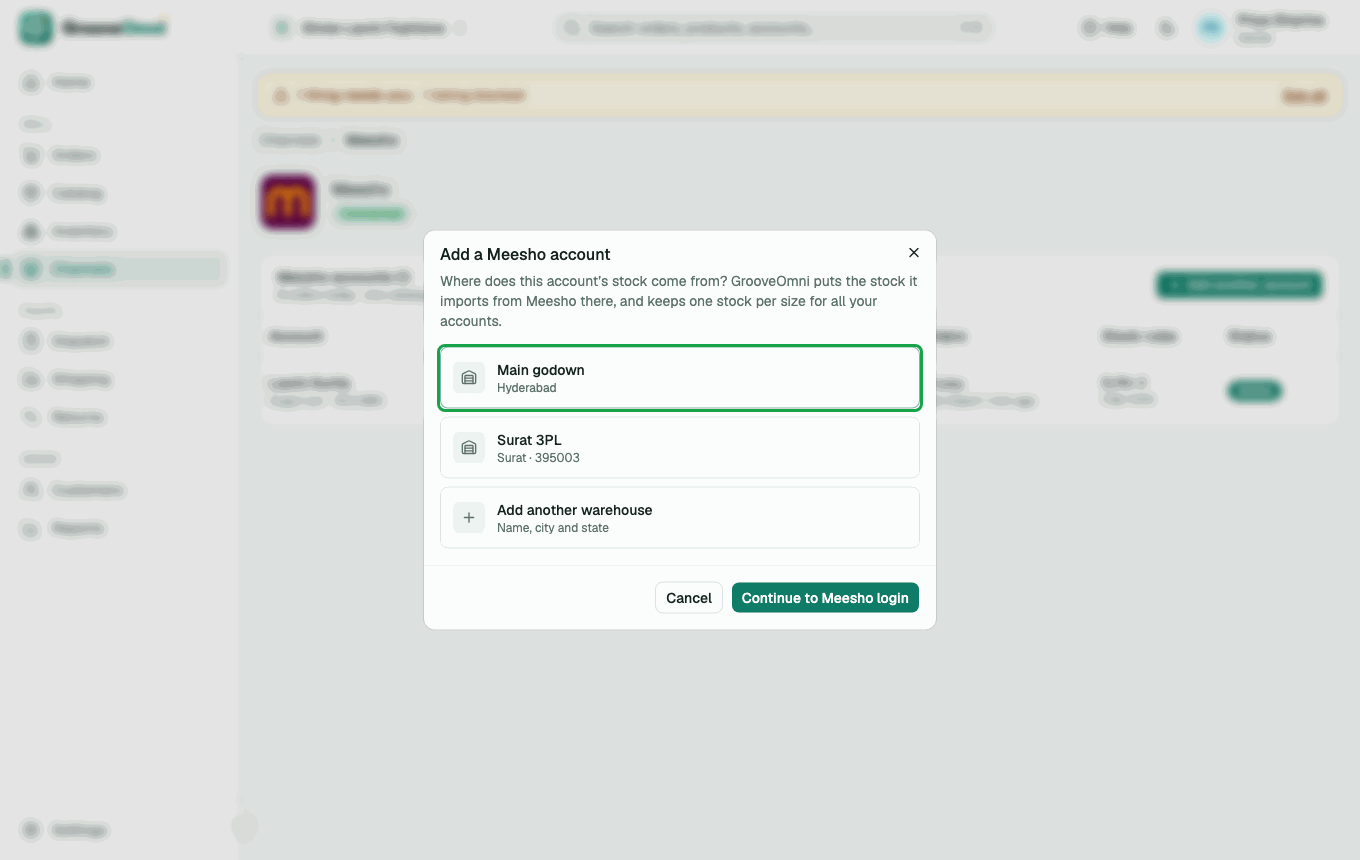 Choose the warehouse this account’s stock sits in, then log in to Meesho with that account’s phone number and OTP.
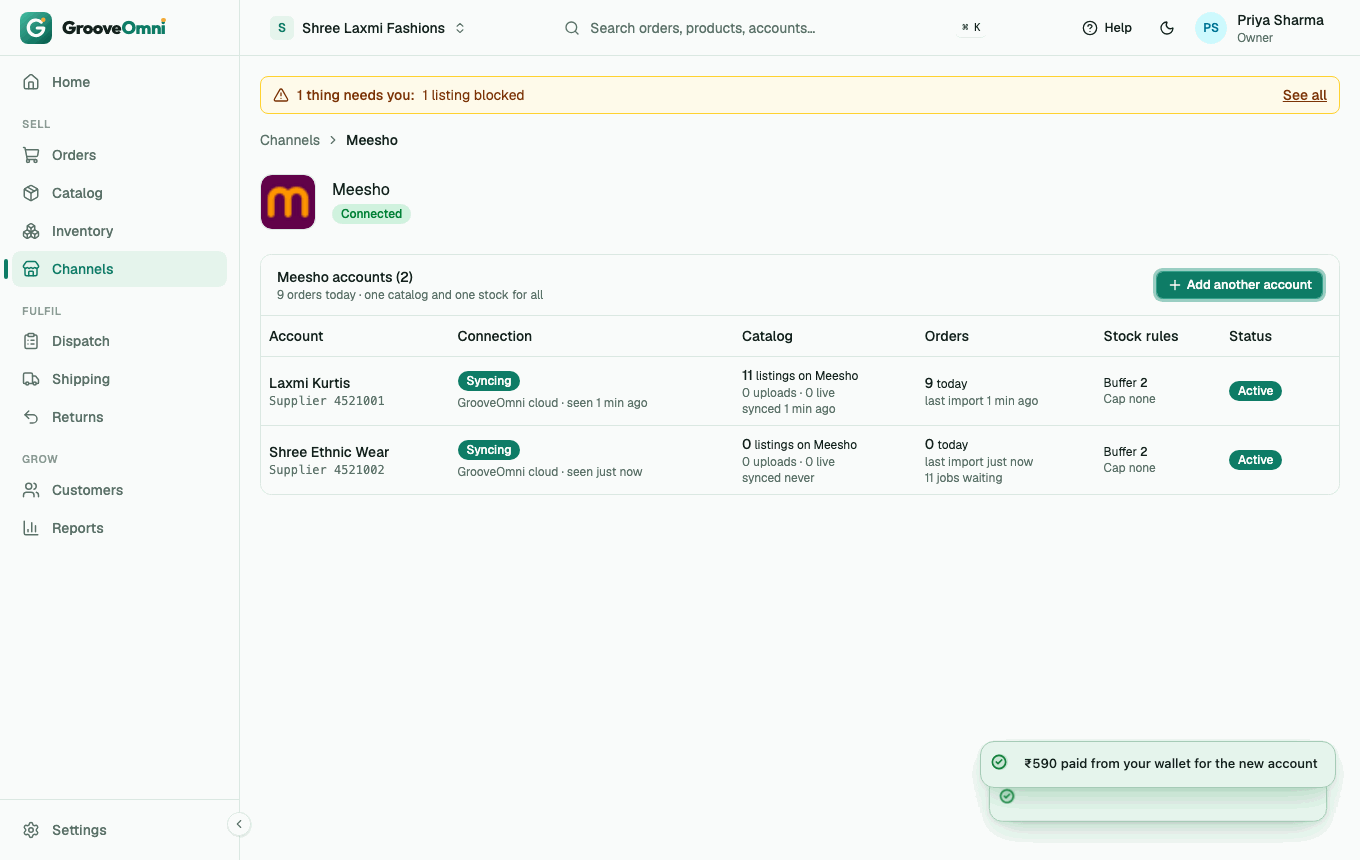 GrooveOmni says how much it took from the wallet. The account’s catalog and orders import by themselves.
Step 5 — Check your bill
Check Settings → Billing → Marketplace accounts on your bill: the new account is listed, and the Next bill card has gone up by ₹500 + GST.
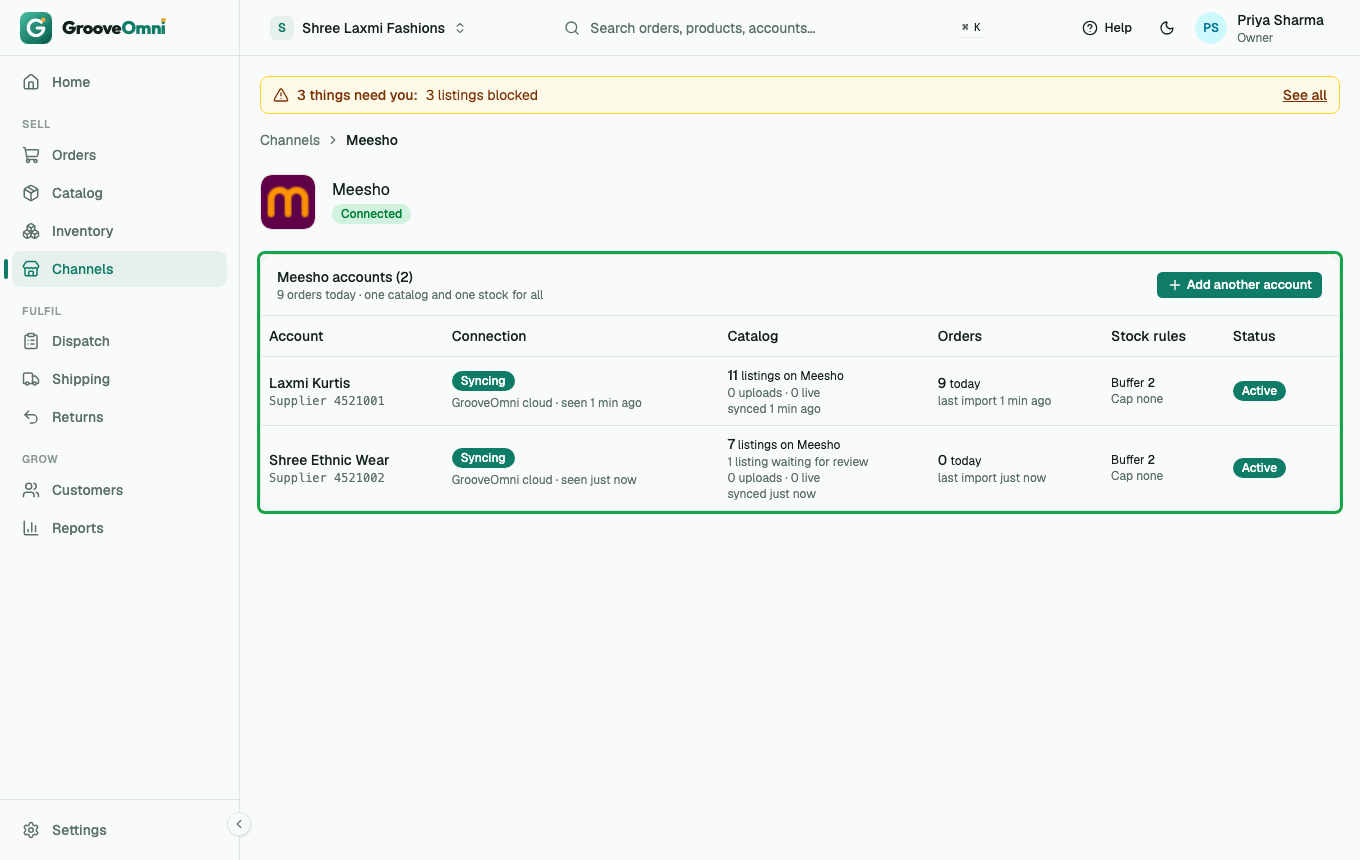 Both accounts are in the Meesho accounts table, with one catalog and one stock for all.
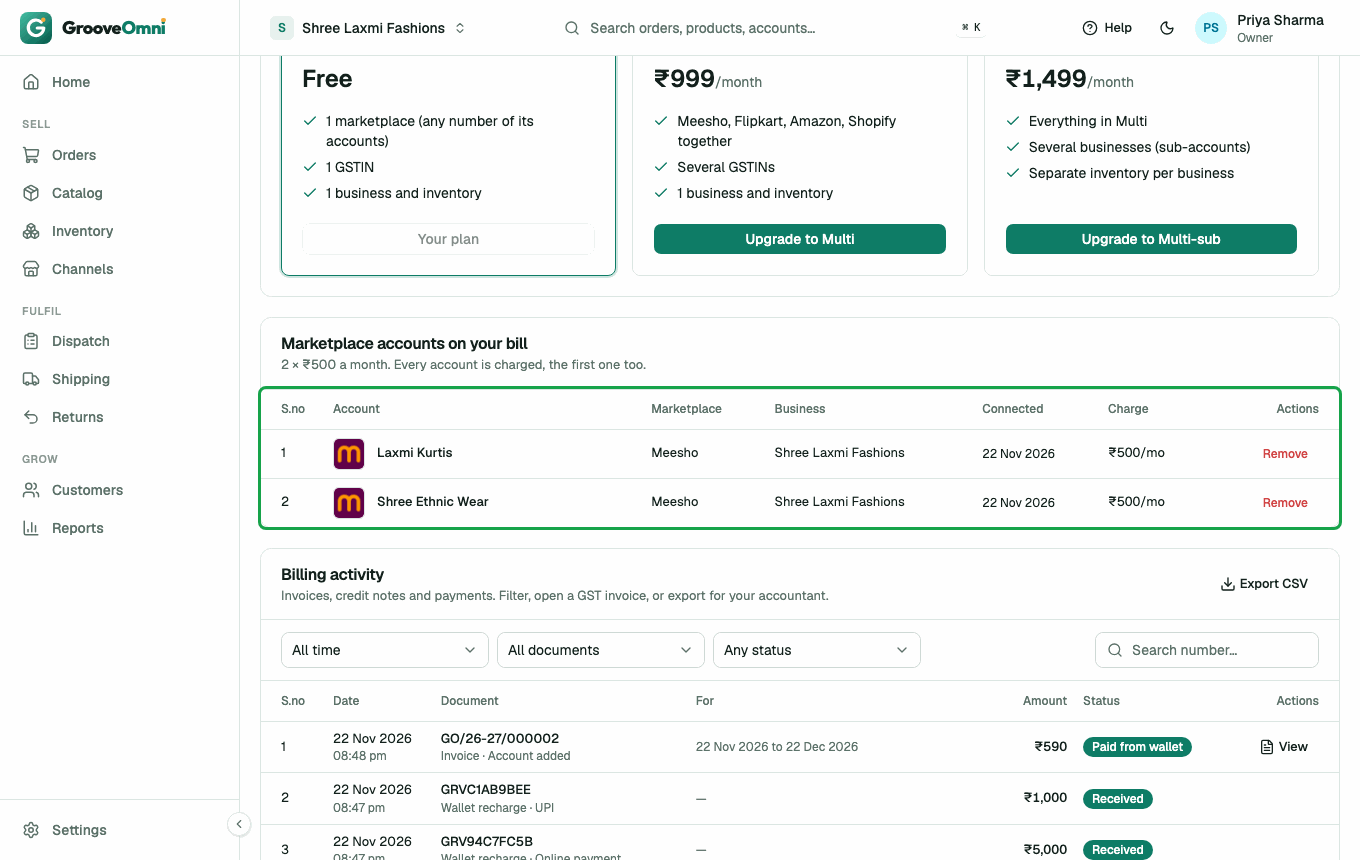 In Settings → Billing, Marketplace accounts on your bill lists the new account, and the next bill has gone up by ₹500 + GST.
Log in to the second account's Supplier Panel. Its catalogs now appear in the same GrooveOmni Catalog list as the first account's. A product both accounts sell may show up as a possible duplicate (see Duplicate products).
If something goes wrong
- "Recharge ₹… to connect" will not go away after a UPI or bank payment: a manual payment is added once GrooveOmni staff confirm it (usually within a few working hours). Pay online for an instant top-up.
- "Upgrade to Multi": you are adding a different marketplace on the Free plan. See Upgrade and downgrade.
- Your account is in Limited mode: new accounts wait until you recharge. See Auto-debit from the wallet.
- You see only a one-line note ("Each marketplace account is ₹500 / month + GST…") instead of the cost box: your role cannot see billing. The charge still goes to the organisation's wallet; ask the owner if the wallet is short.
Common questions
Can I add all my accounts? Yes. There is no limit. Sellers with 10 to 15 accounts are common.
Can I add several at once? Log in to each one in turn. If one Meesho login manages several suppliers, GrooveOmni lists them all after the login and you tick the ones to add.
Is the second account cheaper? No. Every account is ₹500 + GST a month. Plan prices get 10% off when paid yearly, but the account price stays ₹6,000 a year per account.
Does a paused account still cost money? Yes. Only Remove takes an account off the bill (see Pause, switch off, remove and restore an account).
What's next
- Logging in and out of Meesho What happens when Meesho ends a session, and how to log in again.
- How your accounts change the bill Adding and removing accounts in the middle of a period.
- Duplicate products, and merging When two accounts sell the same product under different SKU codes.